
When gimbals started entering the market 9 years ago, the DJI Osmo Mobile was the most popular choice among my tech media friends. They raved about it all the time, praising how it helped them take their videos like it was done by a professional. I’ve never owned one, not any gimbal for that matter. Upon receiving my iPhone 16 Pro Max last year, I declared I would use my new iPhone as my vlogging tool and I would definitely need a gimbal for it. I didn’t bother trying one brand after I held it for a few minutes. A month later, DJI offered us their new DJI Osmo Mobile 7p. Here’s our review.
Table of Contents
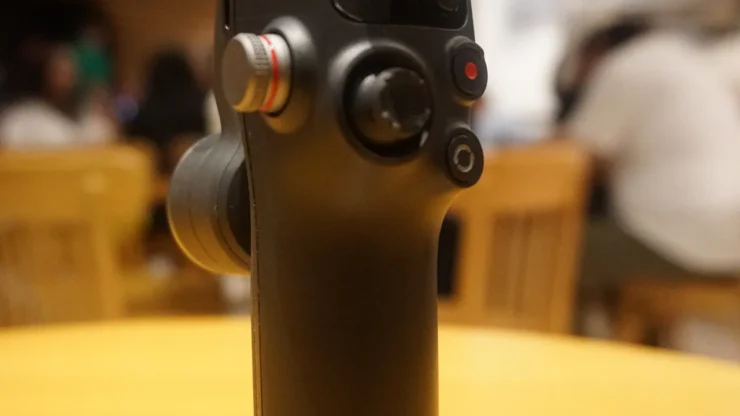
Parts of the DJI Osmo Mobile 7p
I’ve never really used a DJI Osmo Mobile gimbal before. Maybe I’ve held at least a couple of times but I really don’t remember, so there’s no way for me to compare with the new DJI Osmo Mobile 7p. I appreciate how they made this gimbal compact and lightweight.

There were a few buttons I found on the handle. There’s an M button which also powers on/off the gimbal, a joystick, a record button also used for taking photos, and a switch button.


On the left side is a side wheel that focuses in or out on the subject, USB-C charging port and a trigger.

On the upmost part are the roll motor and the tilt motor.

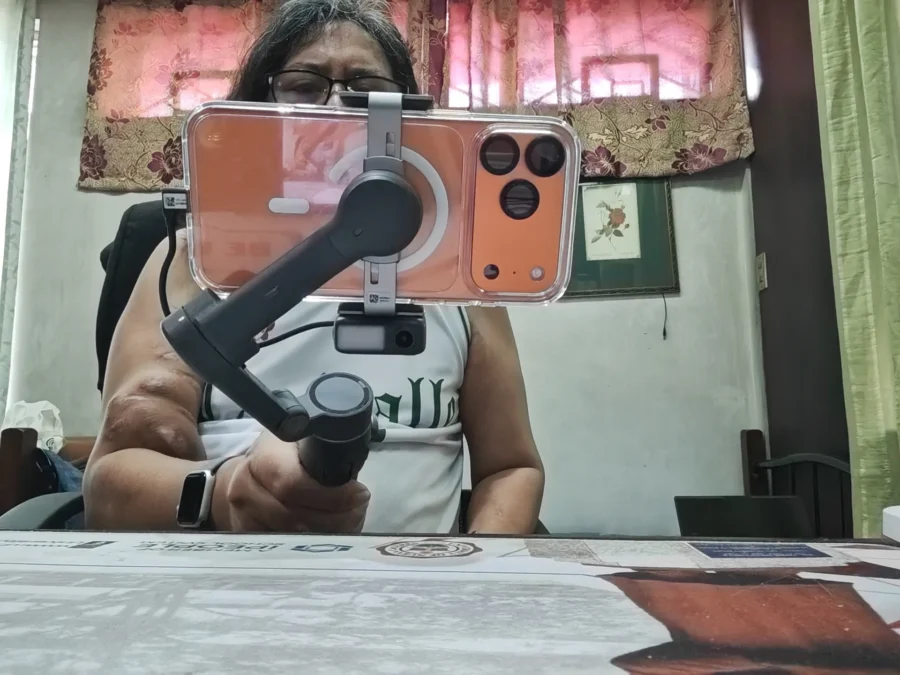
Setting up the DJI Osmo Mobile 7p was pleasantly easy than I thought. Simply unfold the gimbal, attach the phone to the DJI OM 7 Series Magnetic Phone Clamp then place it near the roll motor. Both the roll motor and clamp have magnets so they will attach to each other.

The DJI Osmo Mobile 7p can also be placed on top of a table by pulling the tripod under the Osmo Mobile 7p. I often record myself for my personal TikTok account with the Osmo Mobile 7p on top of my work desk.

For those moments when you need to record videos at a low-angle or hard to reach areas, the DJI Osmo Mobile 7p has an extension rod that can be pulled out
While you can already use the phone attached to the DJI Osmo Mobile 7p by using your phone’s camera application, I highly suggest to download the DJI Mimo app. It can be installed both on the iPhone or an Android Phone.
DJI Mimo App

If you are newbie to the gimbal universe, then the DJI Mimo App is a must for you to download on your phone. The DJI Mimo app makes it easier for beginners like myself to be able to maximize the usage of the DJI Osmo Mobile 7p. Apart from showing you the settings and battery life, this is where I activate the ActiveTrack 7.0. It can detect multiple subjects and maintains tracking of the subject even there are slight obstructions.
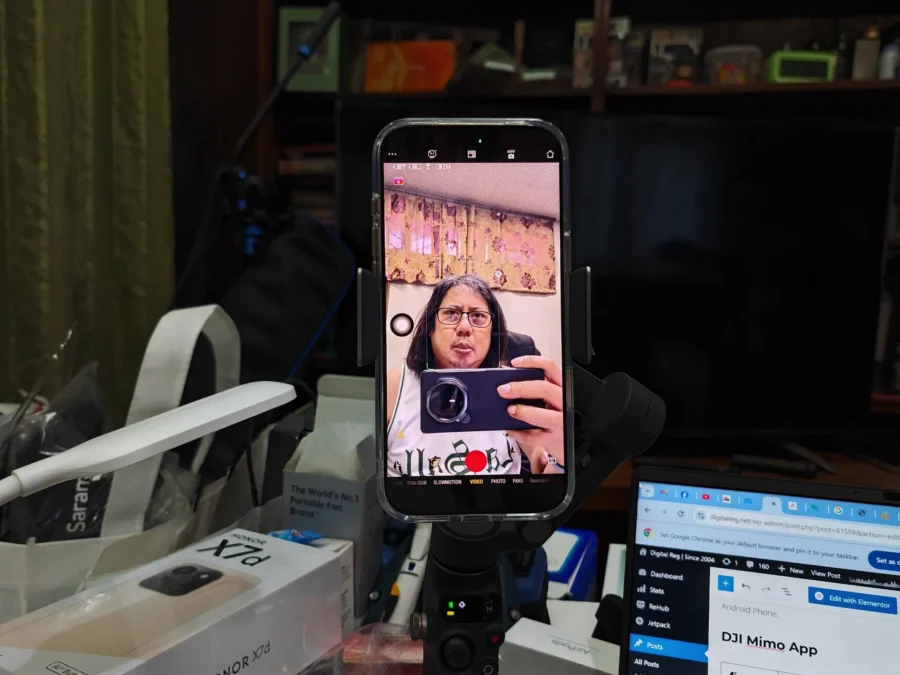
The Mimo app also lets the user select Photo or Video modes like Hyyperlapse, Timelapse, DynaZoom (Vertigo or Zolly shot), Slow Motion and Panorama.
If you feel that you need a tutorial on how to use the DJI Osmo Mobile 7p, as well as other DJI products, then you can access the Academy where it has a Beginner’s Guide for Osmo Mobile 7p users.
Multifunctional Module

The Multifunctional Module enhances your DJI Osmo Mobile 7p and kinda makes it into a Super Gimbal. It has an AI tracking feature which is useful to users who would rather like to use their phone’s camera apps than the DJI Mimo app. The module acts as a receiver for the DJI Mic Mini (separate product) and take advantage of its features while recording a video. Lastly, it has a built-in fill light with four-levels of adjustable brightness and color temperature.

DR’s Conclusion
The DJI Osmo Mobile 7p is an excellent companion for creating video content. Stabilization was superb on its own but it was even better when I pair it with my iPhone 16 Pro Max. In the near future I will attempt to make a cinematic short video with the use of the DJI Osmo Mobile 7p. The addition of the multifunctional module and an extension rod (not available in the more-affordable DJI Osmo Mobile 7) is a good value for its retail price of P7,499.
Order a DJI Osmo Mobile 7p or any DJI products that would suit your content creation by visiting https://djiph.com/