
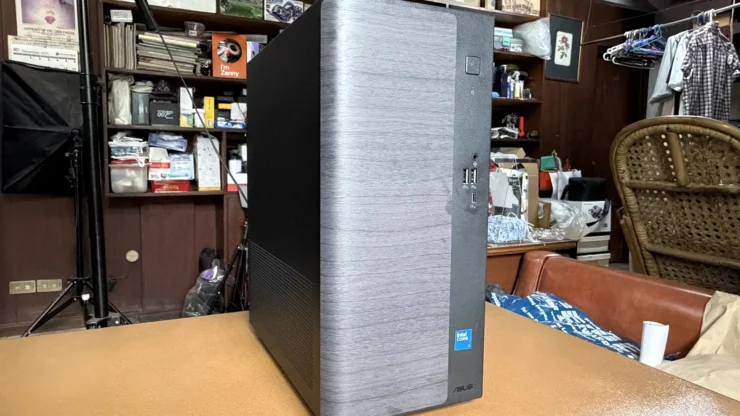
Throughout the years, we have given Desktop PCs the spotlight to remind our readers they still exist in the market. Consumers often think Laptops are better to have than a Desktop computer. We beg to disagree, and we intend to prove it by reviewing the ASUS V501MV Mini Tower PC.
Table of Contents
ASUS V501MV SPECS
| OS: | Windows 11 Home |
|---|---|
| Processor: | Intel Core 7 Processor 240H 2.5 GHz (24MB Cache, up to 5.2 GHz, 10 Cores, 16 Threads) |
| Integrated GPU | Intel UHD Graphics |
| Storage | 512GB M.2 2280 NVMe PCIe 4.0 SSD |
| Memory: | 8GB DDR5 SO-DIMM up to 64GB |
| Card Readers: | 15-in-1: smart card + MS/ MS Duo/ MS Pro/ MS Pro Duo/ SD/ MMC/ MMC4.0/ RS-MMC/ RS-MMC4.0/ SDHC/ MS Micro-M2/ Mini SD/ Micro SD/ Mini MMC |
| LAN: | Intel WGI219V 10/100/1000 Mbps, non-vPro |
| Connectors: | (Front) 2 x USB 3.2 Gen 1 Type-A, 3.5mm Combo Jack, 1 x USB 3.2 Gen 1 Type-C port (Back) HDMI 1.4, DisplayPort 1.4, 4 x USB 2.0 Gen 1 Type-A, 1x 7.1 channel audio (microphone, line-out, Line-in) |
| Wireless: | Wi-Fi 6(802.11ax) (Dual band) 2*2 + Bluetooth® 5.4 Wireless Card |
| Size: | 15 L |
| Form Factor: | Mini Tower |
| Price: | ₱58,795.00 |
The Build and Design
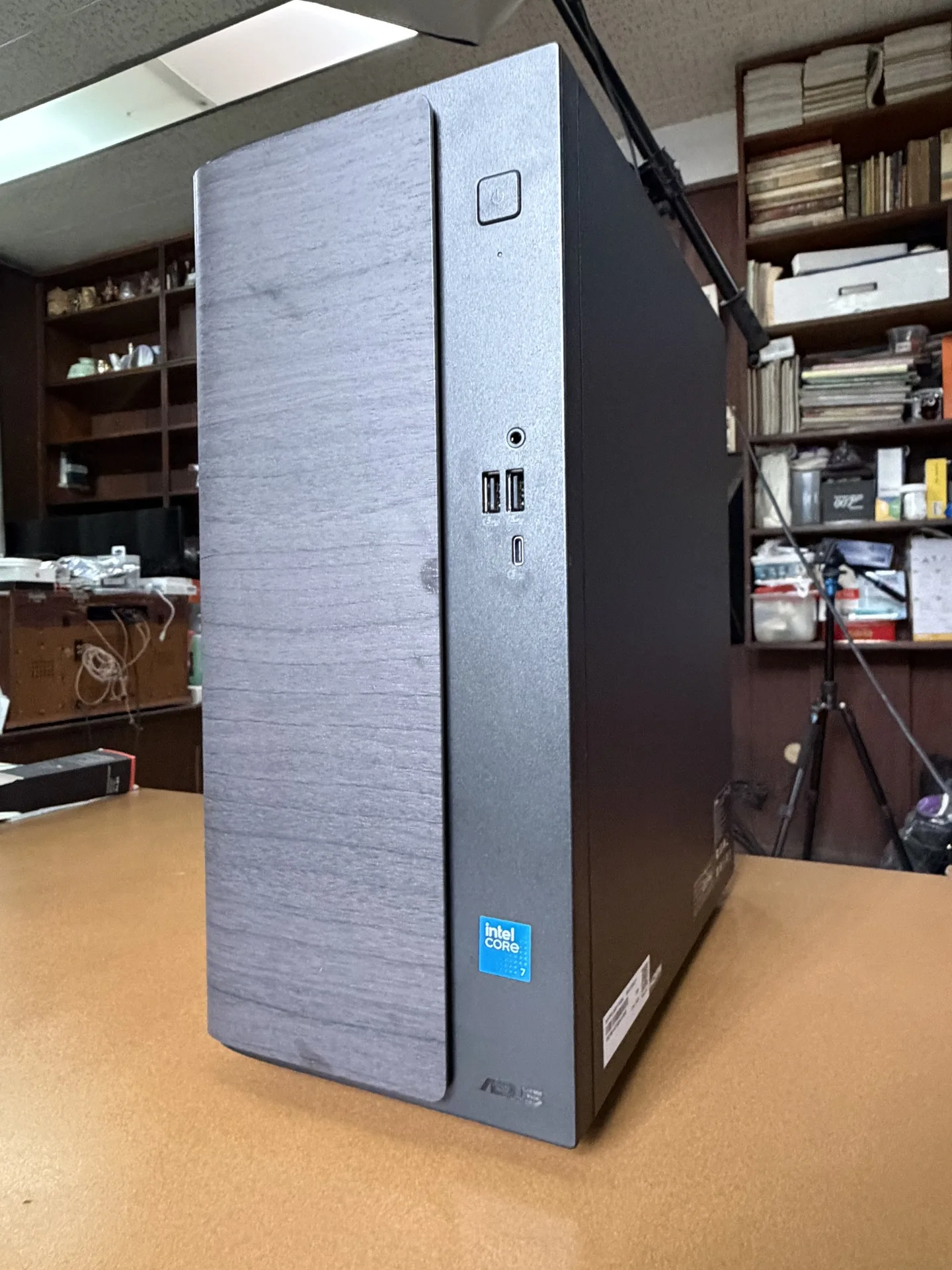
When someone mentions a desktop PC, I always remember the ones we’ve had in the 90s and 2000s. They were big, bulky, and usually available in one color – beige. Currently, pre-built desktop computers are usually available in black, and they look boring. This is not what we expected when we unboxed the ASUS V501MV.
At first glance, it looked like a bookshelf speaker that can be placed anywhere in your living room. See what I tried to say there? This Mini-Tower PC doesn’t look like a conventional desktop computer. It really defined what a modernly designed computer should look like. They don’t have to be an eyesore.
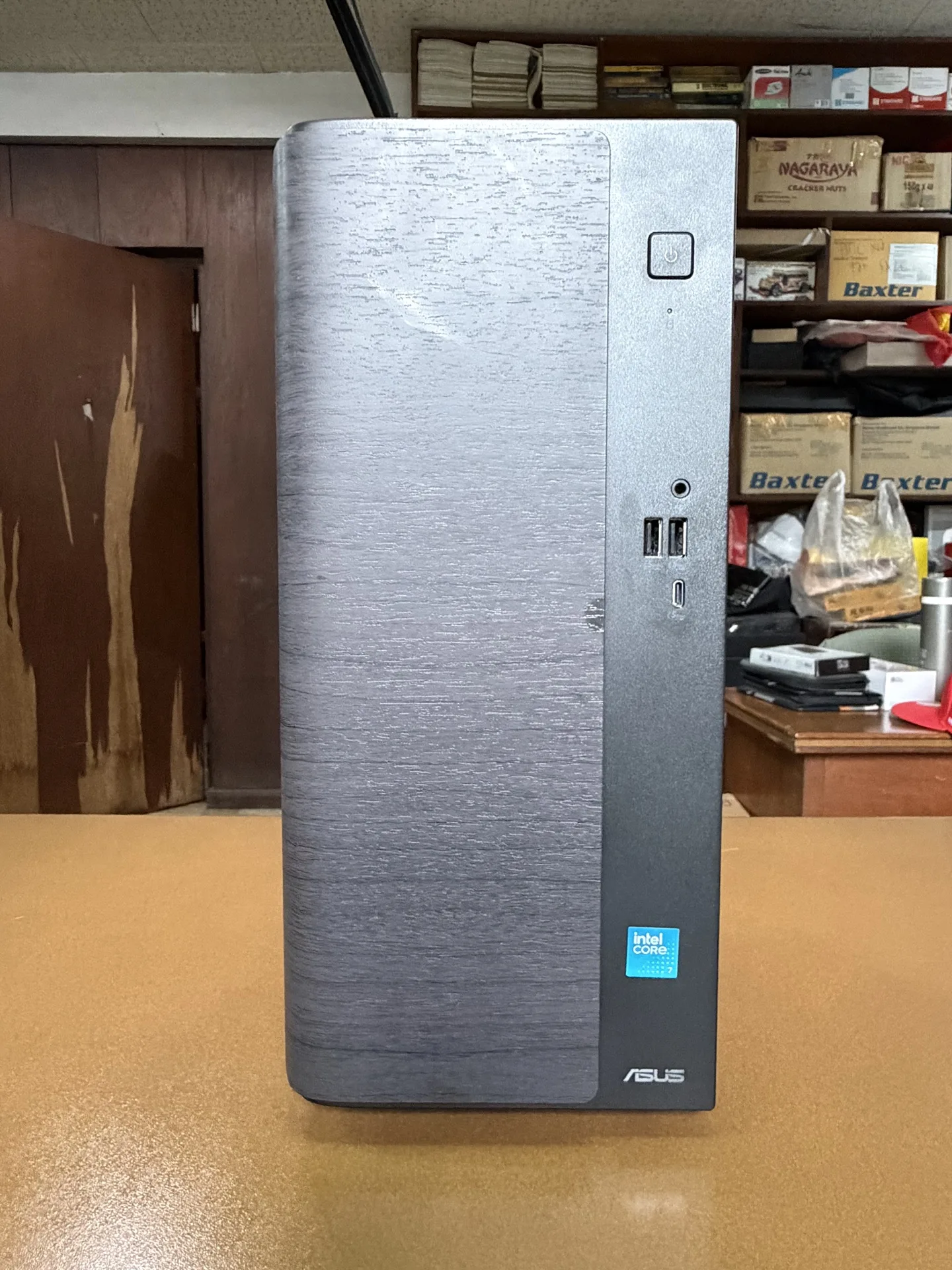
Designed to blend into your living space, the ASUS V501MV has a specialized Dark Wood finish using a wood-grain surface texture to add natural warmth. Its dimensions are 15.55 x 30.17 x 35.68 cm, which is quite close to a bookshelf speaker I mentioned. It weighs 6 kg and can be easily moved around the room.
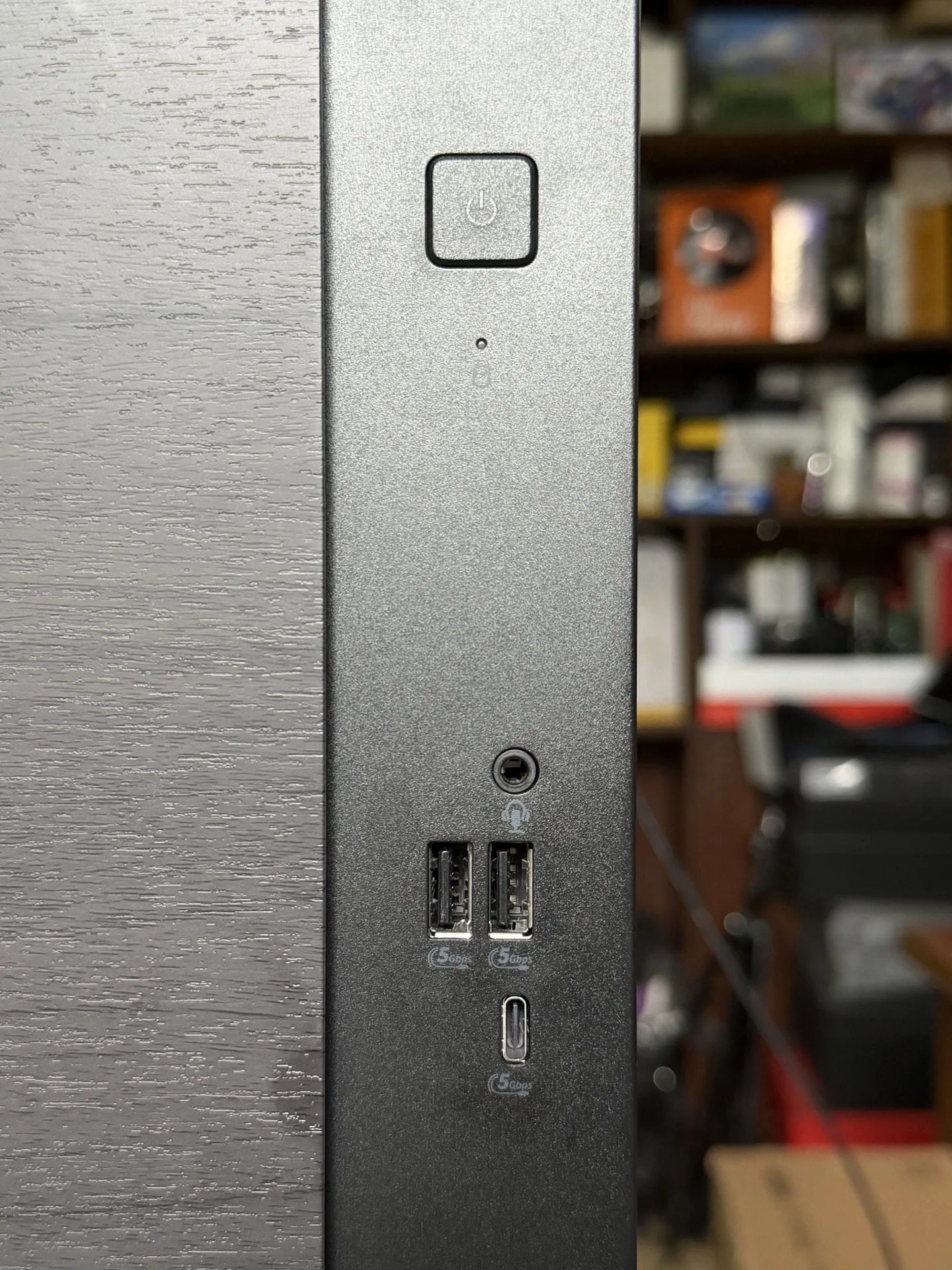
In front of the V501MV are the power button, two USB 3.2 Gen 1 Type-A ports, a 3.5mm combo audio jack and 1 x USB 3.2 Gen 1 Type-C port.
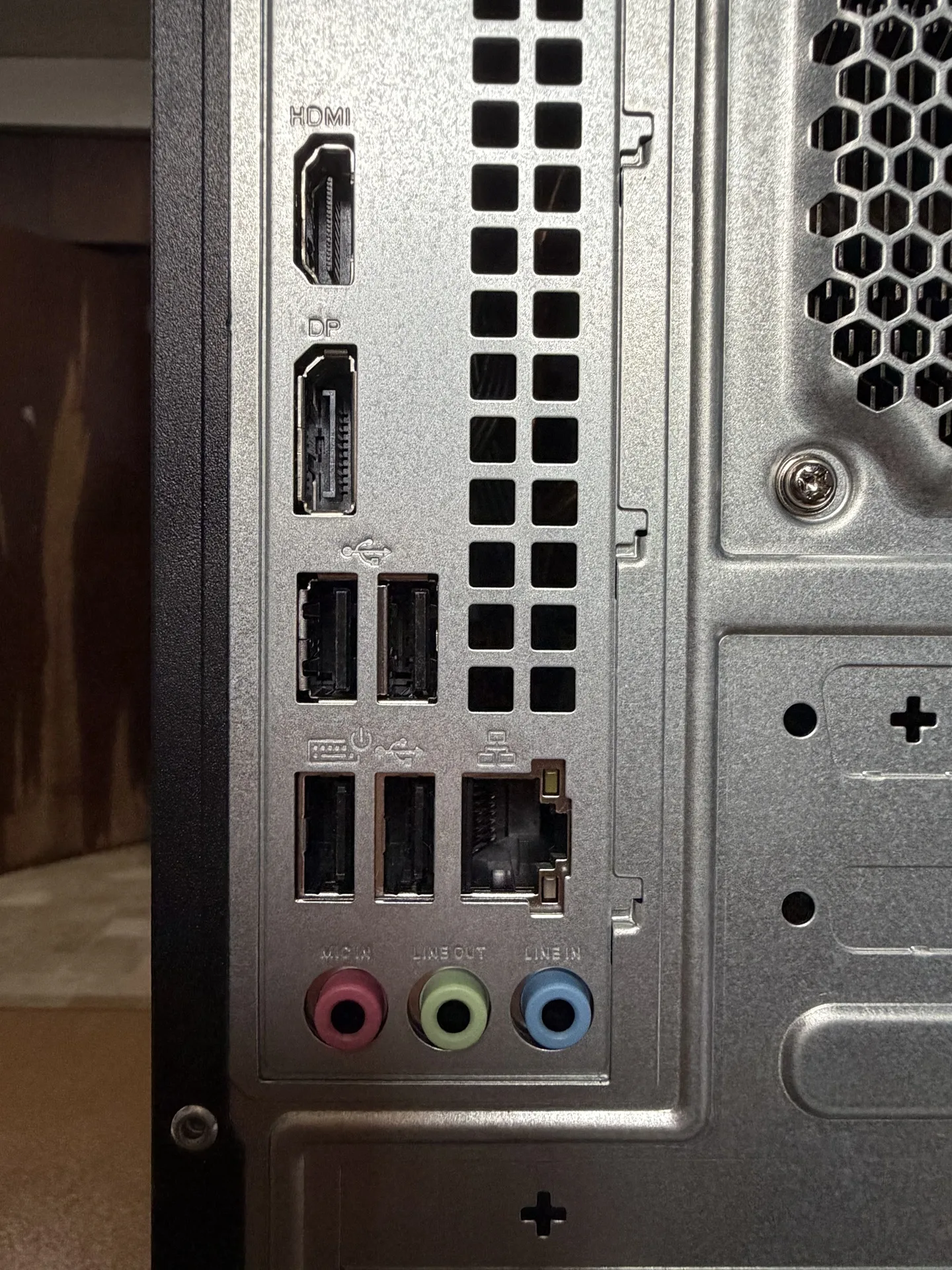
There are more ports at the back. There are HDMI 1.4 and DisplayPort 1.4 for display outputs, four USB 2.0 Type-A for your peripherals like a keyboard, mouse, and other devices, RJ45 Gigabit Ethernet Port, three audio jacks that supports 7.1 channel high-definition audio, microphone, line-in and line-out. Apart from connectivity, it also has a rear exhaust vent where the exhaust fan is mounted.
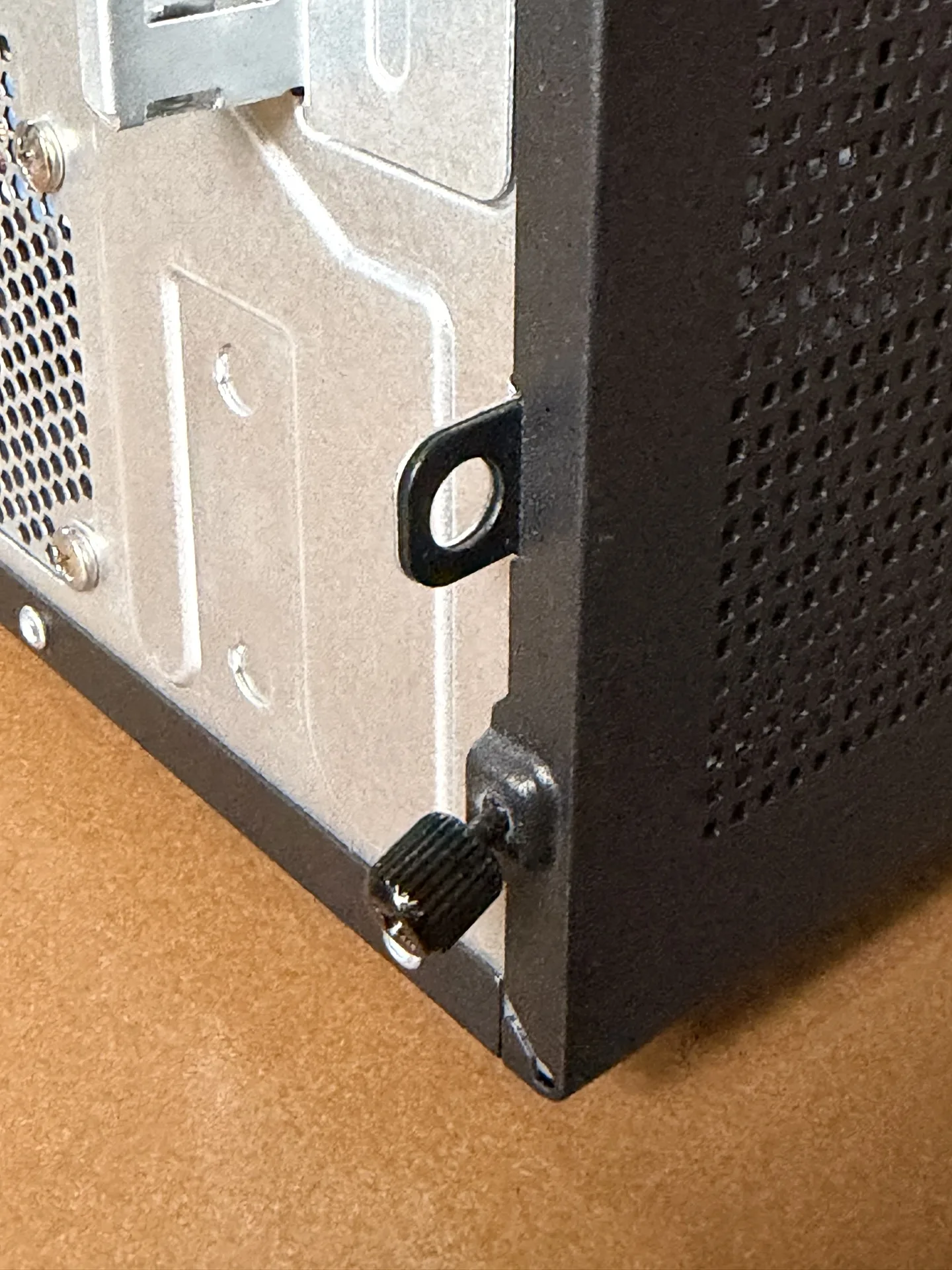
For added security, it comes with a padlock loop to lock the chassis panel and a Kensington lock slot.
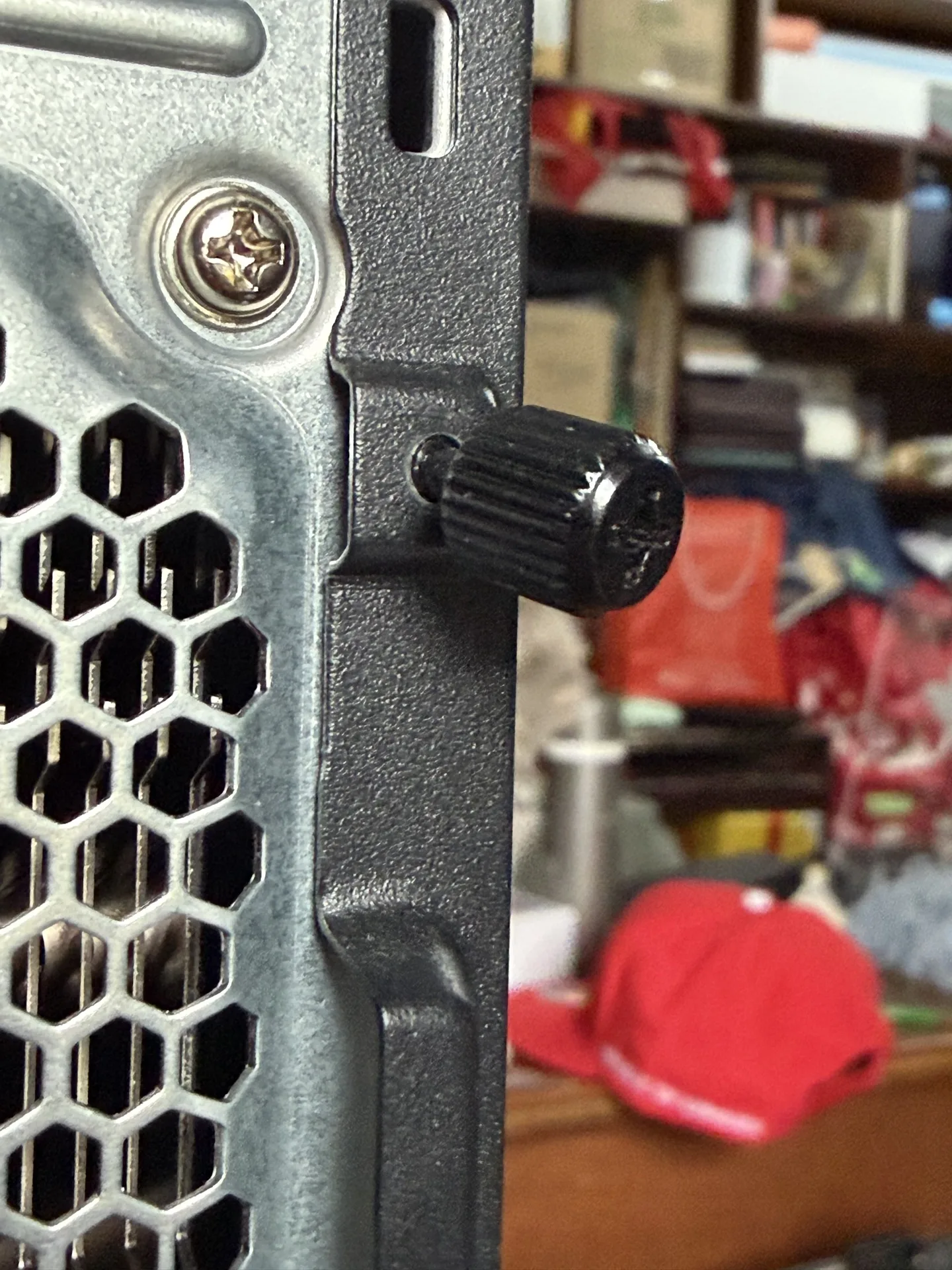
The side panel has a removable cover to replace components inside the V501MV. I brought out my screwdriver to remove the lock, until I realized it has rear thumb screws that don’t need any tools. That’s a very neat feature, ASUS!
The Performance
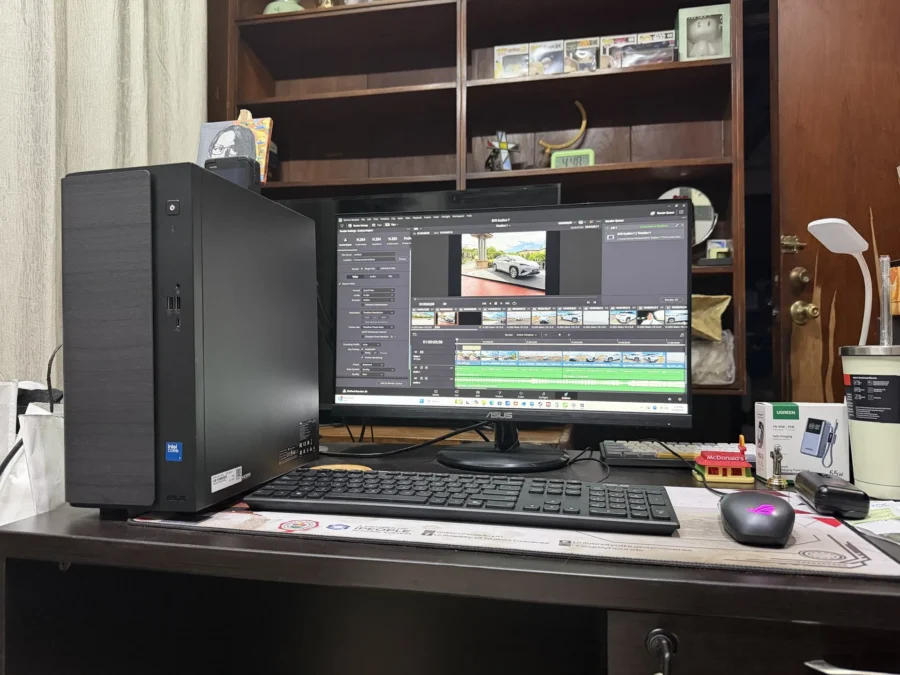
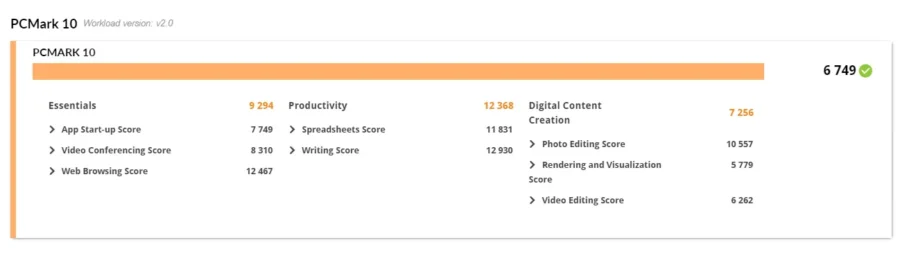
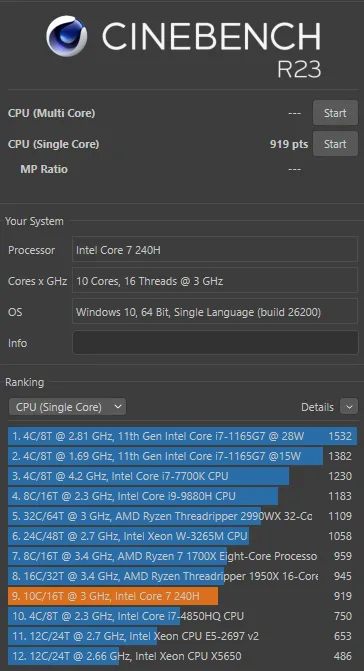
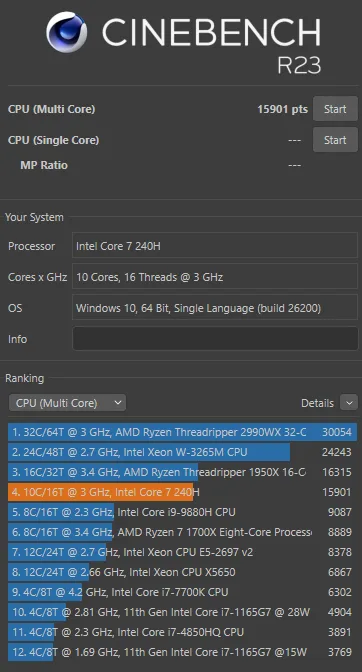
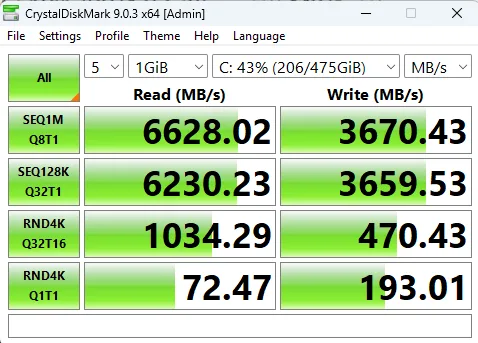
Our ASUS V501MV review unit is powered by an Intel Core 7 Processor 240H with integrated Intel UHD Graphics. Storage is 512GB M.2 SSD and its memory is only 8GB DDR5. Here are some benchmark tests results we did with the V501MV.

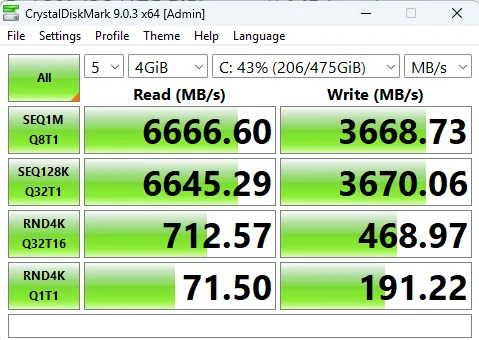
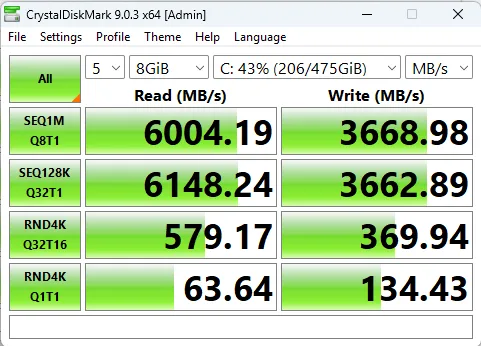
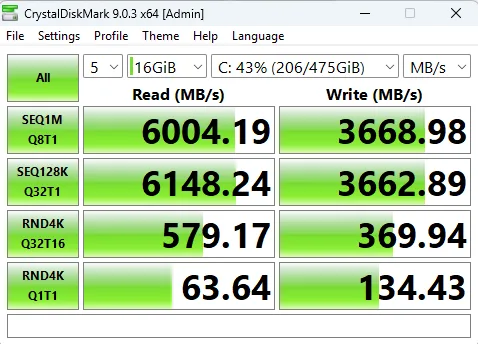
The ASUS V501MV’s specs are highly recommended for home use. For a family of four, mom can use it during the day to look up home recipes or browse social media to search for the latest showbiz tsismis. When the kids arrive, they’ll surely use it to research school projects or entertain themselves a bit by watching YouTube. And in the evening, dad might want to sneak in some time in the PC to finish a few things needed for the office before heading to the bed.
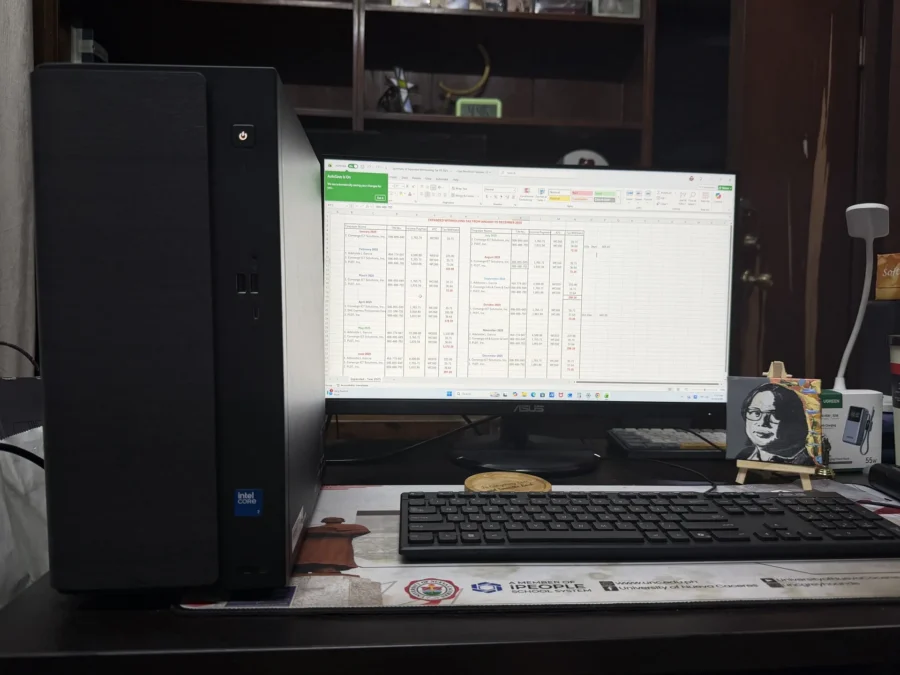
I used the V501MV connected to an ASUS Expert Monitor loaned to me for review along with the ASUS keyboard and mouse that comes with the package. For work, I opened 20+ tabs on Google Chrome including 3 YouTube pages, Microsoft Word, Excel, and Davinci Resolve 20. The 8GB of memory doesn’t cut it so it’s either I must close Davinci Resolve or shut down my other tabs on Chrome. Having said that, users who ought to use the ASUS V501MV for basic approaching to intermediate levels of photo and video editing can still do so.
As these out-of-thebox specs suggest, this is ABSOLUTELY NOT a gaming desktop PC. I tried playing Overwatch 2 at its lowest settings on the V501MV and I could say I’d be lucky enough to play 3 games before it could give up. Maybe it would work better if the RAM or the GPU is upgraded, which is what I am about to discuss.
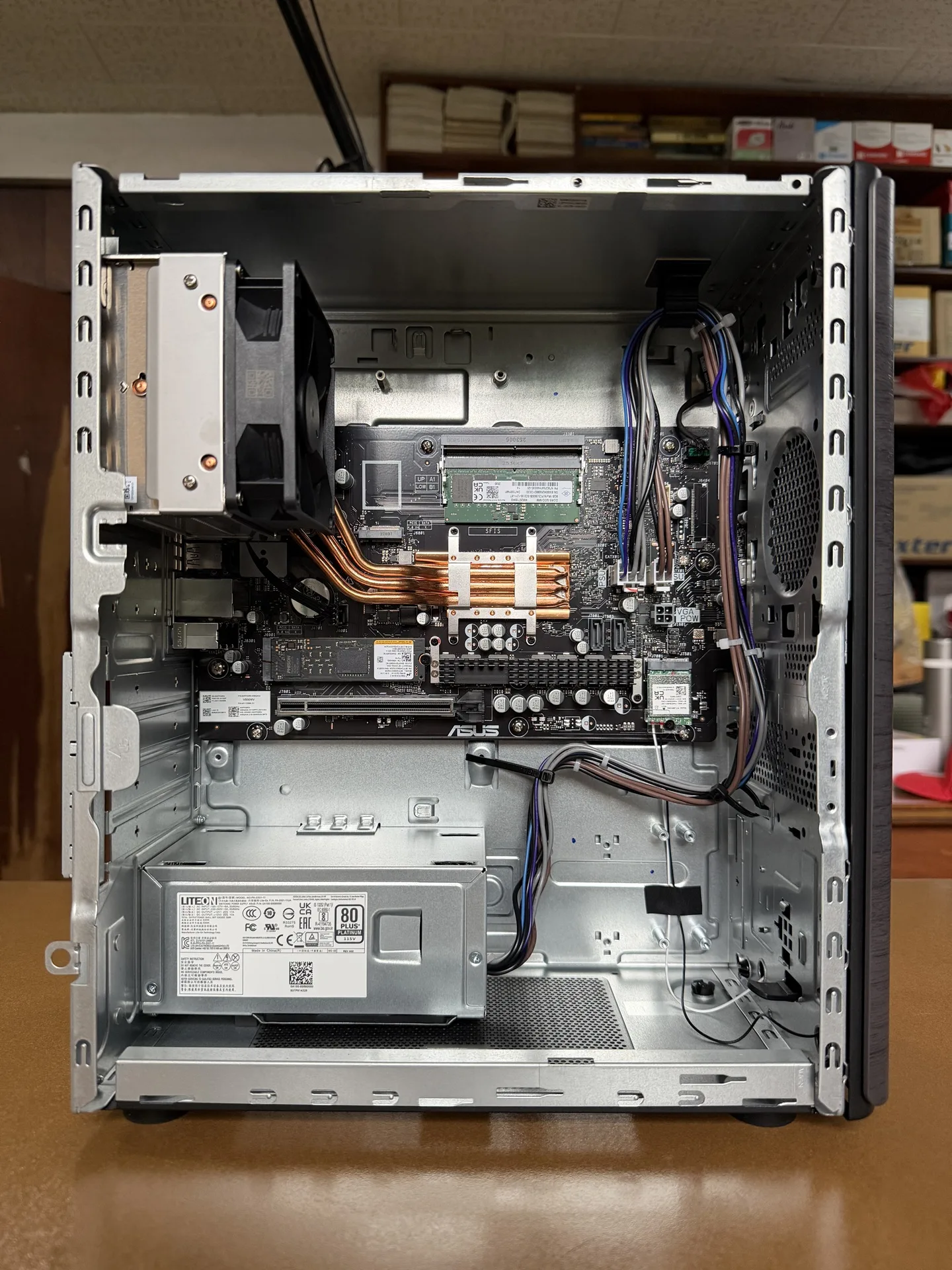
The advantage of having a desktop computer like the ASUS V501MV is its upgradeability. Another stick of RAM or storage can be added or replaced with higher capacity. There is also an option for SATA drives if the user wants to utilize them. For kids out there thinking that maybe they can add the latest NVIDIA GPU on this Mini Tower, DON’T! Just don’t!
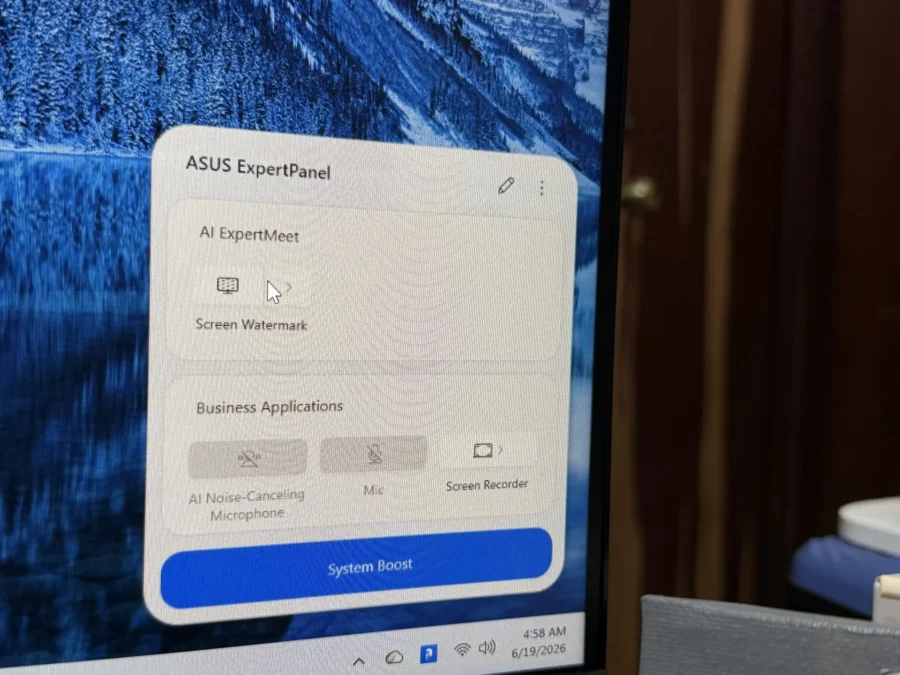
On the software side, the V501MV also has an ExpertPanel software that provides additional features.
DR’S CONCLUSION
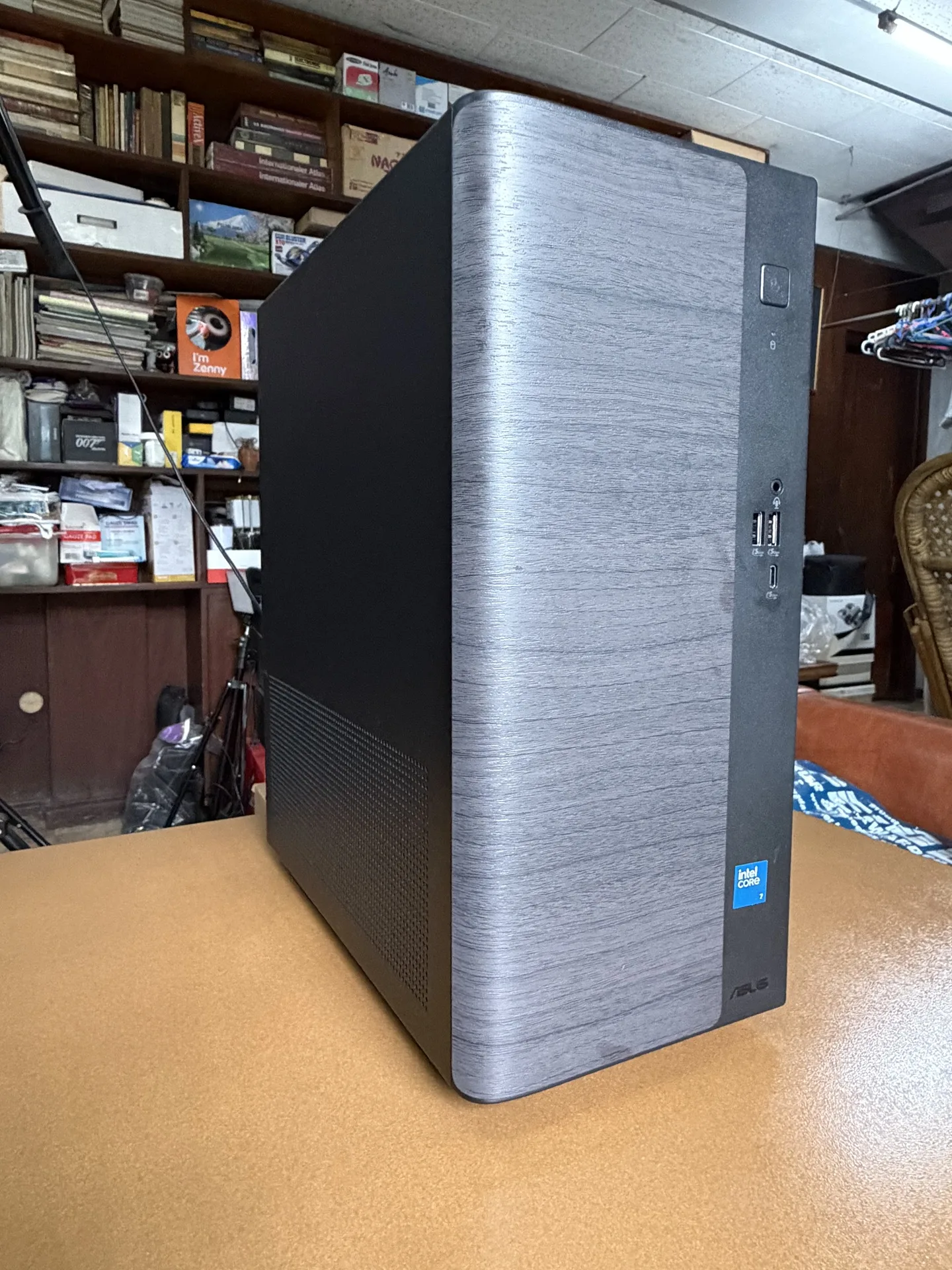
Some users who are already contented bringing along a tablet and smartphone around can just have a PC at home, and I say the ASUS V501MV is the perfect choice. The size and weight of the Mini Tower can be easily moved around, and its modern design can go well with your modern interior. Visitors at home would casually say “That’s a cool looking device. What is it?” and they’ll be shocked to know it’s actually a working computer!
Unlike several laptops, the components of the V501MV are upgradeable and replaceable. Users can even replace it themselves.
I would buy one to make it a conversation piece. Nah, kidding. If you’re not into laptops, consider the ASUS V501MV and make it your conversation piece in your room.
- Product Page: https://www.asus.com/ph/displays-desktops/tower-pcs/asus-desktop/asus-v500-mini-tower-v501mv/?utm_source=media&utm_medium=pr&utm_campaign=26q1_v500mvpr_ph
- Where to Buy: https://www.asus.com/ph/content/where-to-buy-laptops-and-desktops/?utm_source=media&utm_medium=pr&utm_campaign=26q3_asuswtbpr_ph
- ASUS No. 1 Quality and Service Package:
- 3Y Local Onsite Warranty
- Up to 6 Free Cleaning Services
- 14-Day Return Policy