
The ROG Xbox Ally is an interesting evolution of the original ROG Ally. When the first model launched, it was well received by gamers. Now, with Microsoft collaborating to bring Xbox DNA into the handheld experience, it resulted in the ROG Xbox Ally. In this review, let’s take a look at the changes and upgrades introduced in this new version.
Table of Contents
ROG Xbox Ally Specifications
| Processor | AMD Ryzen Z2 A (4 Cores / 8 Threads, Up to 3.8 GHz) |
| Graphics | Integrated AMD Radeon Graphics (RDNA-based) |
| Memory | 16GB LPDDR5 |
| Storage | 512GB PCIe 4.0 NVMe M.2 2280 SSD (Upgradeable) |
| Display | 7-inch FHD (1920×1080) IPS Touchscreen, 120Hz, FreeSync Premium |
| Display Protection | Gorilla Glass Victus + DXC Anti-Reflection |
| Audio | Front-Facing Stereo Speakers with Dolby Atmos |
| Battery | 60Wh Battery, 65W USB-C PD Charging |
| I/O Ports | 2× USB-C (DP + PD) 3.5mm Audio Jack UHS-II microSD |
| Price | Php 36,995 |
The Design
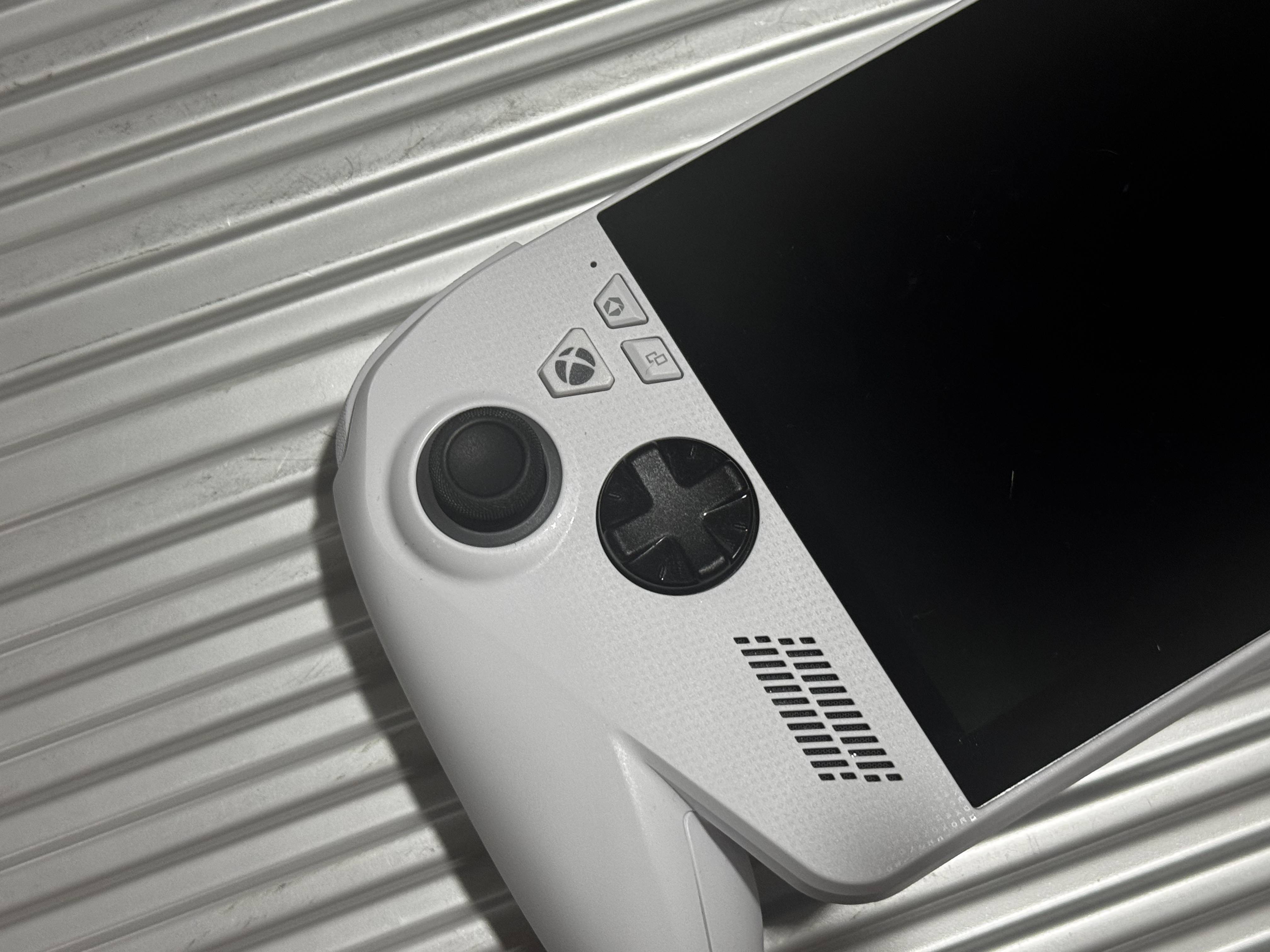
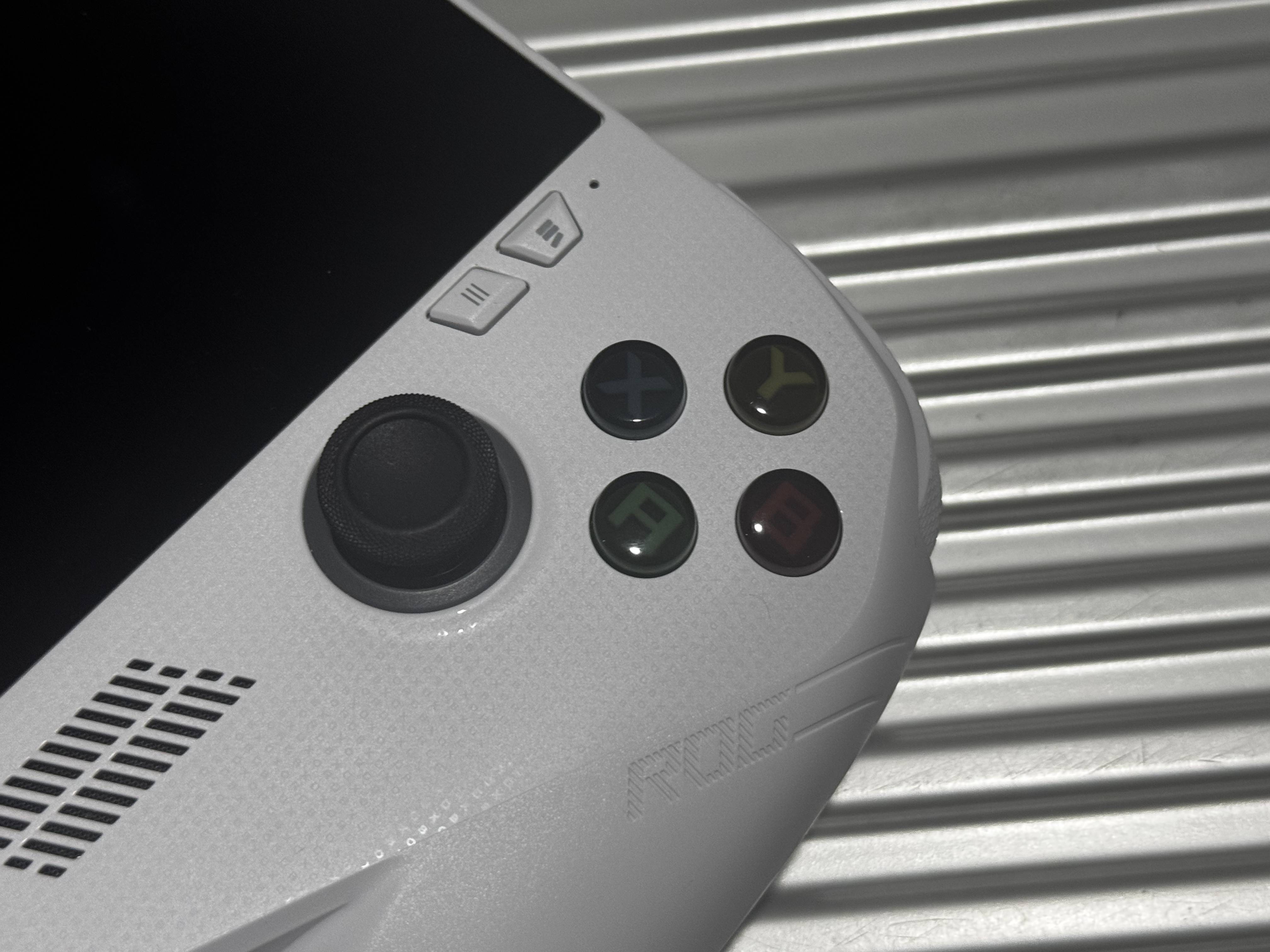
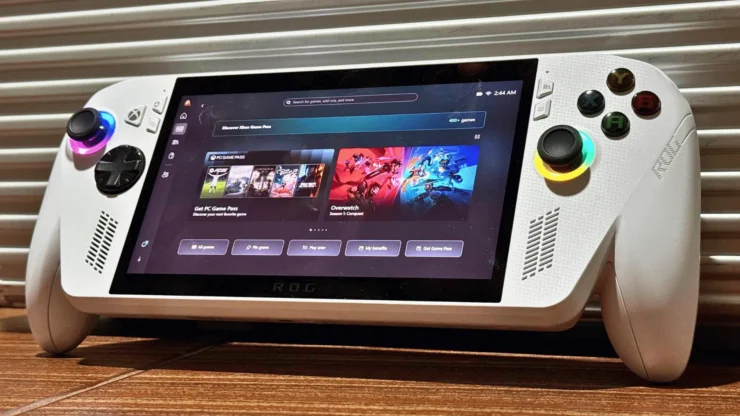
The ROG Xbox Ally comes with a noticeable redesign. The first thing you will likely notice is the grip, which greatly helps extend gaming sessions. Compared to the original ROG Ally, where long play sessions could cause hand fatigue, this version feels much more comfortable. During extended gameplay, hand strain is significantly reduced. The improved ergonomics add real value to overall gaming comfort.
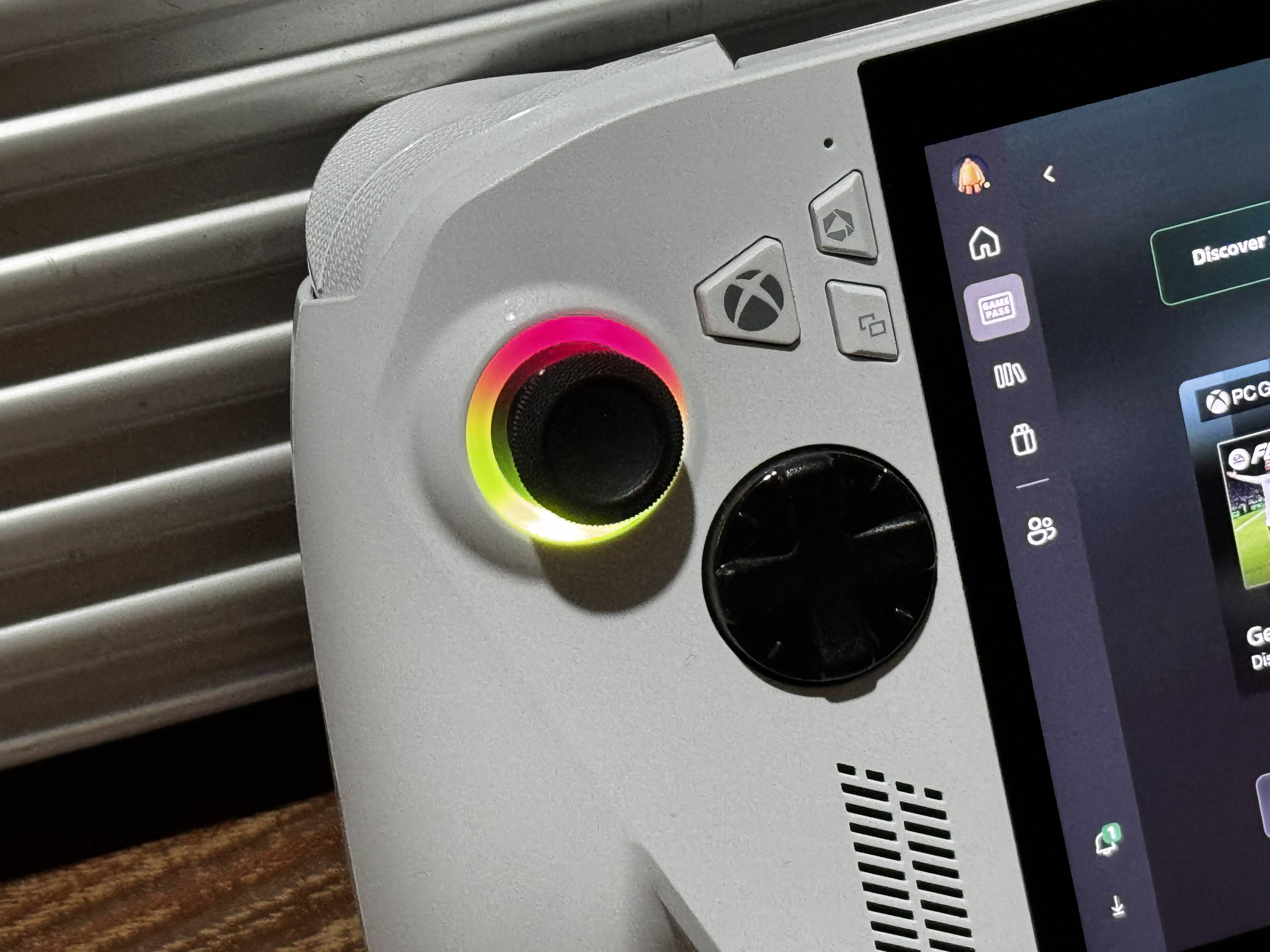
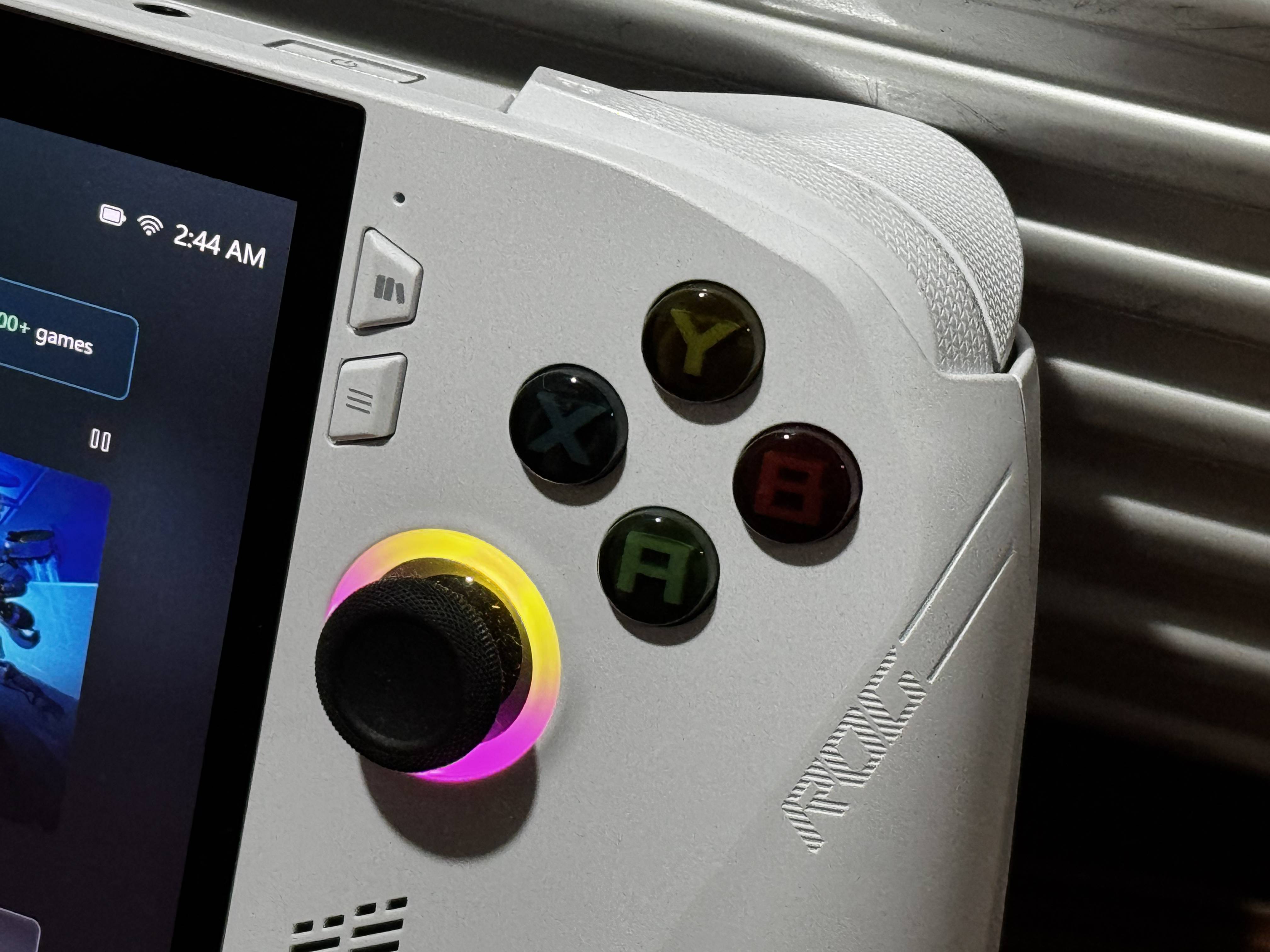
The button layout remains mostly the same, but this time an Xbox button is added, which serves as a quick shortcut to the Xbox gaming interface. The ABXY buttons feel tactile with a soft yet defined click. You can hear and feel the actuation, but it is not overly loud. The analog sticks lean slightly on the firmer side, giving better control during precise movements. Overall, the controls feel consistent and closer to a console-style experience.
For color options, the standard ROG Xbox Ally comes in white, while the ROG Xbox Ally X comes in black. Currently, there are no additional color variants available for either model, so each device is tied to its respective color.
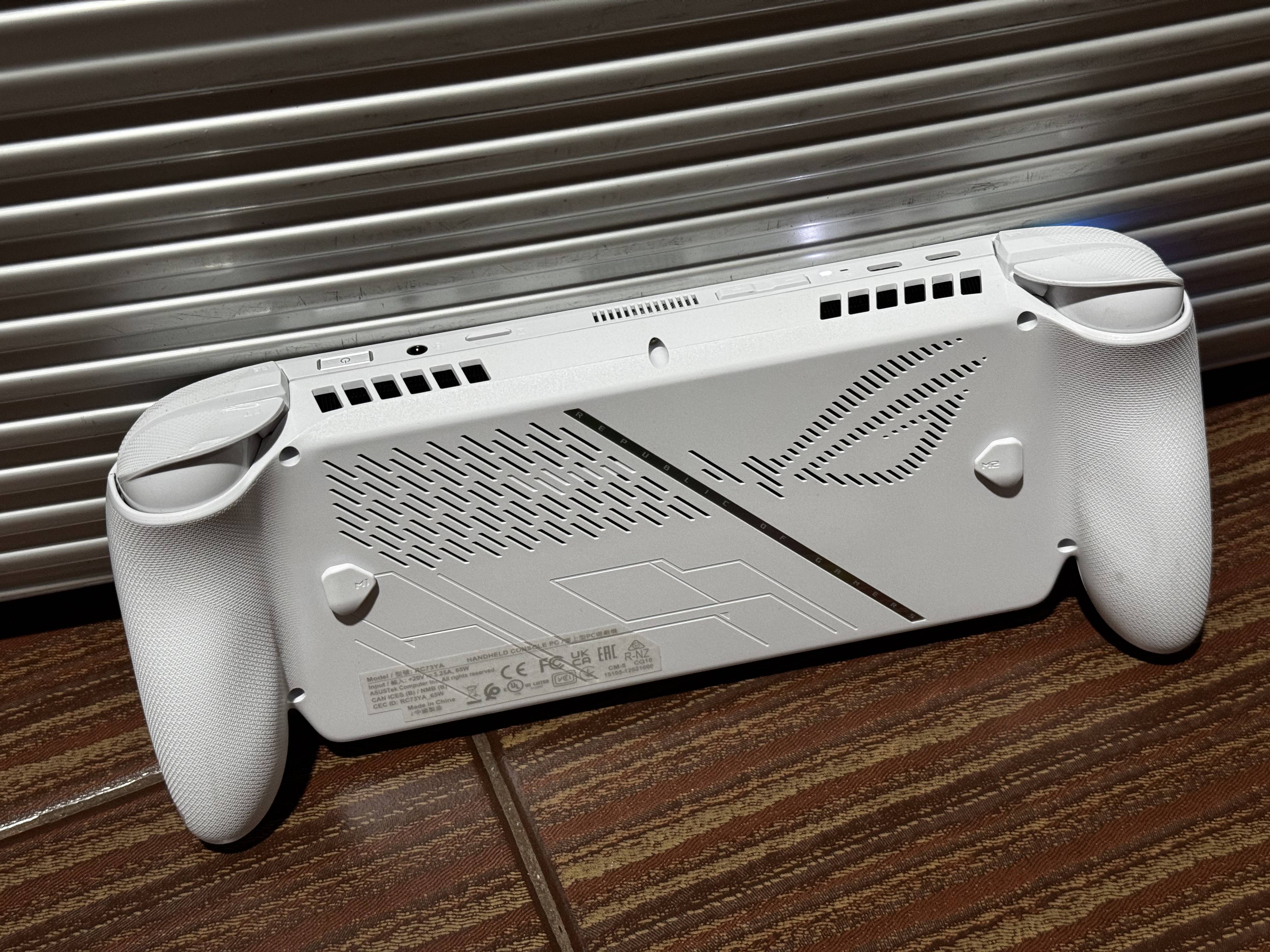
For I/O, the ROG Xbox Ally includes two USB 3.2 Gen 2 Type-C ports that support DisplayPort and Power Delivery, a 3.5mm combo audio jack, and a UHS-II microSD card reader. This setup is solid whether you are using it on the go or connecting it to a dock. Overall, the port selection is versatile enough for most gaming and productivity setups.
The Display and Speaker
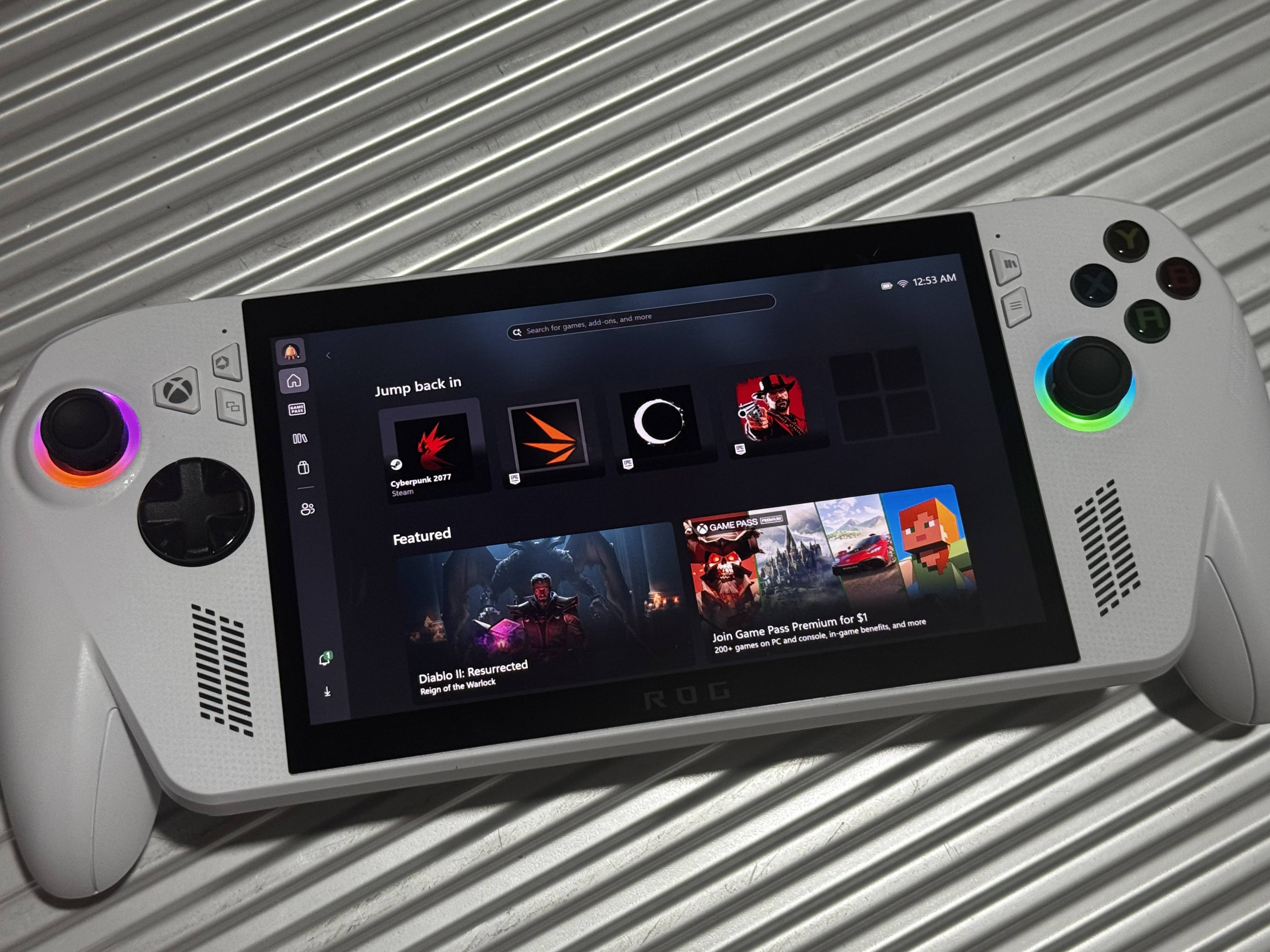
The ROG Xbox Ally features a 7-inch Full HD IPS touchscreen display with a 16:9 aspect ratio and a 120Hz refresh rate. It also supports AMD FreeSync Premium for variable refresh rate, which helps ensure smoother gameplay by reducing screen tearing and stuttering. The display can reach up to 500 nits of brightness, making it usable across different lighting conditions, whether indoors or in moderately bright environments.
For durability, the display is protected by Corning Gorilla Glass Victus with DXC anti-reflection coating. This improves scratch resistance while also helping reduce glare, making the screen easier to view under strong lighting. In terms of screen quality, colors look very good. The panel is rated to cover 100% of the sRGB color gamut and around 75% of the Adobe RGB spectrum, which helps deliver vibrant and accurate colors for both gaming and media consumption.
The ROG Xbox Ally uses front-facing stereo speakers, which is a strong design choice for a handheld device. The placement directs sound toward the user, making audio clearer during gameplay. Overall, the speakers sound good for a device of this size and provide a solid audio experience for handheld gaming.
The Performance
The ROG Xbox Ally is powered by an AMD Ryzen Z2 A processor, featuring 4 cores and 8 threads, with clock speeds ranging from 2.8 GHz up to 3.8 GHz and a 6MB cache. In comparison, the Xbox Ally X is equipped with the more powerful AMD Ryzen Z2 Extreme processor, which has 8 cores and 16 threads, with clock speeds from 2.0 GHz up to 5.0 GHz and a larger 24MB cache. It also includes an AMD XDNA NPU capable of up to 50 TOPS, while the standard Xbox Ally does not include an NPU.
The ROG Xbox Ally is paired with 16GB of LPDDR5 RAM and a 512GB PCIe 4.0 NVMe M.2 SSD using the 2280 form factor. This is good news for upgradeability, since the standard M.2 2280 size makes storage replacement easier in the future. This means you can upgrade the storage later when budget allows or when SSD prices become more reasonable, especially considering how volatile storage pricing can be.
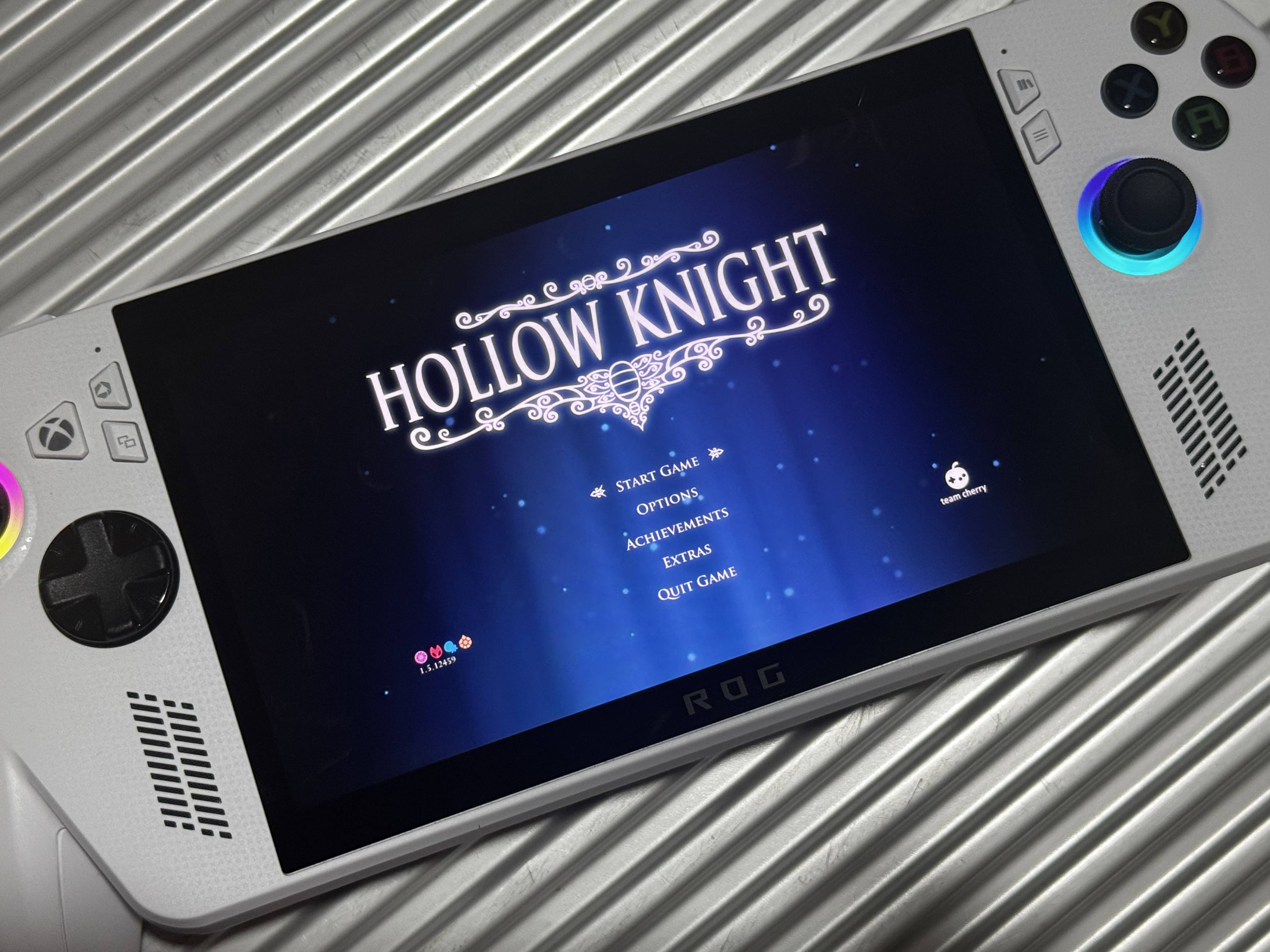
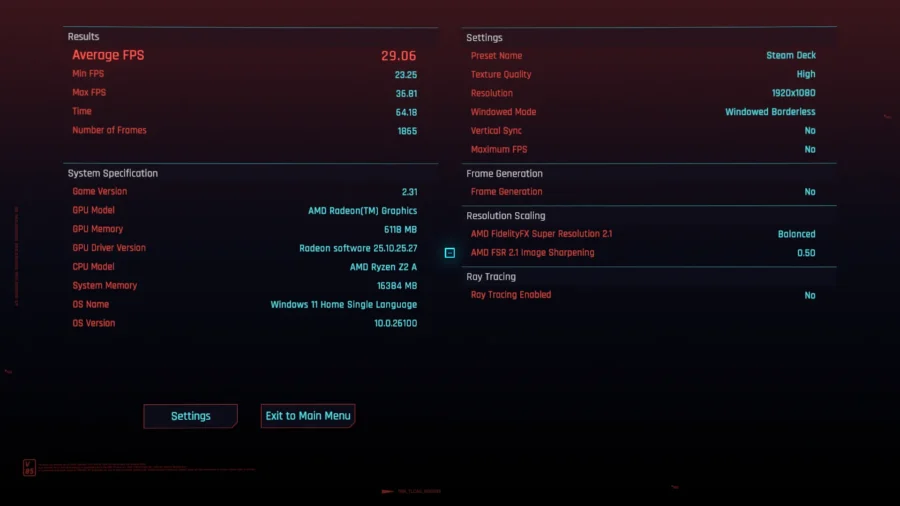
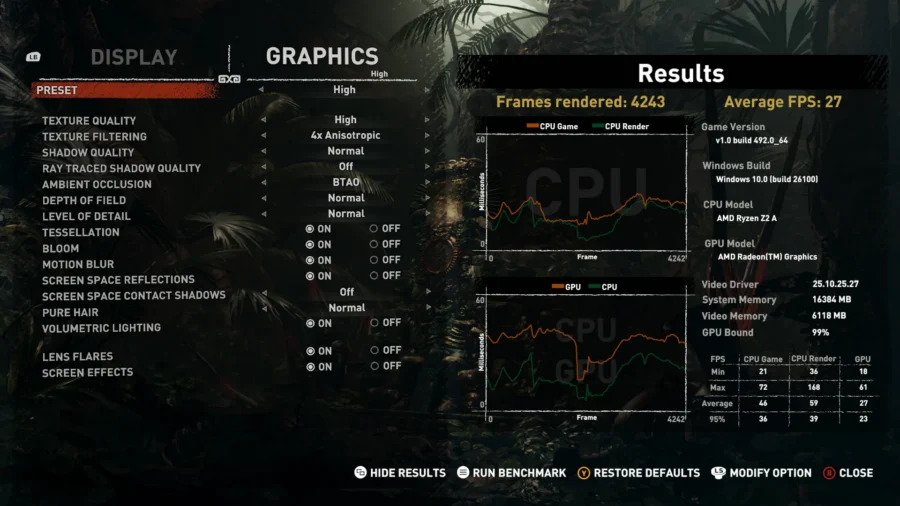
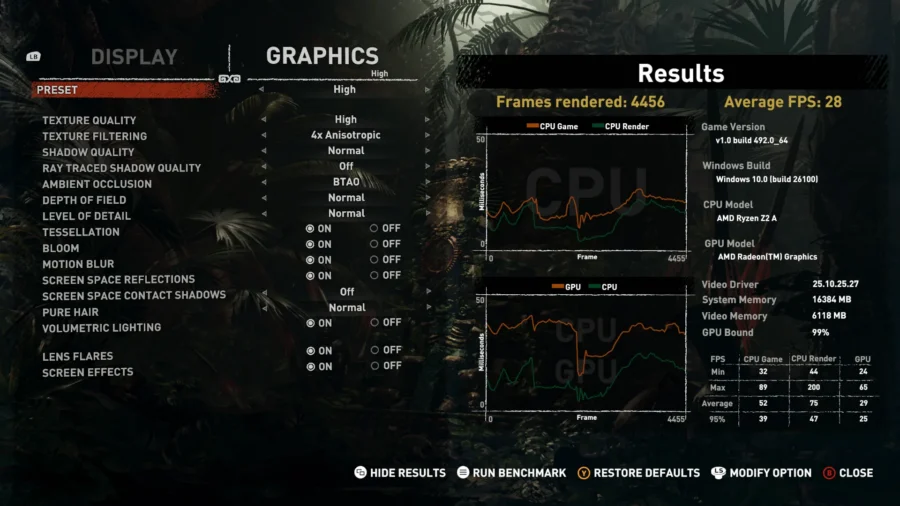
Gaming on the ROG Xbox Ally proves that it is capable of delivering a true portable AAA gaming experience. It is not limited to indie or older titles. In our testing with games like Cyberpunk 2077 and Shadow of the Tomb Raider, the device was able to run them at playable settings while still delivering an enjoyable gameplay experience.
Even with newer titles such as Clair Obscur: Expedition 33, the device was still able to run the game with only minor hiccups. This is impressive considering this is the base model and not the more powerful Xbox Ally X, which offers higher performance headroom.
While it is not designed to replace a gaming laptop or desktop, for handheld PC gaming it delivers a very respectable level of performance, especially when graphics settings and power profiles are properly optimized.
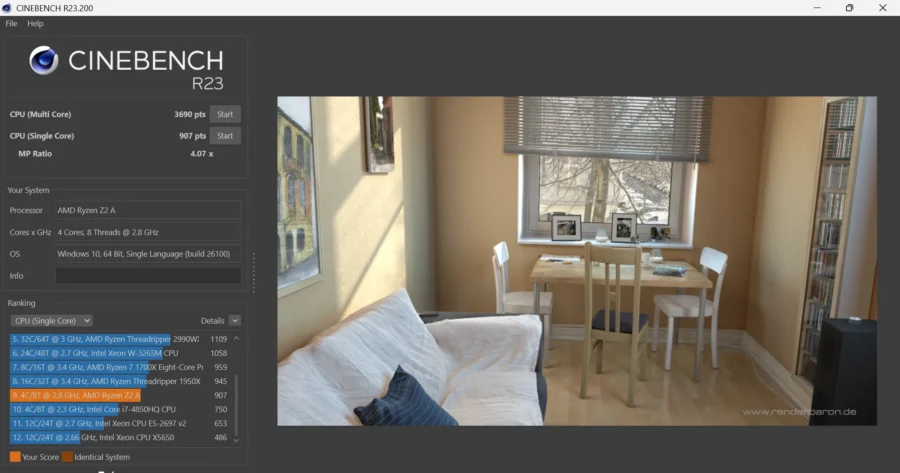
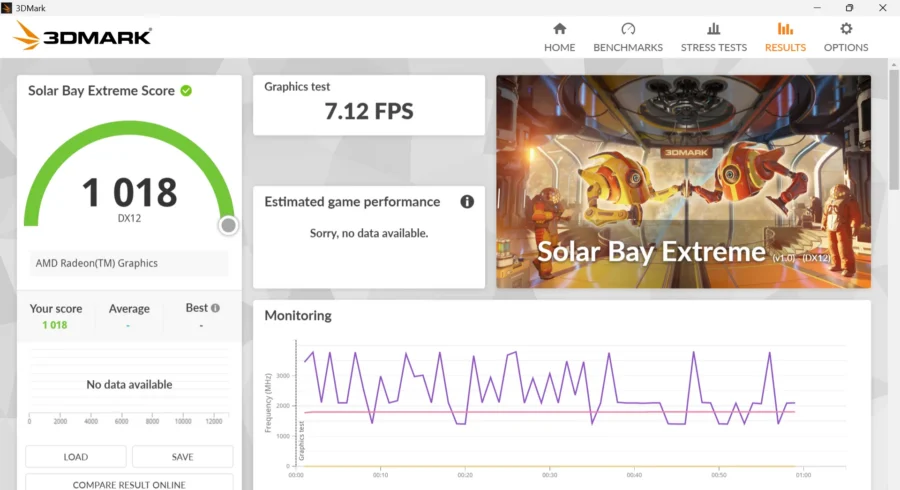
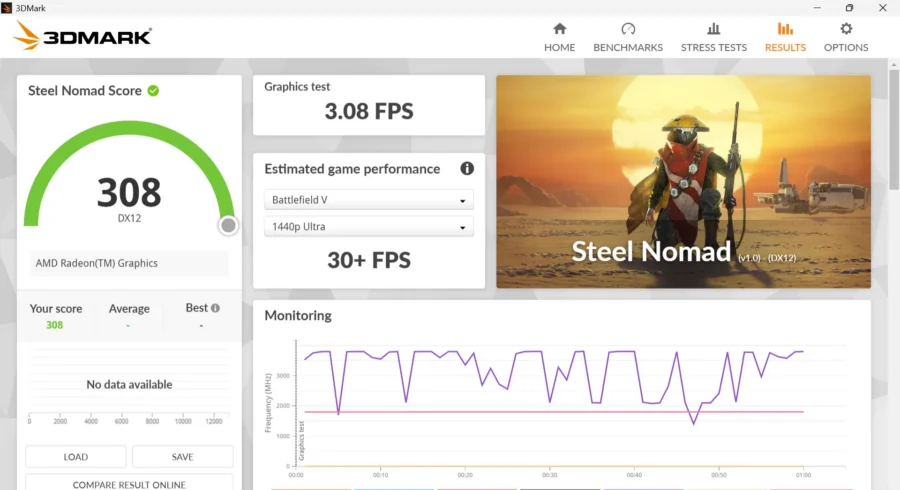
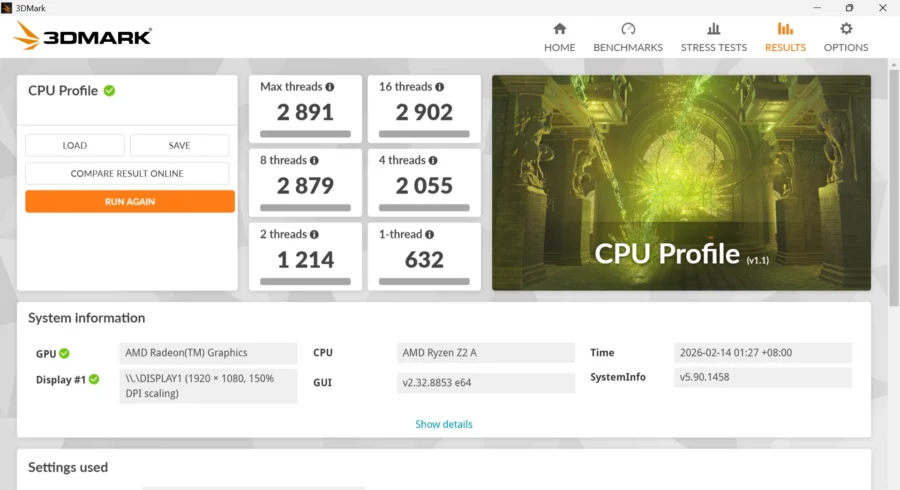
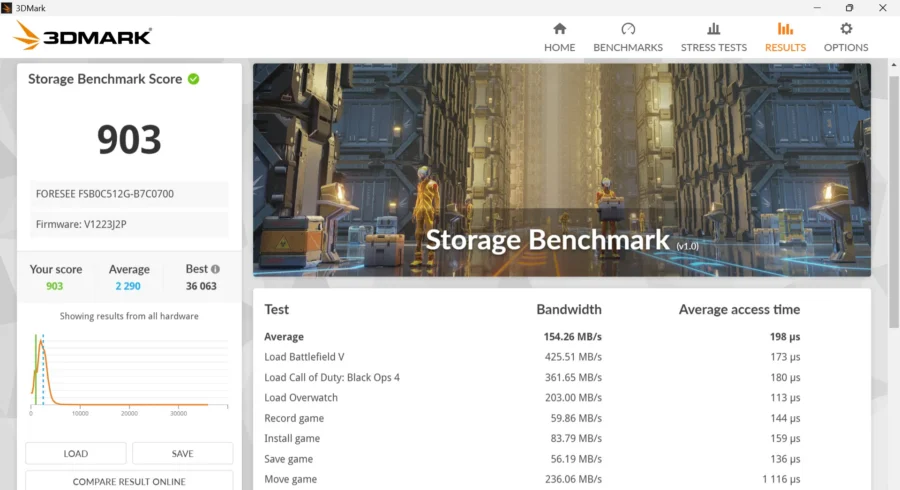
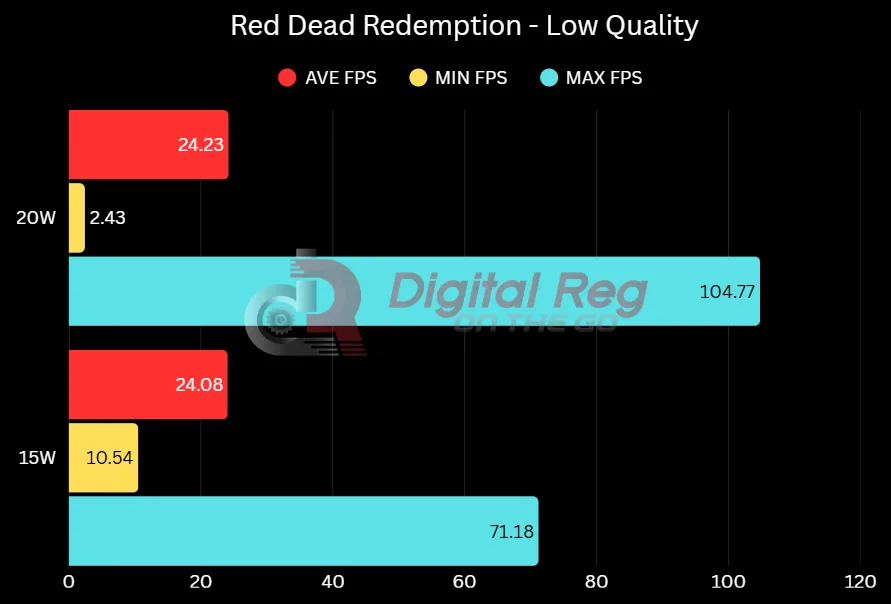
Below are some of the synthetic and real-world gaming benchmark results we recorded using the ROG Xbox Ally, showing how it performs across different workloads and power profiles.
Cinebench R23
3DMark Solar Bay Extreme
3DMark Steel Nomad
3DMark CPU Profile
3DMark Storage Benchmark
Cyberpunk 2077
Shadow of the Tomb Raider
Red Dead Redemption
The Software
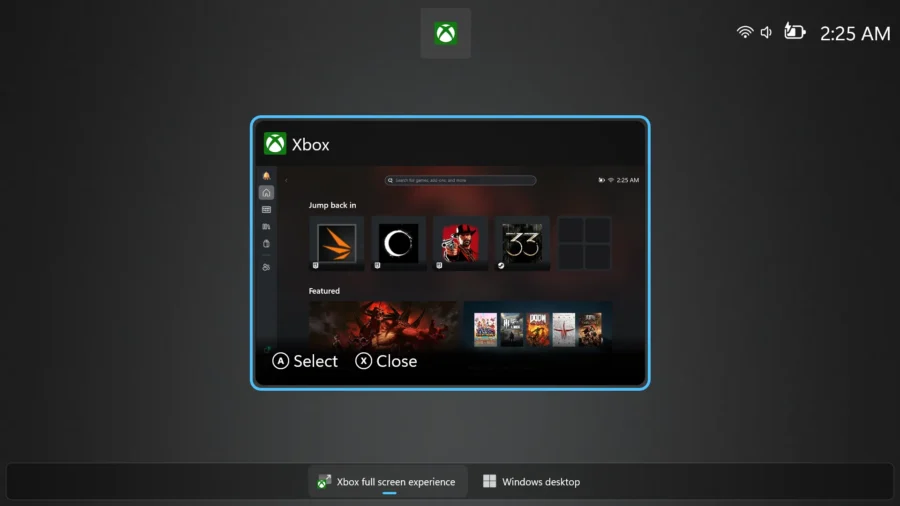
At its core, the ROG Xbox Ally runs on Windows 11, which means you are getting the full functionality of a PC operating system. You can install different game launchers like Steam, Epic Games, and others, run emulators, install productivity apps, and even use it like a small desktop PC when connected to a monitor, keyboard, and mouse. This gives the device a huge advantage in flexibility compared to traditional handheld consoles.
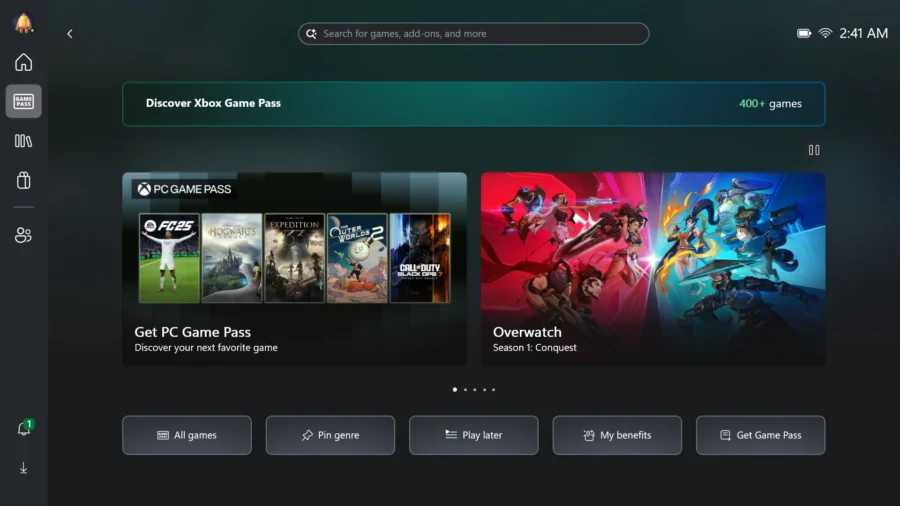
On top of Windows 11, the collaboration with Xbox adds a console-style gaming layer that makes the experience more streamlined for gaming. Instead of navigating Windows every time you want to launch a game, the Xbox interface acts as a gaming-focused hub. It gives you quick access to Game Pass, your game library, cloud gaming, and recently played titles. The goal is to make the handheld feel closer to a console experience while still keeping PC-level freedom in the background.
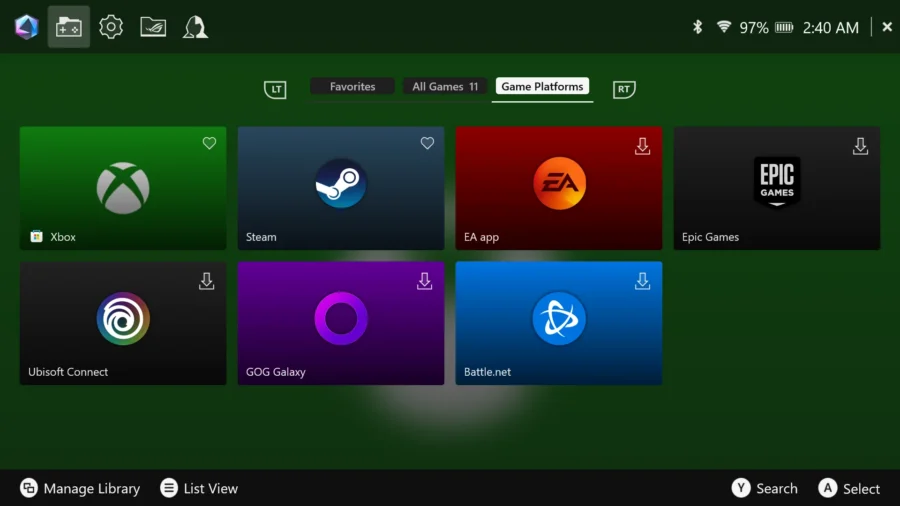
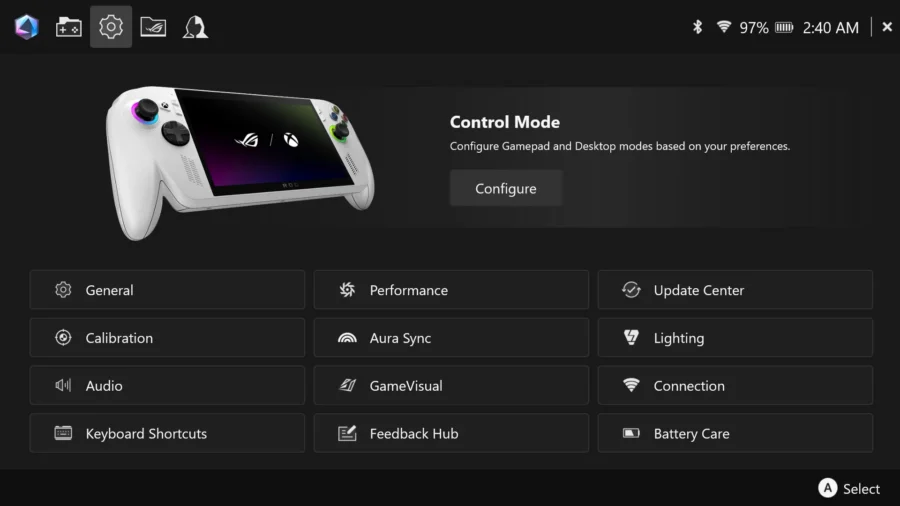
Additionally, ASUS includes Armoury Crate SE, which acts as the control center for performance and hardware management. This is where you can switch between performance modes like Silent, Balanced, or Turbo, depending on whether you want longer battery life or higher performance. It also allows you to adjust fan behavior, remap buttons, monitor system performance, and quickly toggle system features without digging into Windows settings.
The Battery
The ROG Xbox Ally has a 60Wh battery capacity. Compared to the Xbox Ally X, which has an 80Wh battery, the difference is noticeable but the standard model still delivers solid battery performance for a handheld gaming PC.
In real-world gaming, you can expect close to around 3 hours of gameplay when running at 15W mode. At 20W, battery life drops to a little over 2 hours depending on the game. If you switch to 10W mode, it is possible to reach up to around 4 hours of playtime. This is a major improvement compared to the original ROG Ally, which typically ranged from about 1 to 2 hours during heavy gaming workloads.
For charging, the device includes a 65W AC adapter in the box. You can also use a USB-C Power Delivery charger, as long as it can deliver up to 65W, allowing flexibility if you want to carry a smaller or multi-device charger.
ROG Xbox Ally Verdict
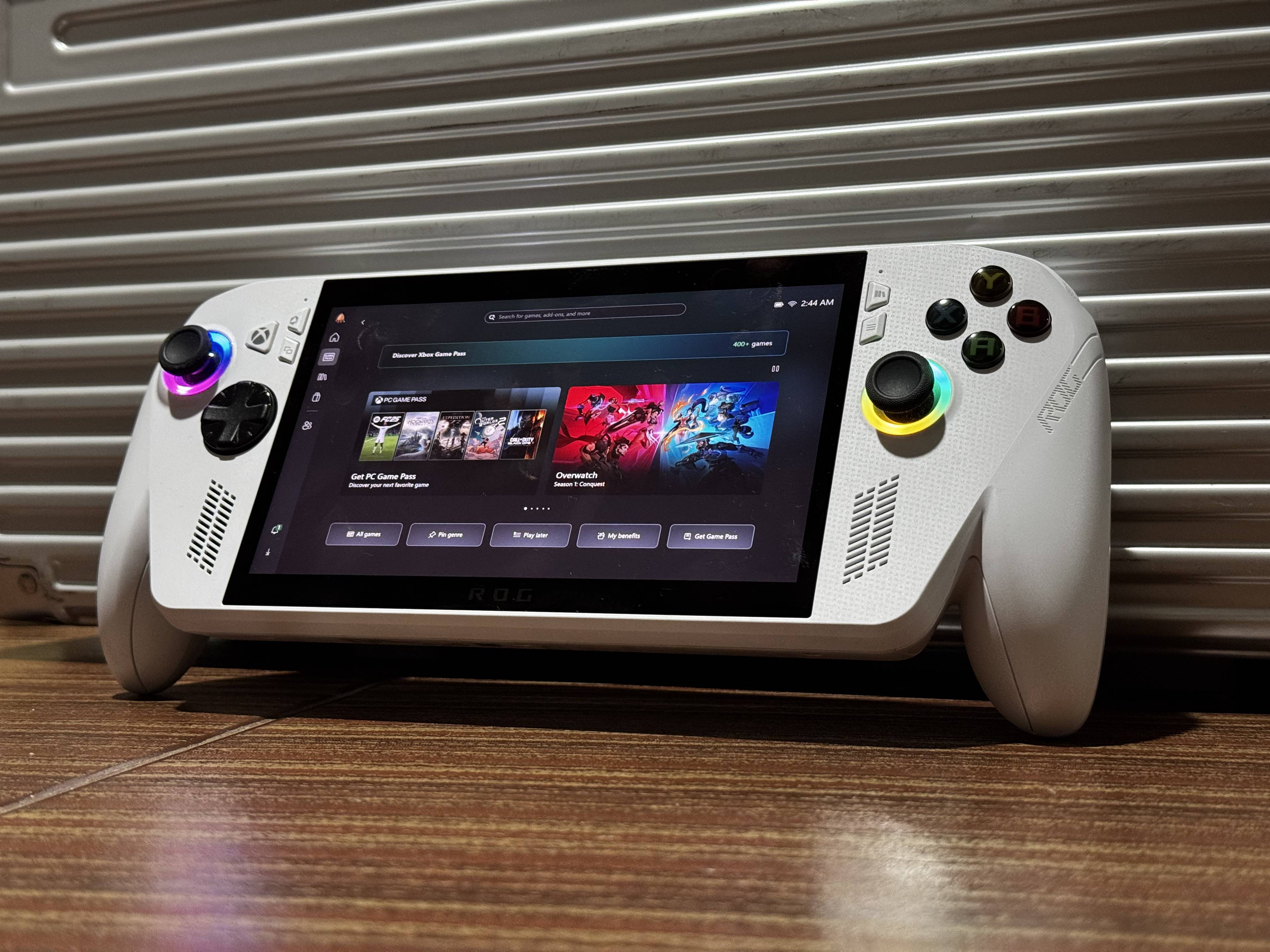
The ROG Xbox Ally is a solid step forward for handheld gaming PCs, focusing on both performance and usability. By combining Windows 11 with an Xbox-style gaming interface, it makes handheld PC gaming feel closer to a console experience while still keeping full PC flexibility.
The redesigned ergonomics greatly improve comfort during long gaming sessions, while the controls deliver a consistent, console-like feel. The 120Hz display and front-facing speakers also help deliver a strong handheld gaming and media experience.
Powered by the Ryzen Z2 A processor, it handles modern games well with proper settings tuning. The 60Wh battery is also a noticeable improvement, making portable gaming more practical compared to earlier handheld PC models.
One thing worth mentioning is how Windows 11 handles sleep mode. There are times when putting the device to sleep still results in noticeable battery drain, which means you may need to fully shut it down if you want to preserve battery life. There were also instances where the device powered on and heated up inside a bag even after being put to sleep.
This is not unique to the ROG Xbox Ally, as similar behavior has been observed on Windows laptops. However, it is more noticeable on a handheld device where you often expect to quickly put it to sleep and resume later. Ideally, sleep mode should be reliable enough to let you pause your session without worrying about battery drain or accidental wake-ups, so this is still something Microsoft needs to improve on the OS side.
Overall, the ROG Xbox Ally is a well-balanced choice for gamers who want PC gaming freedom with console-style convenience in a portable form.
The ROG Xbox Ally is priced at Php 36,995 and comes with a 2-year international warranty, providing added peace of mind for long-term use and after-sales support.
If you are planning to get one, you can check its availability through authorized retailers and official stores. You can check it out here.