
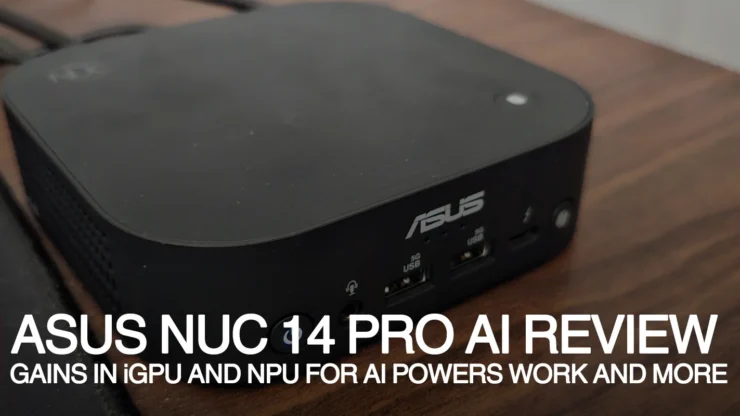
The ASUS NUC 14 Pro AI is a NUC model from ASUS that has been configured to run as a PC with improved AI support. We have reviewed the flagship ASUS NUC 14 Pro Plus previously and the ASUS NUC 14 Pro AI will be compared to it on how it is configured and who can better take advantage of the machine.
Table of Contents
ASUS NUC 14 Pro AI Packaging and Hardware
Packaging
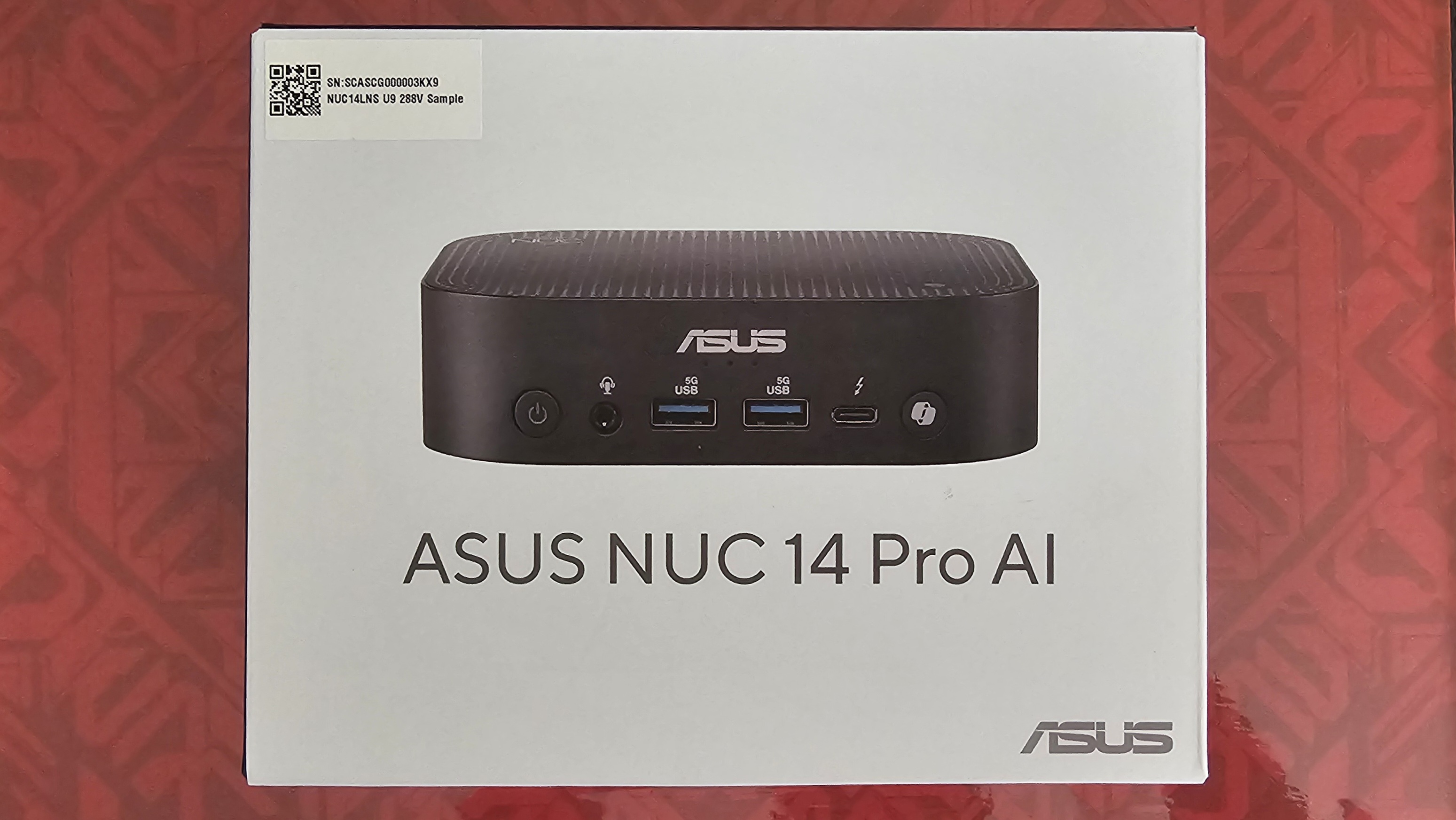
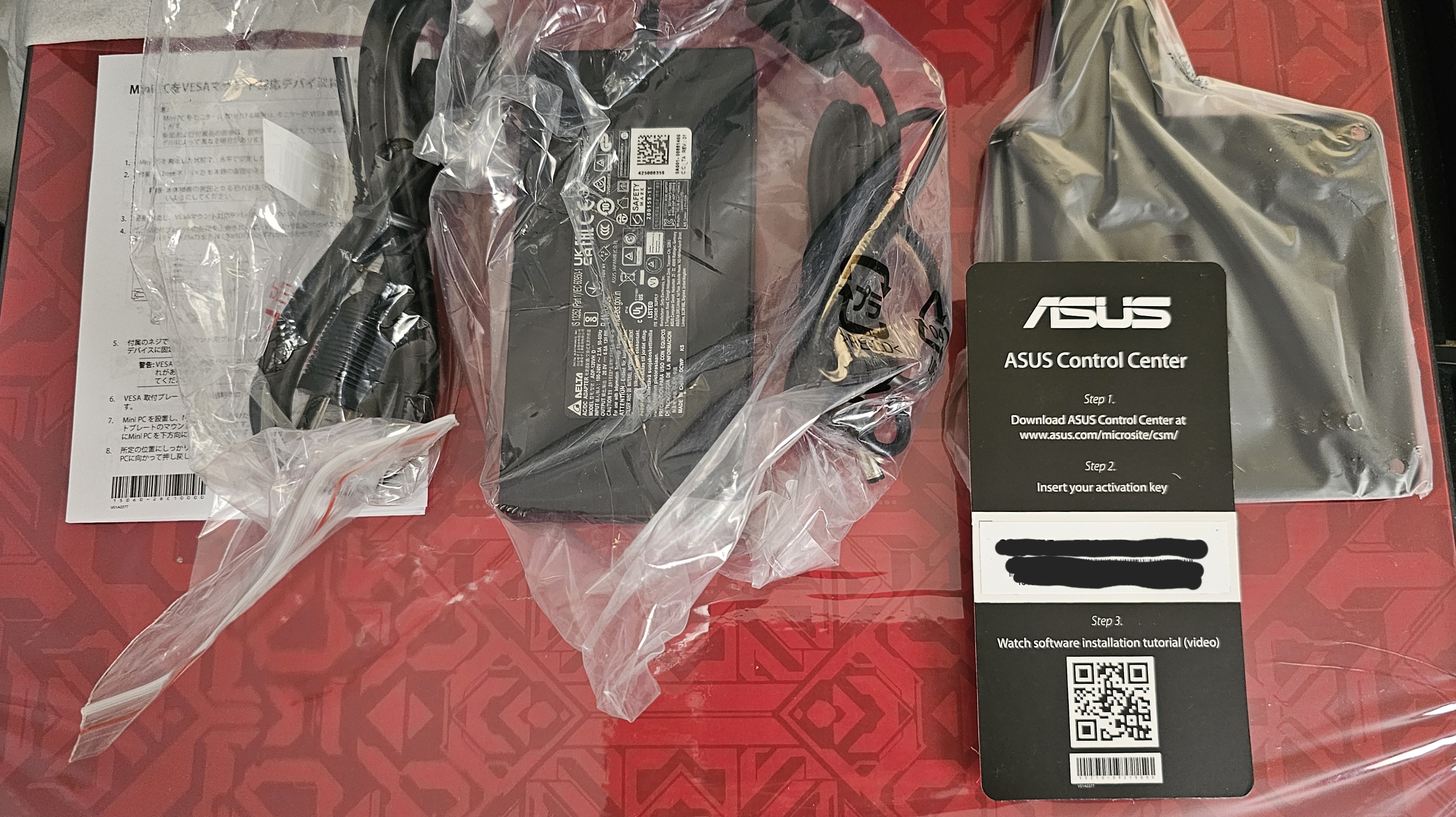
The ASUS NUC 14 Pro AI comes in a basic no-fuss hard box unlike the NUC 14 Pro Plus having a clam shell open style box. The contents mainly consist of the following: a hefty (big for its scale) 120W power adapter from Delta, a quick start guide and a VESA bracket. It’s similar to what we had on the NUC 14 Pro Plus, but everything is in black. The ASUS Control Center is a software suite for use in managing multiple NUCs for businesses.
NUC 14 Pro AI Design
The NUC 14 Pro AI is smaller than the Pro Plus model and consists mainly of a plastic body shell. It is a far, far cry from the Aluminum body shell of the Pro Plus, but a lot lighter, making it easier to carry on a small backpack with a portable monitor and peripherals for on the go computing.
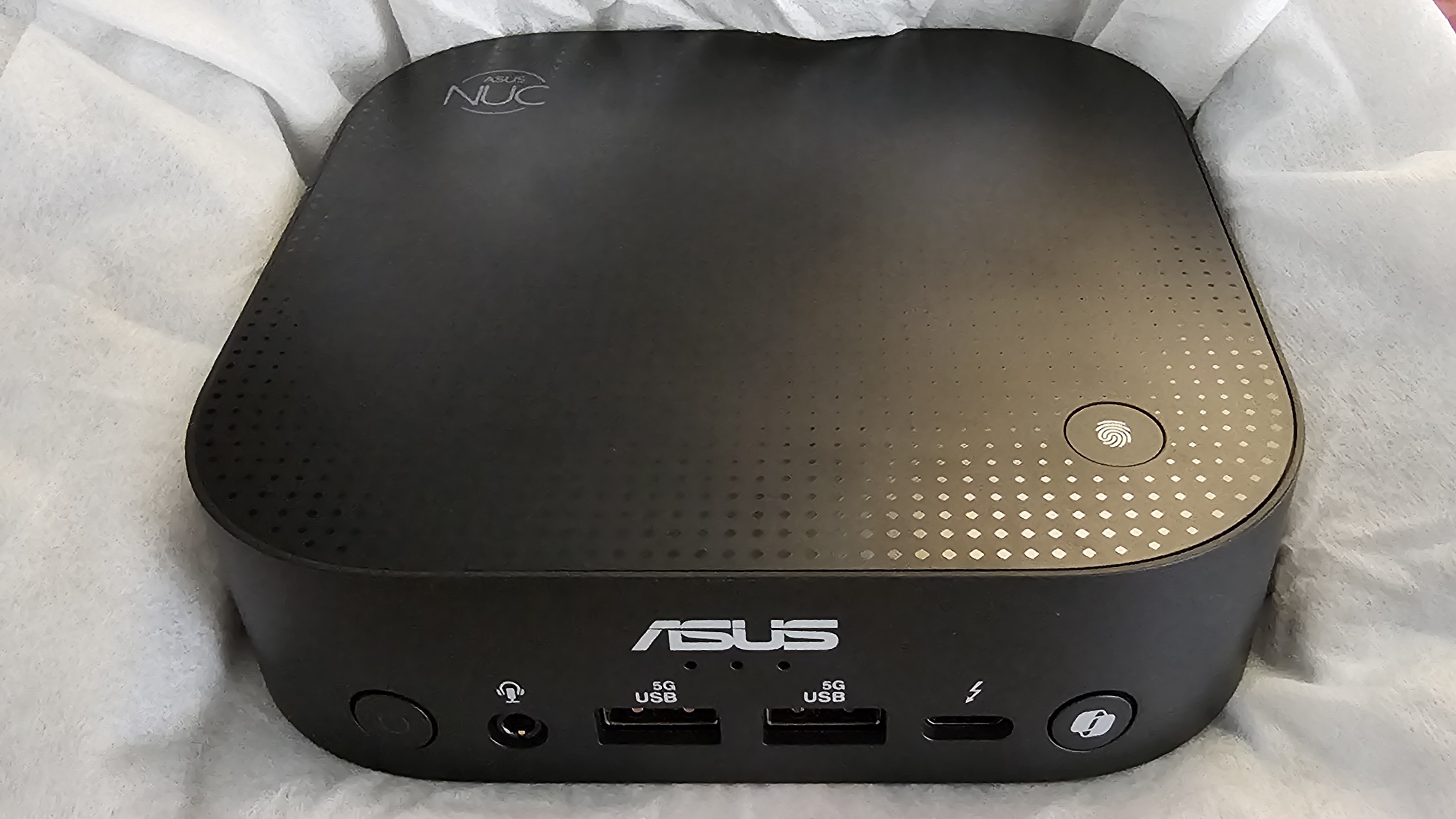
Fron IO consists of the power switch, a line in/out 3.5mm jack, dual Type A USB (3.2 Gen1), a single Thunderbolt 4 Type C (with DisplayPort 2.1 output). It’s on par for a standard mini-PC setup, and the additional 3.5mm audio jack is a plus for WFH or users leveraging a lot of online calls/meetings. But to top all of these is the inclusion of both a fingerprint sensor, which is a nice touch, and the MS CoPilot button to quickly access CoPilot.
While the fingerprint sensor works right out of the box for Windows Hello Login, I found it wonky for the MS CoPilot button to get it to run on my experience. It might be because I’ve configured the Windows 11 account as an offline account (I was having internet issues for the duration of this review) and switching it to my Microsoft account didn’t fix it.
In any case, I’ve followed the guides online to enable the button to no avail, I might resort to resetting the account and starting from scratch to try it again. Also, I figured that if the unit is mounted on its VESA mount behind the monitor, it won’t be used as the button, outside of the power switch.
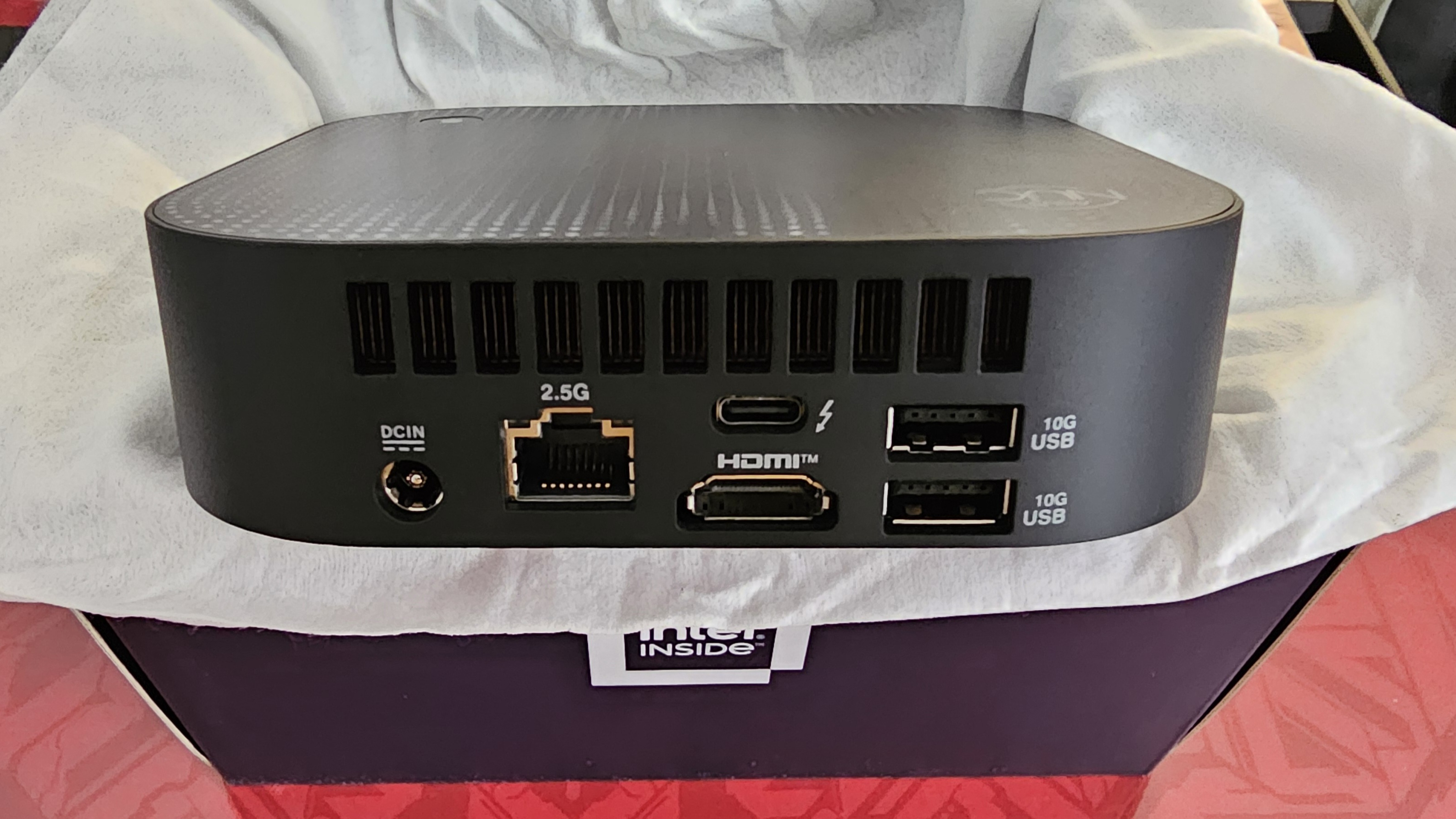
The rear IO of the NUC 14 Pro AI is a pared down setup from the 14 Pro Plus. It still sports a 2.5Gbps Ethernet port, two Type A USB (3.2 Gen2), and one Thunderbolt 4 Type C (with DisplayPort 2.1 out). It only has a single HDMI 2.1 port, relying on the Type C port if needing a second display output. In order to achieve dual monitor use, we’ll have to get an adapter for the Thunderbolt 4 port or a direct cable with Type C to a monitor.
NUC 14 Pro AI Hardware specifications
| Model | ASUS NUC 14 Pro AI Kit (NUC14LNK) |
| Form Factor | Kit |
| Operating System | No preinstalled OS Support: Windows 11 Pro Windows 11 Home |
| CPU | Intel® Core™ Ultra 7 Processor 258V, cTDP 30W |
| Chipset | Integrated |
| Graphics | Intel® Arc™ Graphics 140V(U7/U9) Intel® Arc™ Graphics 130V(U5) |
| Memory | Included: 32GB LPDDR5x-8533 2ch memory |
| Storage | No storage included at shipment Support: 256GB~4TB M.2 2280 NVMe™ PCIe® 4.0 x 4 SSD |
| Wireless Data Network | Intel® Wi-Fi 7 BE201, Bluetooth 5.4 |
| LAN | Intel® Ethernet Controller I226-V, 2.5G |
| Audio | Realtek ALC3288 |
| Front(Side) I/O Ports | (Top) 1 x Finger Print module (Front) 1 x Power button 1 x Copilot button 1 x Thunderbolt™ 4 Type-C w/ DisplayPort 2.1 2 x USB 3.2 Gen1 Type-A 1x 3.5mm Headset Jack (Side) 1 x Kensington Lock slot |
| Back I/O Ports | 1 x Thunderbolt™ 4 Type-C w/ DisplayPort 2.1 2 x USB 3.2 Gen2 Type-A 1 x HDMI 2.1 (TMDS) 1 x 2.5G RJ45 LAN 1 x DC-in |
| Dimensions (W x D x H) | 130mm x 130mm x 34 mm |
| Weight | 500g |
| ID | Black, Without ASUS LOGO |
| Accessories | AC Adapter+Power Cord* VESA Bracket and Screws Safety/Caution/Regulatory Insert Warranty Card |
The package ASUS sent for this review includes a WD Black 1TB SSD and has Windows 11 pre-installed. It also comes with one bloatware, McAffee Anti-Virus which I advise to uninstall immediately as it will notify you to buy a subscription plan. The review unit is apparently not in the PH site but can be found in the global site for the NUC 14 Pro AI. The typical NUC 14 Pro AI kit is bare of any storage and operating system, and the user will need to buy an SSD of their choice along with the operating system (Windows, or Linux, but with some challenges with driver install), unless local sellers bundle them for promos which can be a bonus.
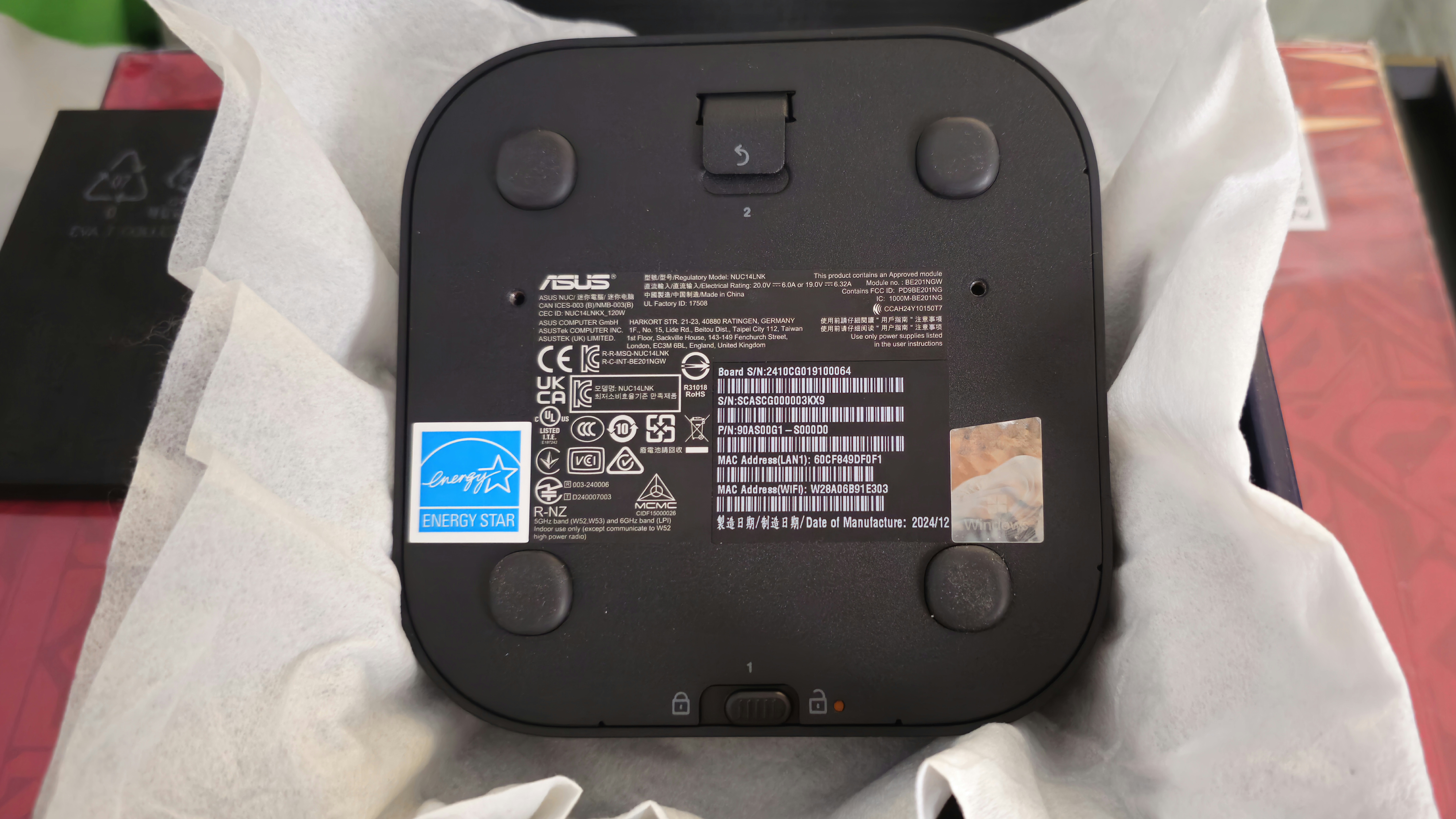
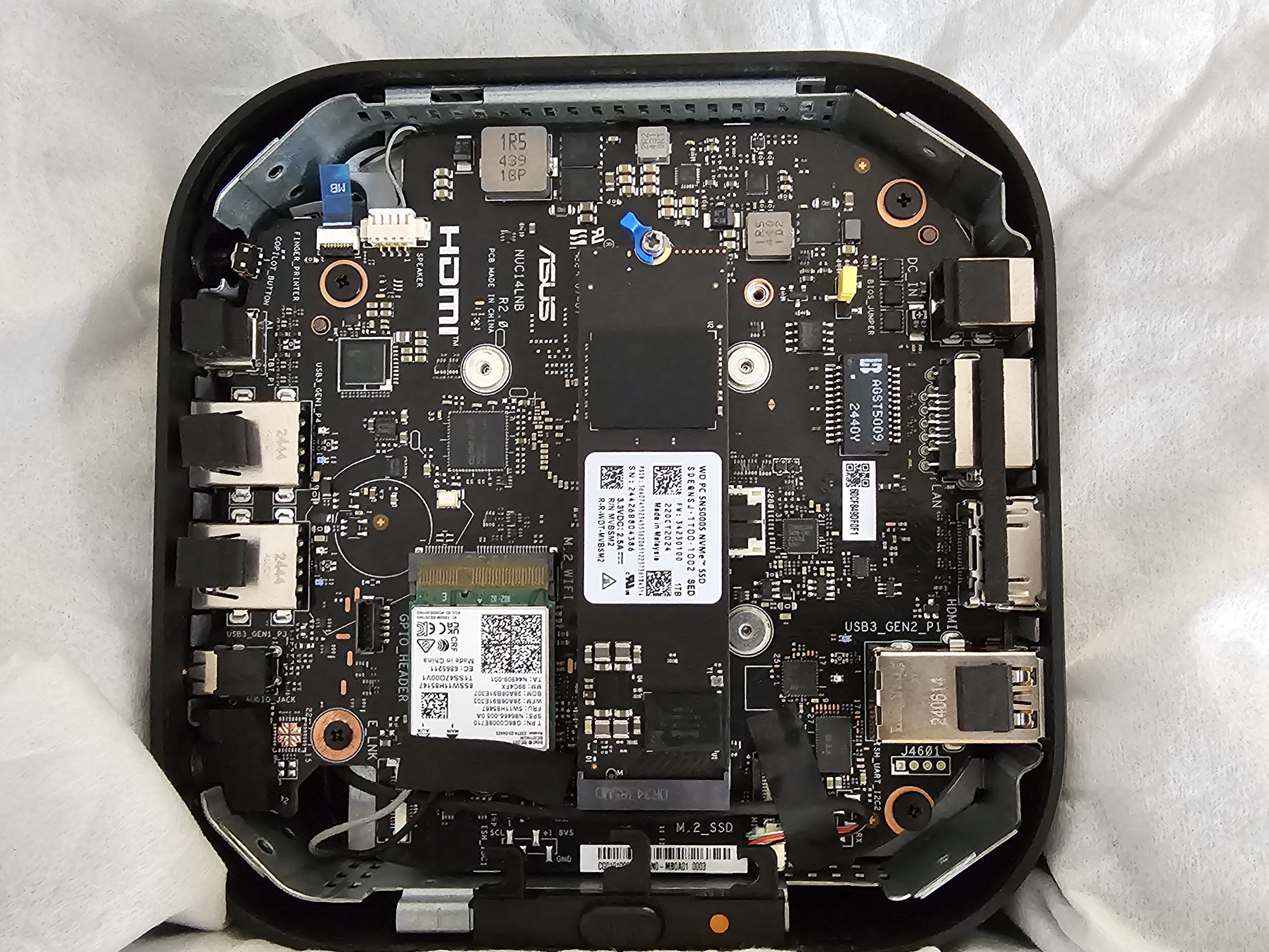
Unlike the Pro Plus variant, the Pro AI lacks a second albeit shorter M.2 slot for extra storage. What’s more, we are stuck with 32GB of 8533 LPDDR5x memory. It may be a good thing as soldered memory can reduce weight, have better performance (if ASUS did architect the paths well, it can run with a higher bandwidth, or that the memory is just faster) and energy efficiency. But I would still look for an upgradable option still. And once we open up the NUC 14 Pro AI’s casing (even much easier than the NUC 14 Pro Plus completely removing the need for a screwdriver) it reveals quite a spacious interior to allow the same RAM and SSD setup as the Pro Plus has.
NUC 14 Pro AI BIOS
Like the NUC 14 Pro Plus, the NUC 14 Pro AI BIOS is pretty spartan and direct to the user’s needs. It is similar to the NUC 14 Pro Plus’ BIOS, save for the more limited choice for fan and performance settings, as the Core Ultra 9 CPU this unit while having an Ultra 9 badge, is not on the same level as the Core Ultra 9 185H.
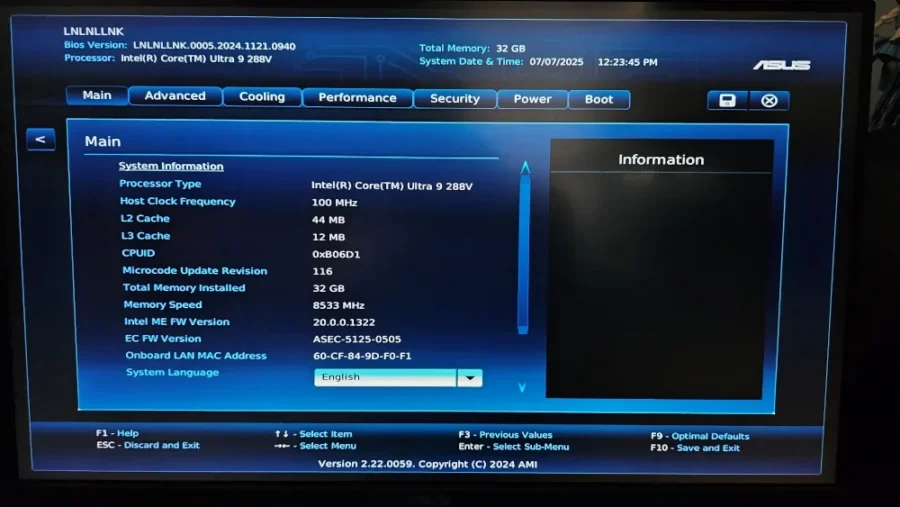
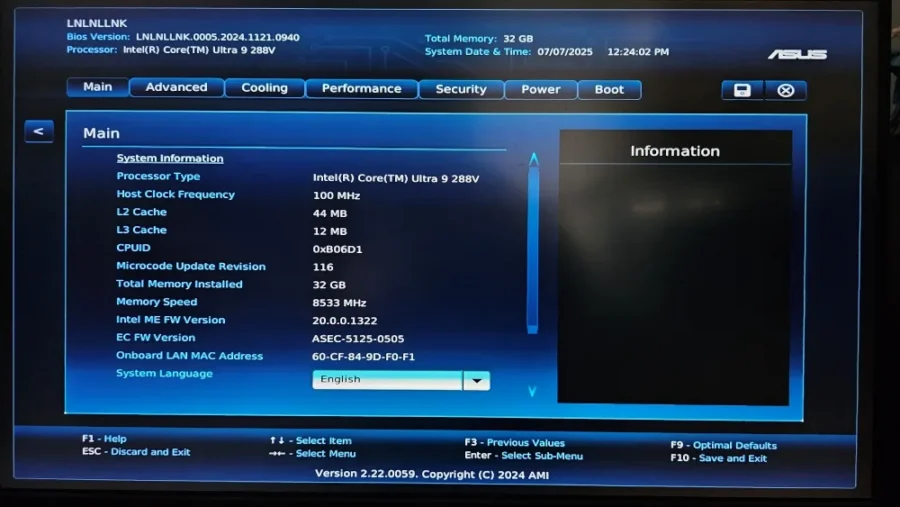
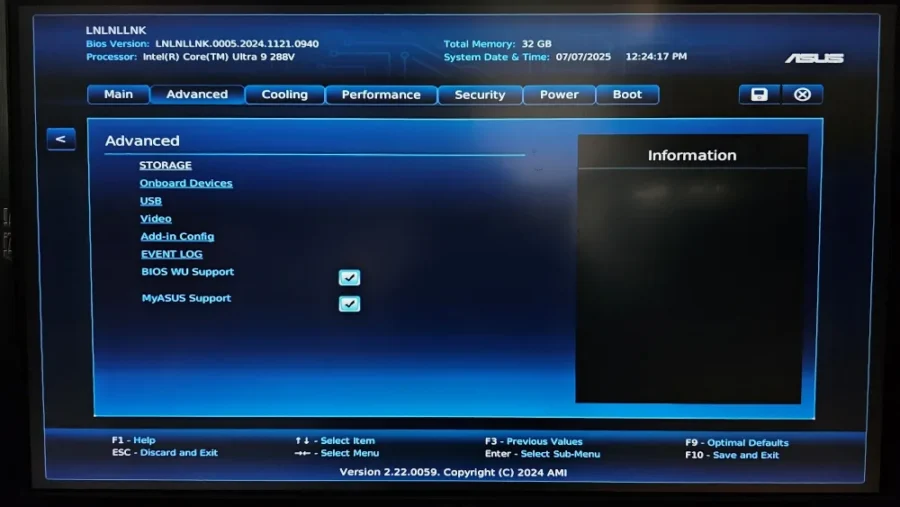
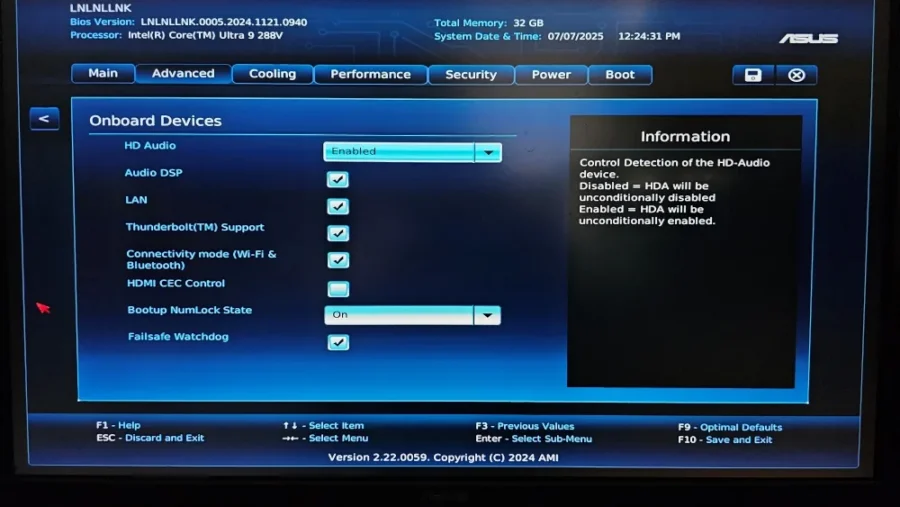
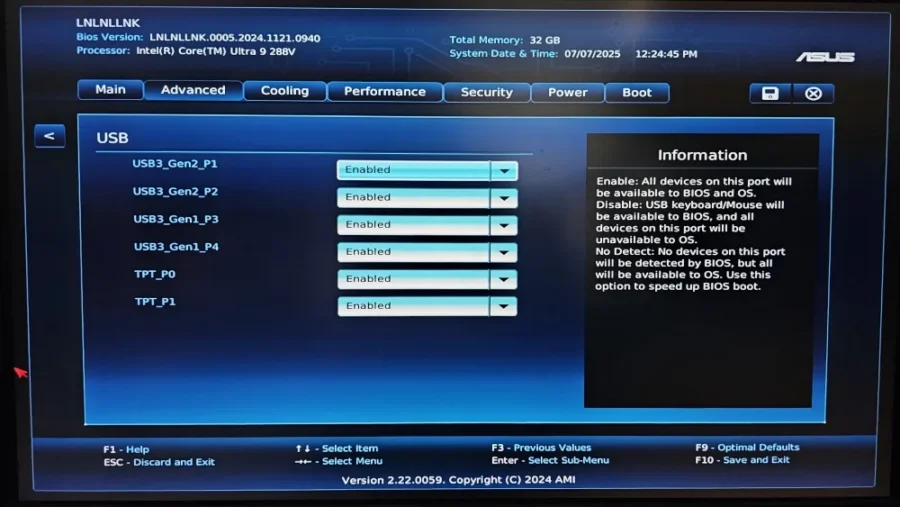
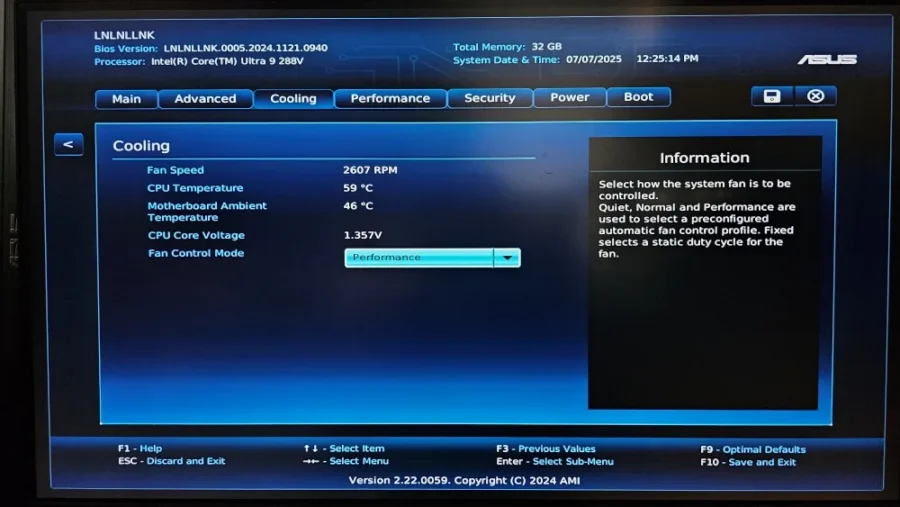
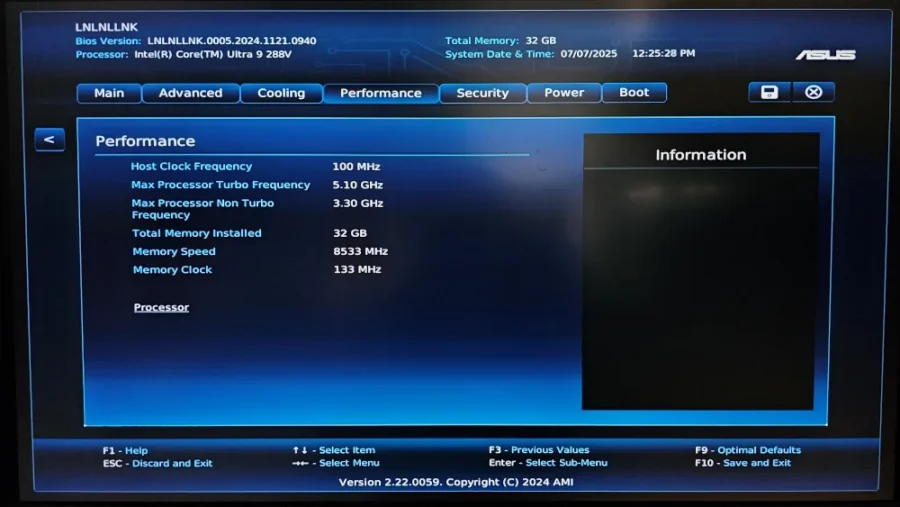
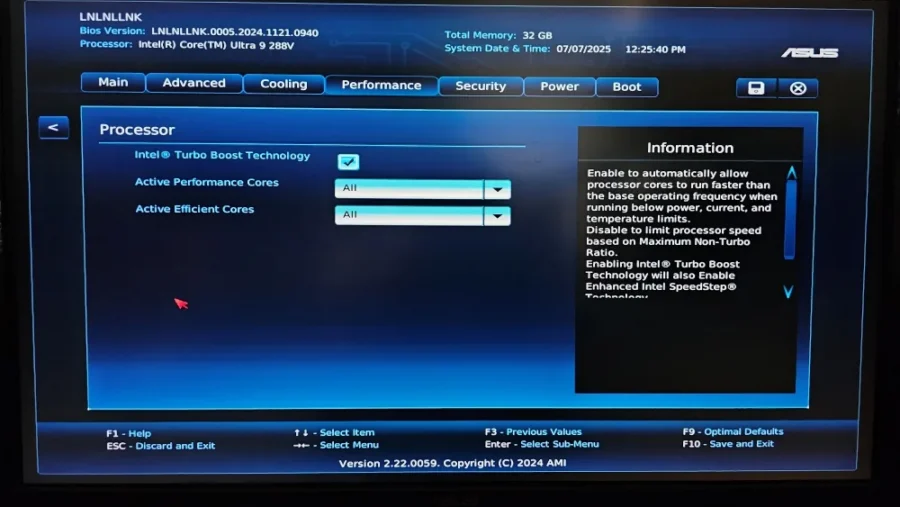
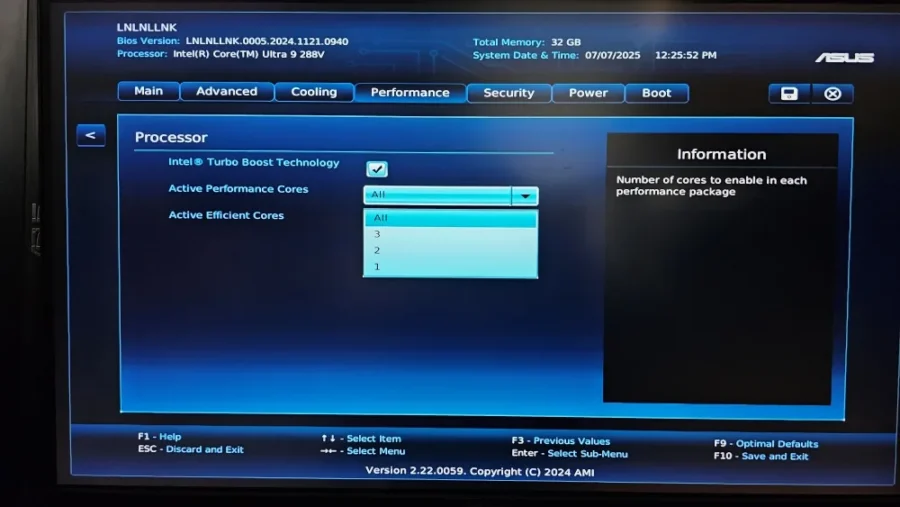
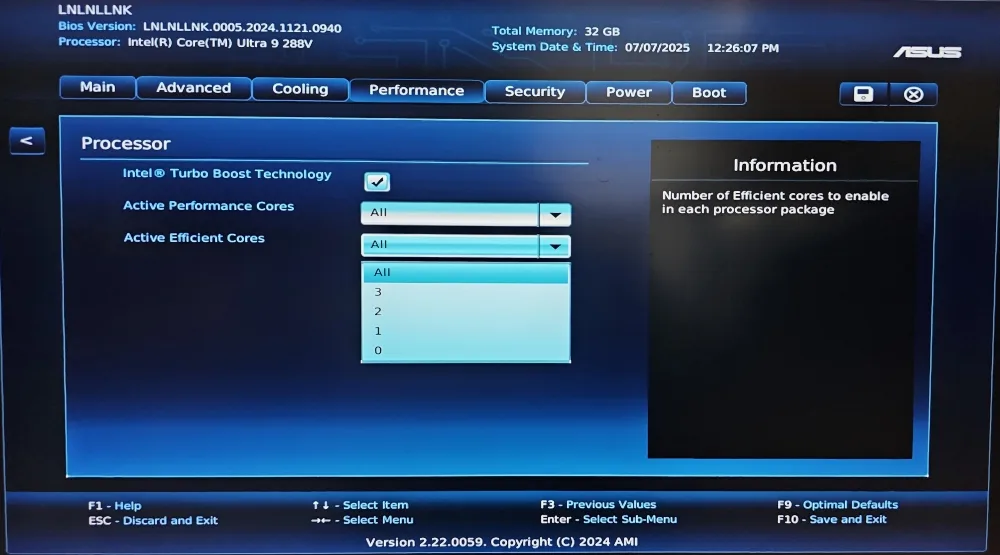
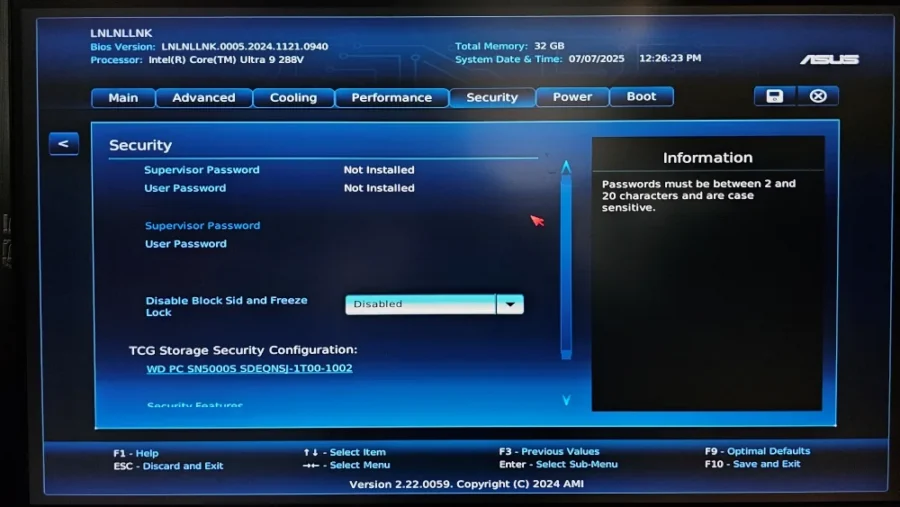
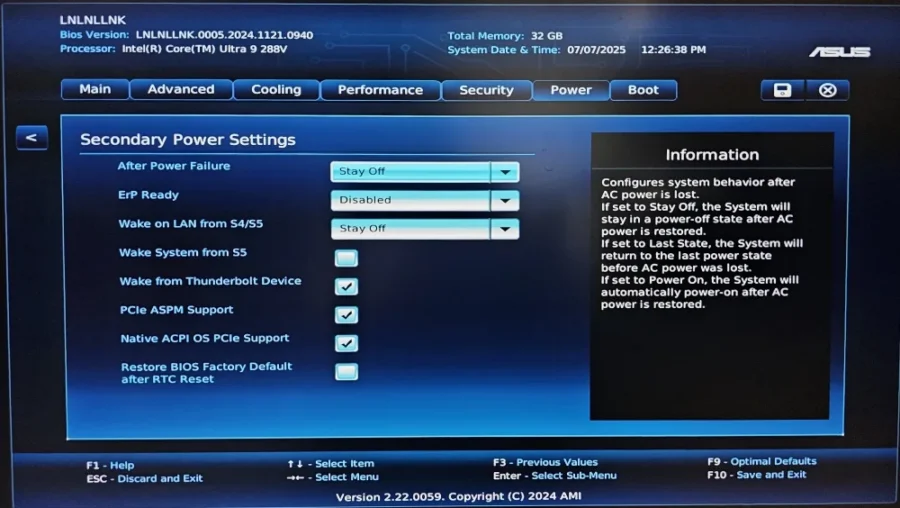
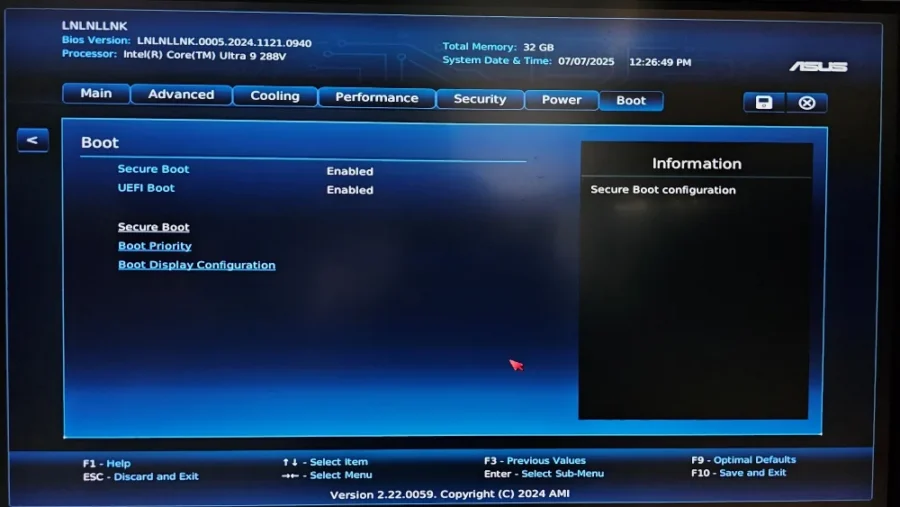
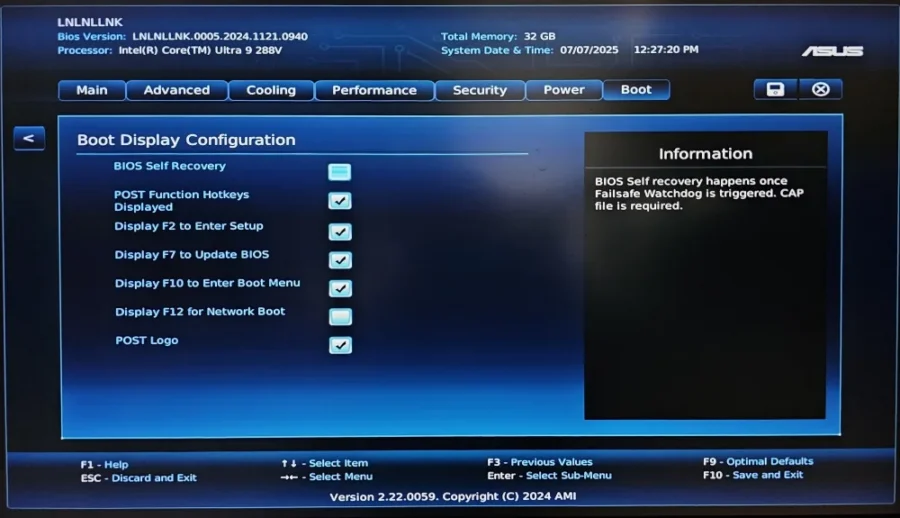
We can modify fan cooling performance, and the number of cores that are running, as well as allowing of CPU boosting. But other than that, we can’t set custom power limits like the Core Ultra 9 185H to hit 115W (we are stuck to 35W maximum). Maximum power for the CPU is at 35W with boost on even with a 120W power adapter is used, as motherboard power can hit around 112-115W total.
Intel Core Ultra 9 288V CPU/NPU/Graphics
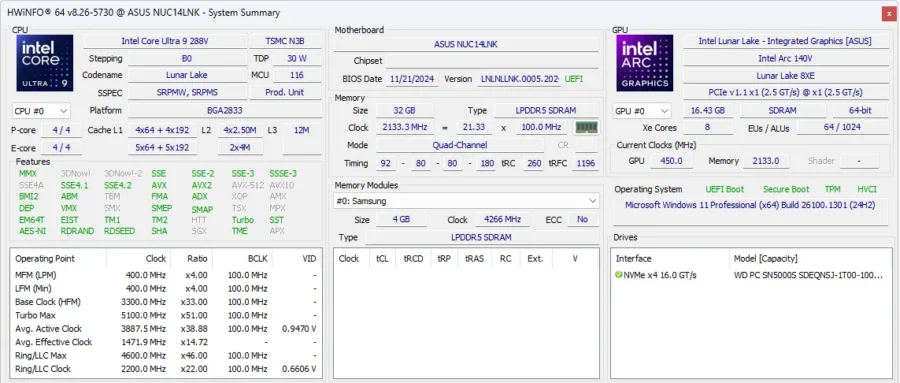
The CPU of the NUC 14 Pro AI that ASUS provided is a newer Core Ultra 9 288V processor. It is an 8-core processor with 4 performance and 4 low power efficiency cores. It is a far cry from the Core Ultra 9 185H’s 16 core setup with 6 performance, 8 efficiency and 2 low power efficiency cores. Let us remember that Intel classified Core Ultra 9H and Ultra 9V CPUs to have different markets and users with H going for those looking for a We will see in our tests conducted later if this merits an impact by using a V type mobile CPU.
To provide more context of the Intel Core Ultra 9 288V, while it only has 8 cores in total, the overall peak TOPS of 120 (combined CPU/GPU and NPU). It runs a maximum of 5.1GHz boosted which matches the series one Core Ultra. A full comparison between the Ultra 9 185H and Ultra 9 288V (and 258V) can be seen here. The Ultra 9 288V has an overall lower base power and turbo power; all due to the limited number cores it has as a V type CPU. Memory support has the newer 288V support LPDDR5X 8533 MT/s which is higher than the NUC 14 Pro Plus, which was rated only at 5600MT/s of DDR5 SODIMM.
For its onboard graphics, it sports an ARC 140V, a newer generation high-end mobile intel GPU. It is a direct follow-up to the ARC 8 iGPU found on the Ultra 9 185H. One of the striking features of this GPU is its smaller die size, and having a maximum video memory used (it shares with the onboard 32GB of RAM) of 16GB, which is a lot. The ARC 8 when checked in HWInfo was pulling out only 2GB, and I could not confirm how much was consumed by games in the previous tests as the benchmarking tool wasn’t updated to get ARC telemetry then.
For the NPU, I noticed that for the Ultra 9 288V, it has a higher performance with 48 TOPS vs the 11 TOPS from the Ultra 9 185H’s NPU.
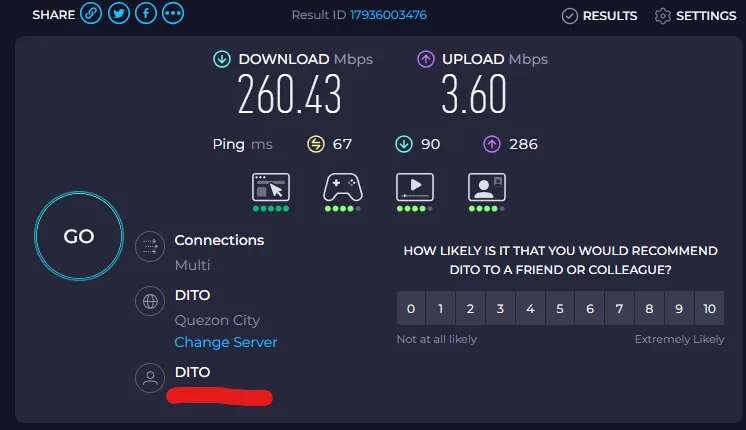
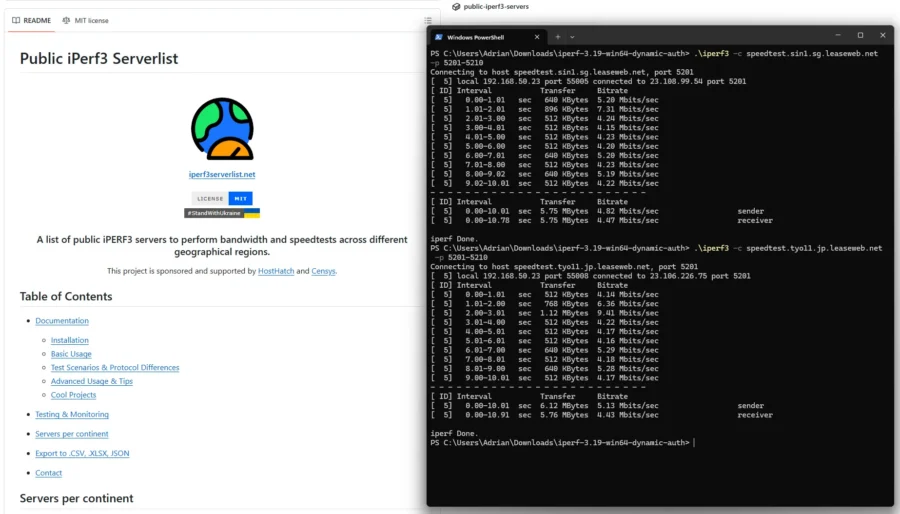
And for WiFi 7 (powered by Intel), I’ve connected it to the ROG GT-BE89 Rapture that is now connected to a 5G Modem which hits at around 260 – 300 Mbps (350Mbps on a very good day) using Speedtest.net service. I’ve also tested it with iPerf with decent performance when connecting to public test servers in other countries. Trade-off is that you’ll probably be able to take advantage of WiFi7 features only if you have a WiFi 7 setup at home (multi-link operation, 2.4-5-6Ghz flexible channel switching, overall faster data speeds).
NUC 14 Pro AI Performance Review
For the ASUS NUC 14 Pro AI performance review, I’ll touch on several aspects of the system. As it is more of a daily work machine, we’re not going to dive too deep into the gaming aspect (hint, looks can be deceiving). Several synthetic benchmarks are used to test the NUC’s CPU performance. While the OpenVINO AI plugin test returns, it has been some time from the last benchmark test so I can’t do a complete direct comparison due to the updates made to the plugin, with improvements done for NPU usage. Also, the NUC 14 Pro Plus is no longer with me to re-run the test with the latest OpenVINO plugin.
Cinbench 23 and 24
The first benchmark I’ve performed on the NUC 14 Pro AI is Cinebench 23 and Cinebench 24. Cinebench 23 focuses on CPU Centric processes and has an older operation, while Cinebench 24 now includes GPU into the benchmark on top of CPU tests.
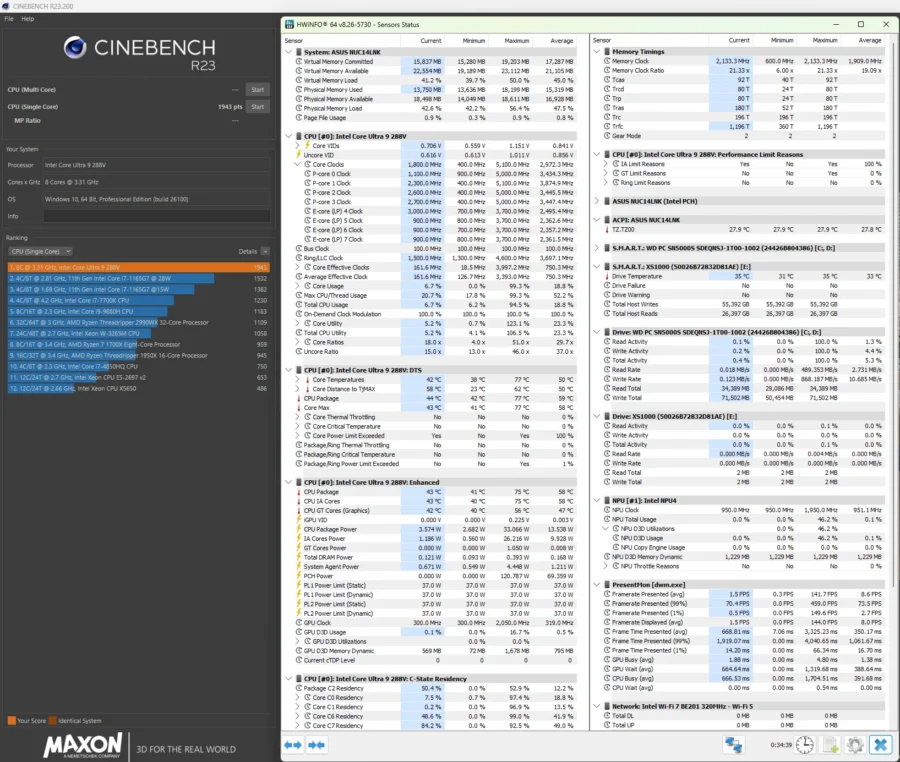
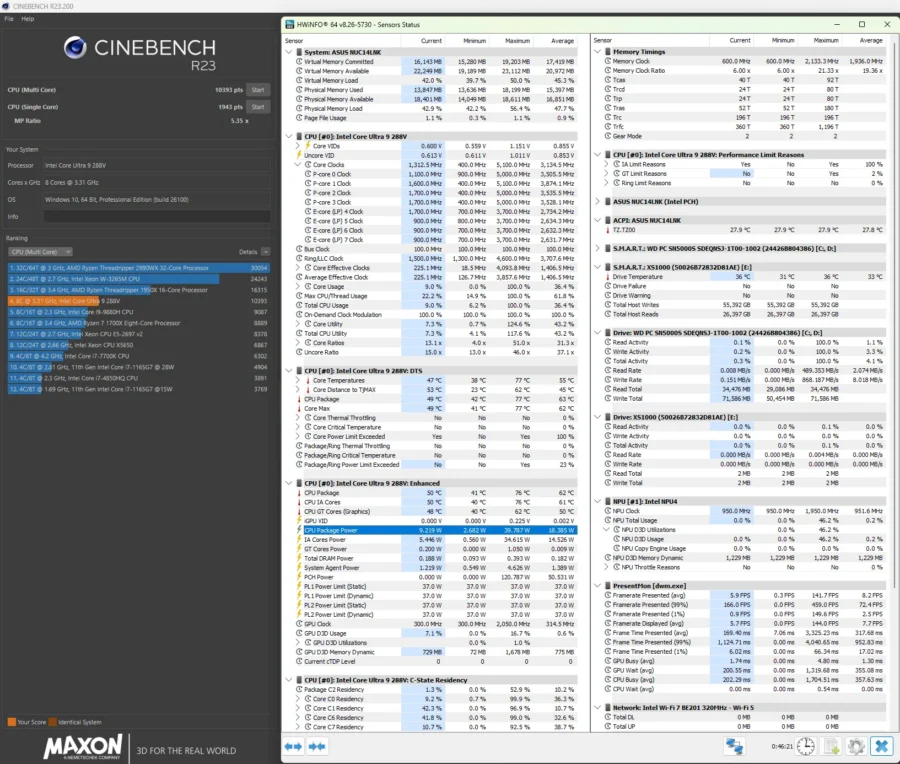
Here’s the result for Cinebench 23 multi and single CPU performance. The Intel Core Ultra 9 288V while having a maximum of 8 cores, scores a modest 10393 points in multi at fourth place. For its single core performance, it gets 1943, which tops the list.
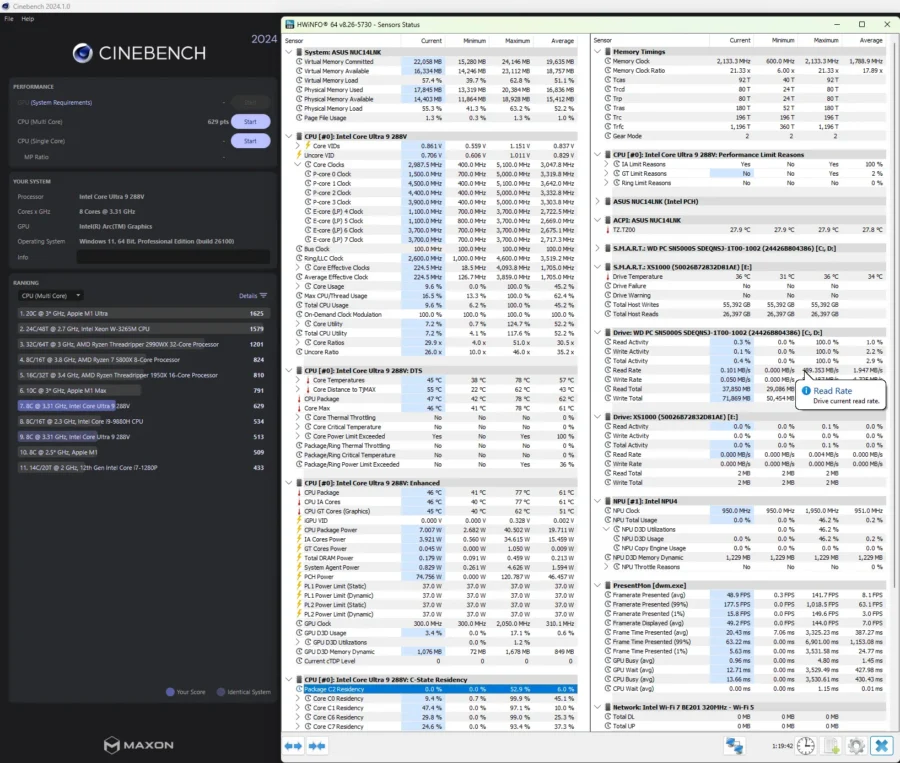
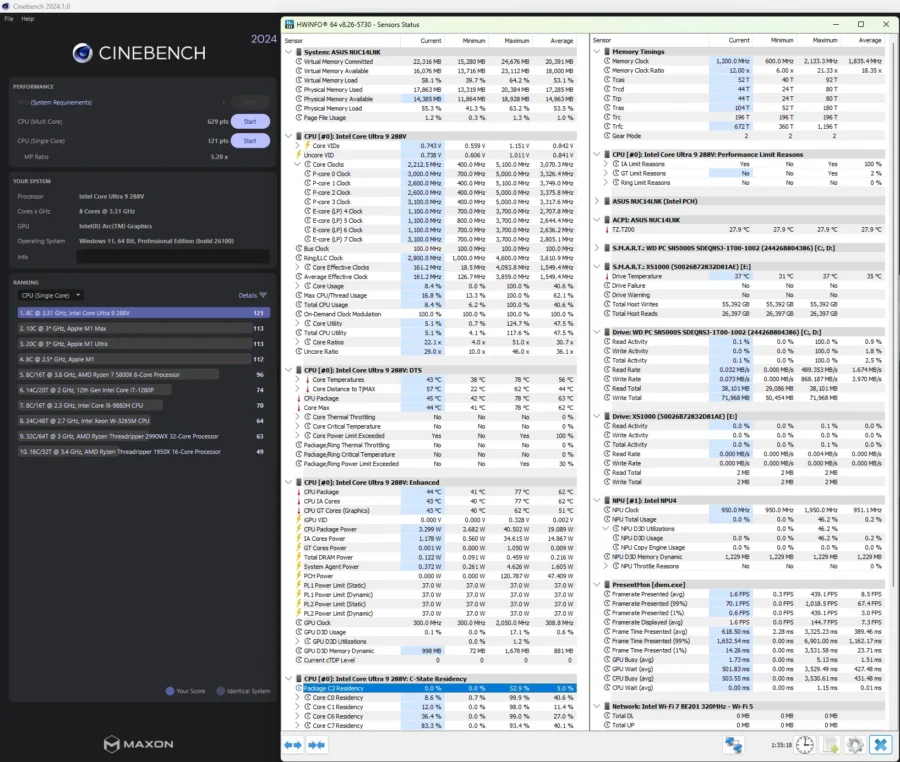
Now for Cinebench 24, I am only able to get multi and single core performance as Cinebench 24 doesn’t recognize the Intel ARC 140V iGPU. Nevertheless, it managed to score 629 (2nd run, as the initial run had a background task/application running) on multi core. The single core run scored 121, the top of the ranking.
The results show on both Cinebench 23 and 24 that the common weakness for the Intel Core Ultra 9 288V lie on its smaller core count hence unable to gain higher ranks. It shines on the single core tests however, managing to top both versions. If it were the series 2 Core Ultra 9 285H it will probably have a better score/rank in multi. I do have to note, that the NUC 14 Pro AI did manage to keep temperatures well controlled, and at the same time, even with the cooling fan running at performance mode was relatively quiet. Maximum temperature while benchmarking was at 77-78 degrees C, which is impressive given how thin this NUC 14 model is.
PC Mark 10
PC Mark 10 is more of a daily driver/work/light gaming synthetic benchmark tool and here are the results of the ASUS NUC 14 Pro AI.
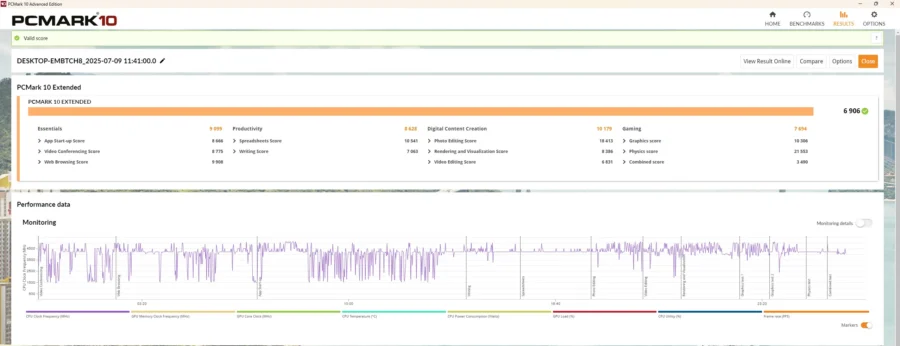
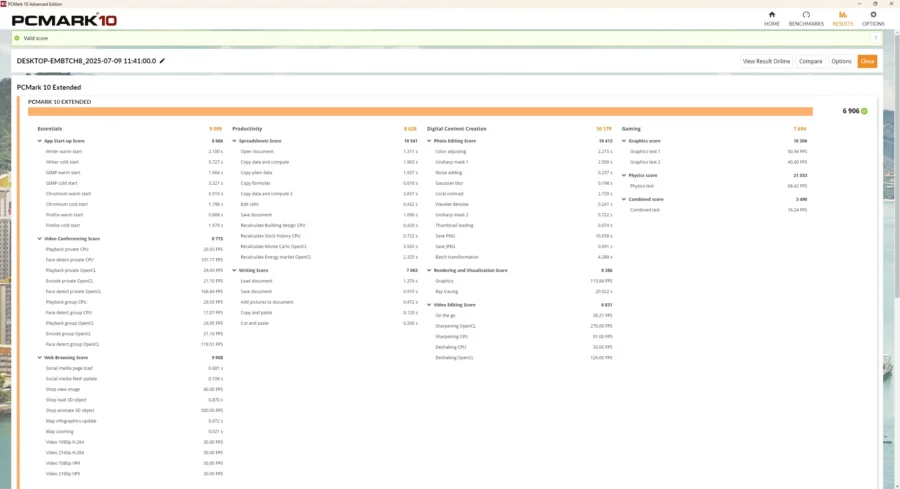
The combined score of 6906 is lower than that of the NUC Pro Plus (7048 points on its review), as the older Ultra 9 185H has more cores (even if I turned off the E-Cores in favor of P-Cores for this run then), but tables have turned once it hit the Digital Content Creation and Gaming tests. To note, the Digital Content Creation scored only high thanks to the Photo Editing and Rendering test, which looks like leveraged more on the GPU side than the CPU.
3DMark Test Suite
Onto the 3DMark Test Suite for synthetic graphic tests. The NUC 14 Pro AI performed well, scoring 4610, halfway through to the 5000 score. Comparing the 288V to the 185H shows that while the Core Ultra 9 288V suffers fewer CPU cores it made up with the improvements in its architecture and ARC 140V iGPU edging it out from the first gen CPU.
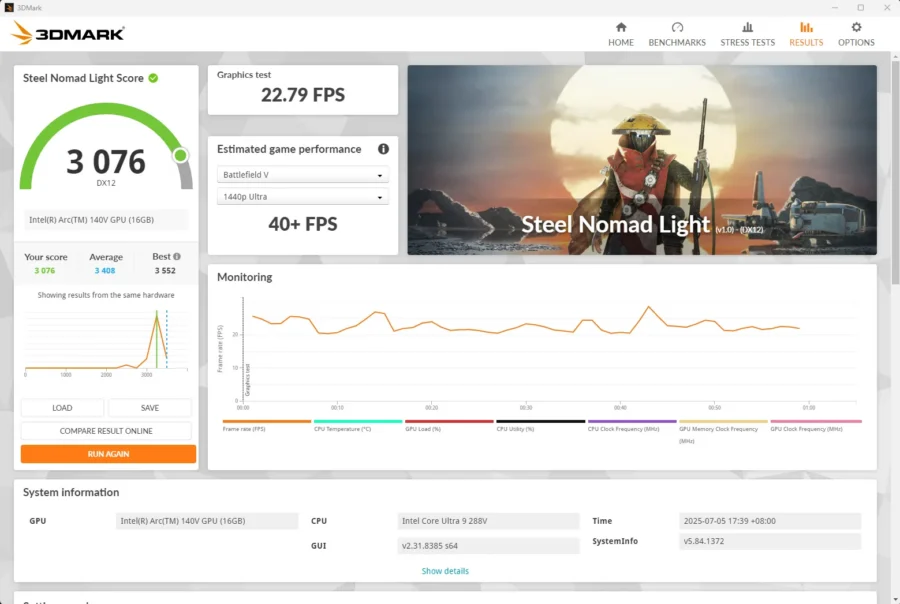
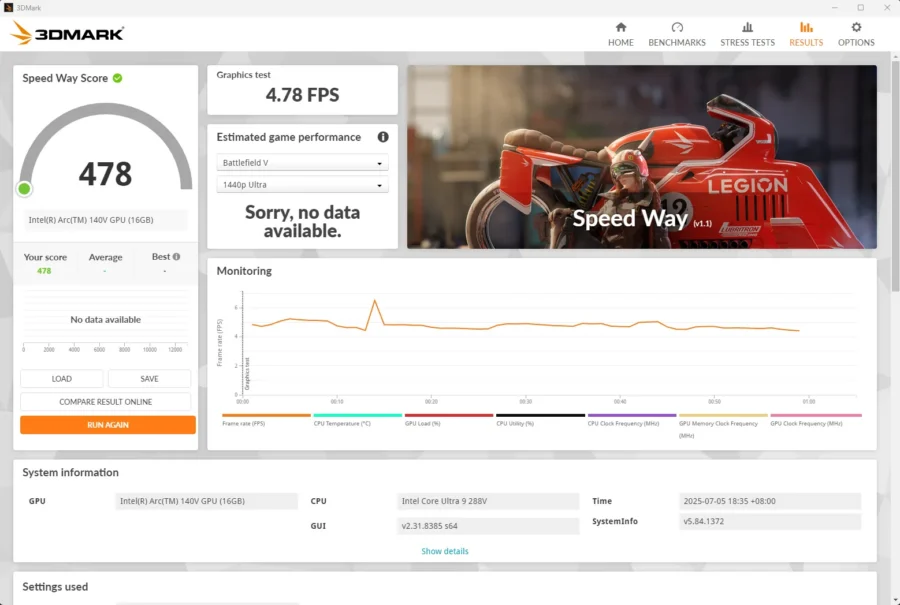
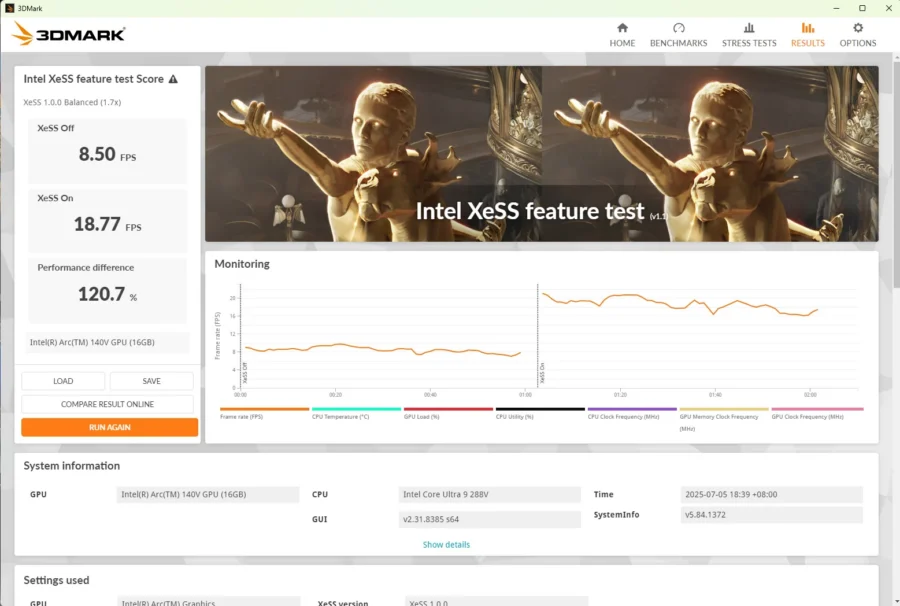
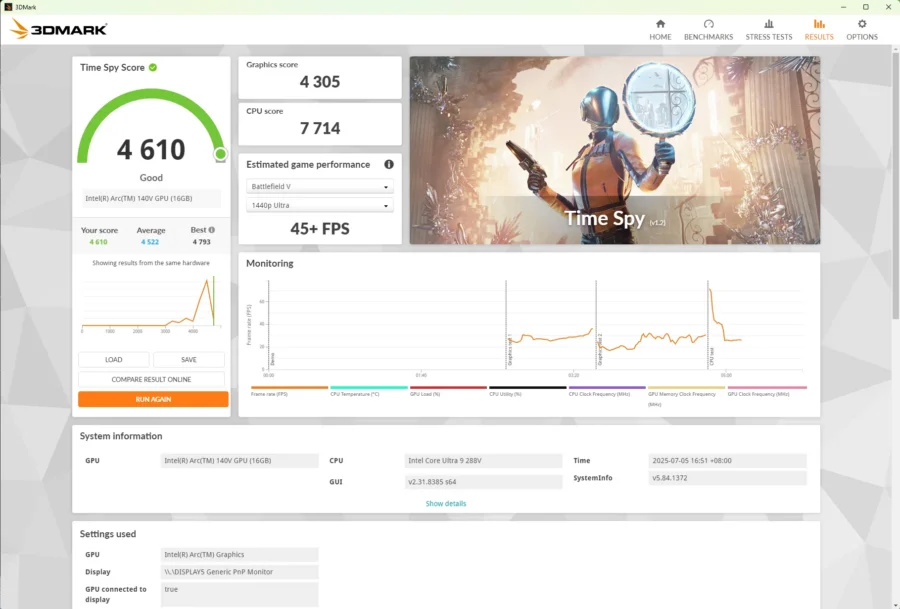
Performance in the XESS test showed even more promising results. The Core Ultra 9 288V’s ARC 140V has a higher XESS Off result of 8.50 FPS and turning XESS On provided a significant 120% boost in FPS.
AI Test with OpenVINO
There were several updates to the Gimp OpenVINO Stable Diffusion plug-in and like what I experienced in the previous review, the installation did not go as smooth as the latest update to the plug-in actually caused the plug-in to crash when loading in Gimp. Backtracking to an older version fixed it and the benchmark test proceeded. Like in the previous review, I’ll run a GPU (best performance) and NPU (power efficiency) to see how it generates images.
This time it seems that the term Gundam is now usable, so I used that as a prompt for generating to see what ‘artistic impression’ of a Gundam would show up.
The new processor installed on the ASUS NUC 14 Pro AI definitely impressed me as there’s a significant shift in performance. With the Core Ultra 9 185H CPU on the NUC 14 Pro Plus, the ARC iGPU definitely blew away its NPU. This time around the NPU of the NUC 14 Pro AI’s Core Ultra 9 288V soundly beats the even improved ARC 140V iGPU.
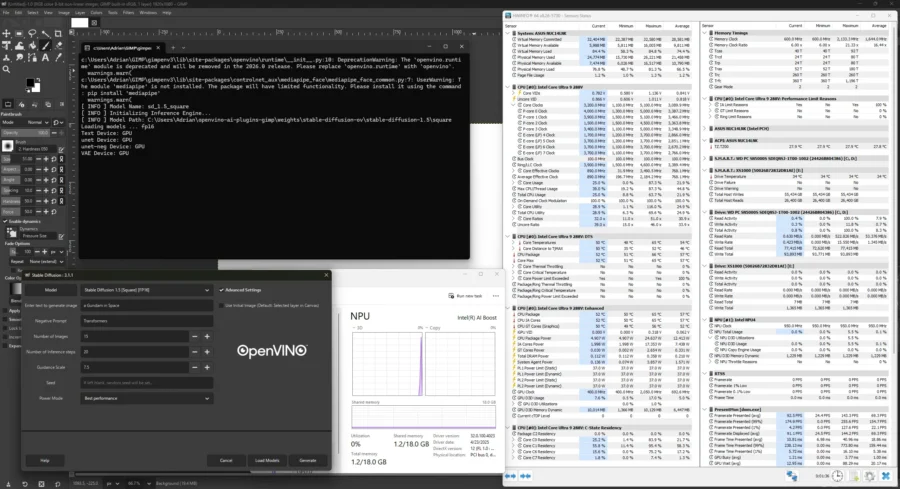
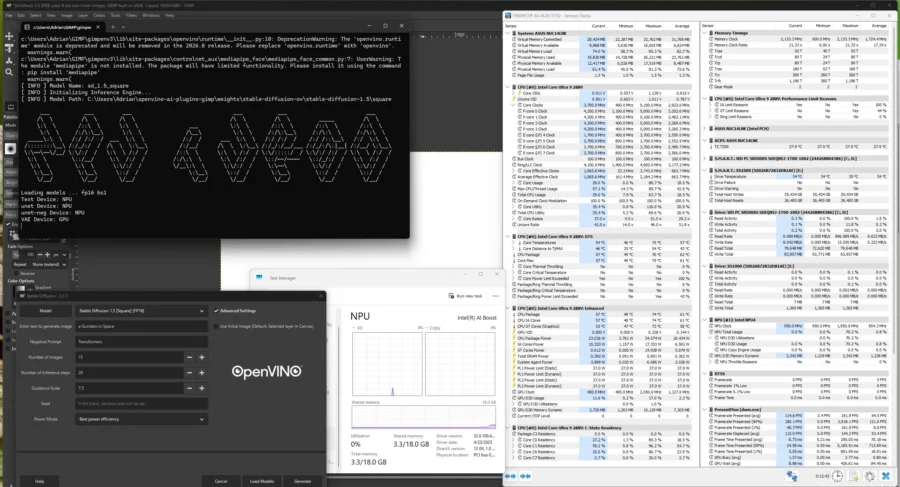
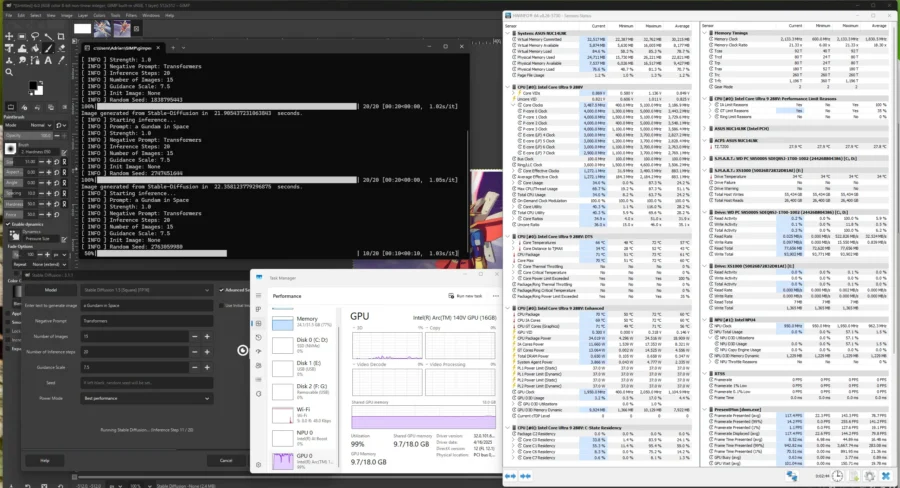
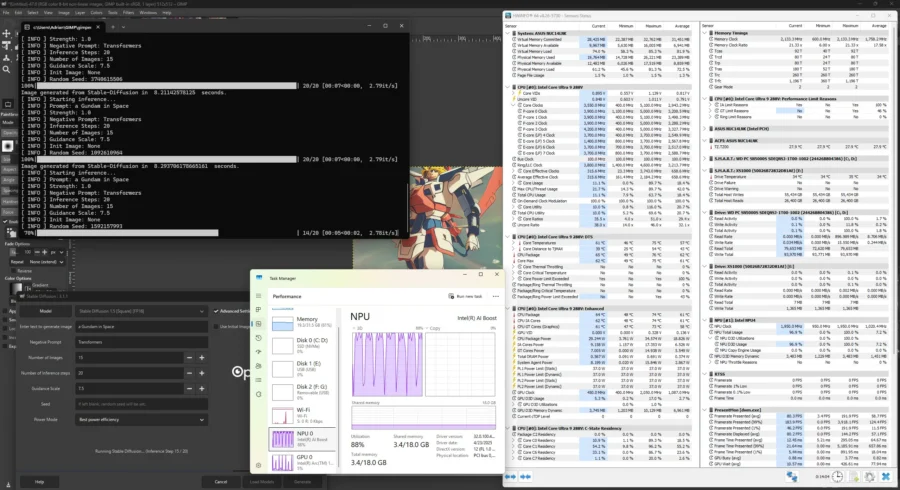
For fifteen generated images, each image took roughly 22 seconds for inferencing and generating using the GPU, while the NPU, 8 seconds on average. That’s almost 3x the performance gain, using the Power Efficiency mode.
It will definitely work on most AI/NPU powered tasks as long as the NPU package itself is supported by framework like OpenVINO. Hope more and more apps support NPUs.
Gaming Tests – Cyberpunk 2077
For gaming tests, the first title is Cyberpunk 2077. Using presets similar to last year: RTX Low, Medium and Steam Deck for 1080p resolution we essentially got better results. All of these presets use either XESS or AMD FSR to aid in performance. Medium and Steam Deck.
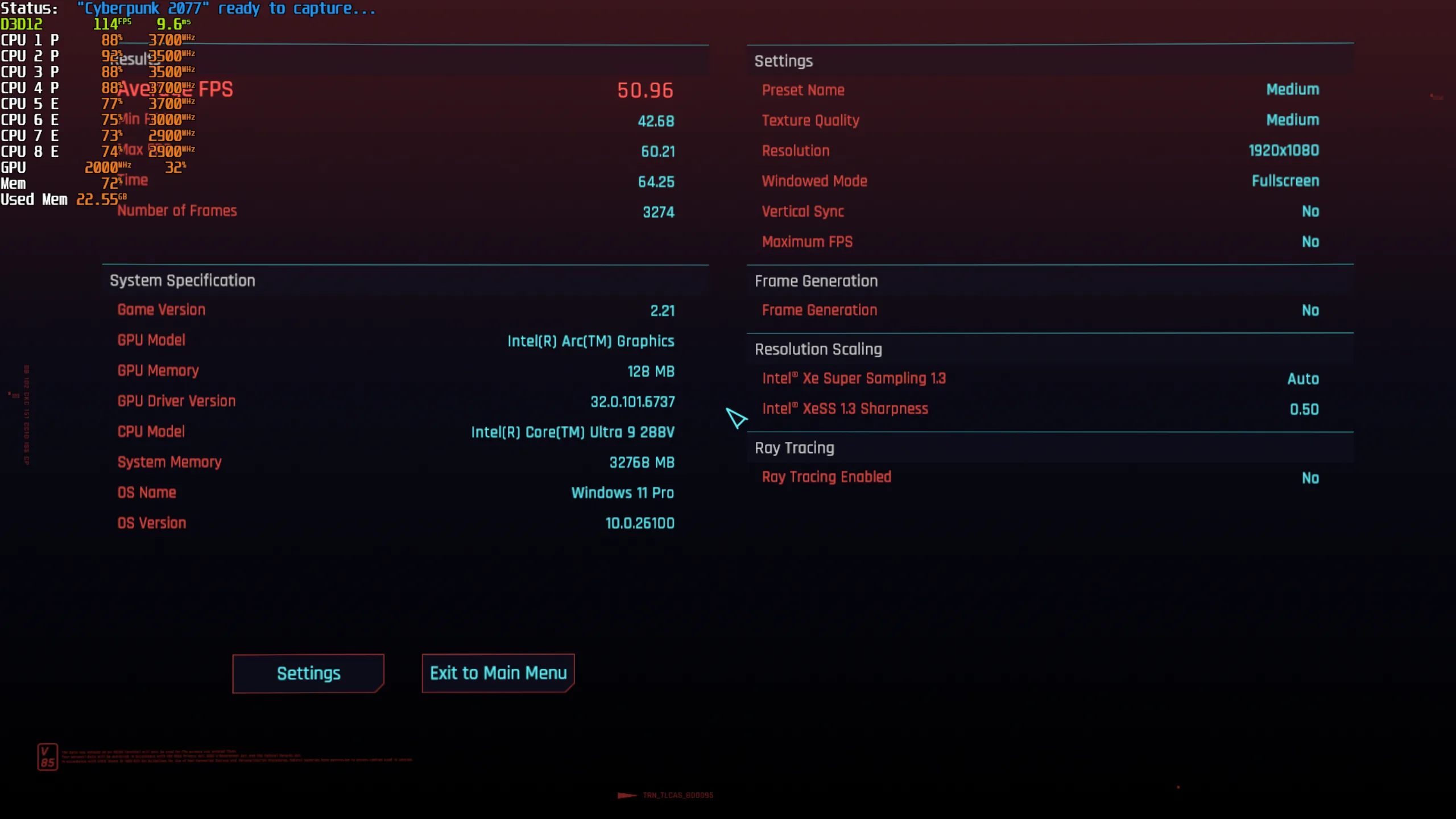

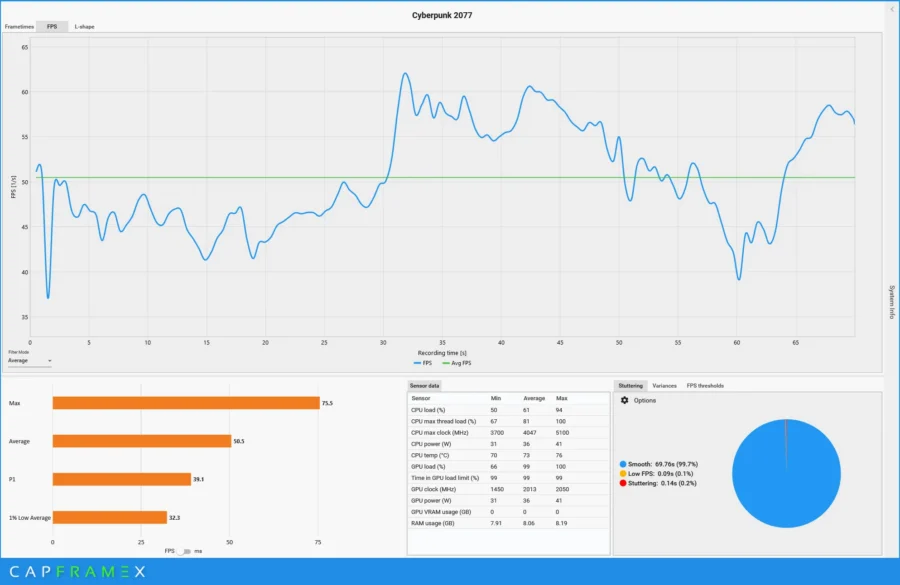
Under the Medium Preset, the game managed to get a stable 50FPS which is quite workable, I’ve spent time actually doing shenanigans (level 5 wanted level driving around with a NCPD APC) aside from just walking around Night City. To get something close to this result on the older NUC 14 Pro Plus, I would have to lower overall texture quality to low.
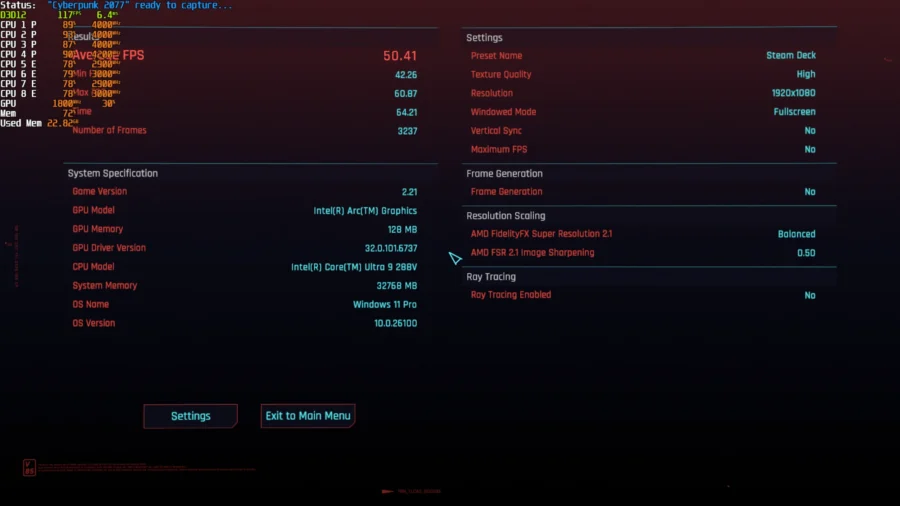
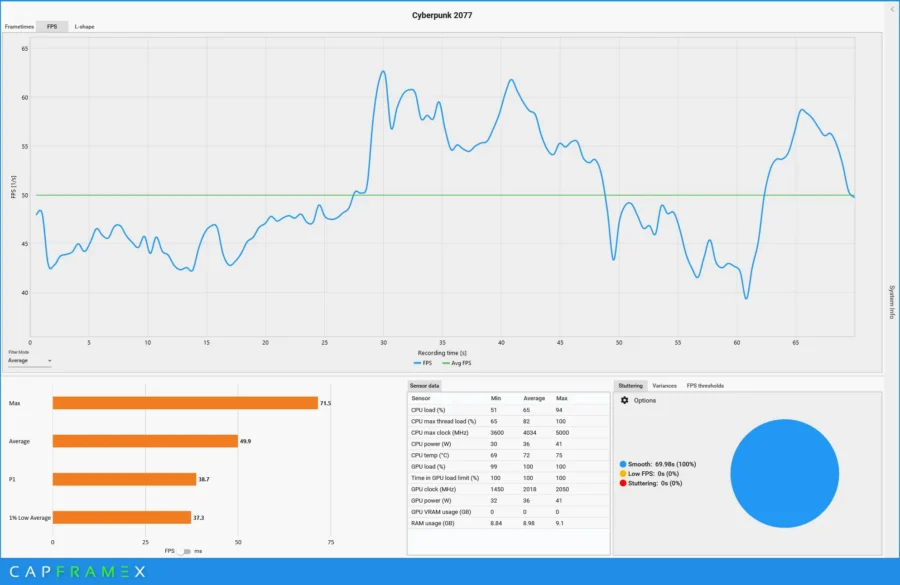
Changing it to Steam Deck Preset, we get a similar result, it does look like XESS has matured enough to match AMD’s FSR tech found in the Steam Deck preset in making gaming performance good while keeping quality useable.
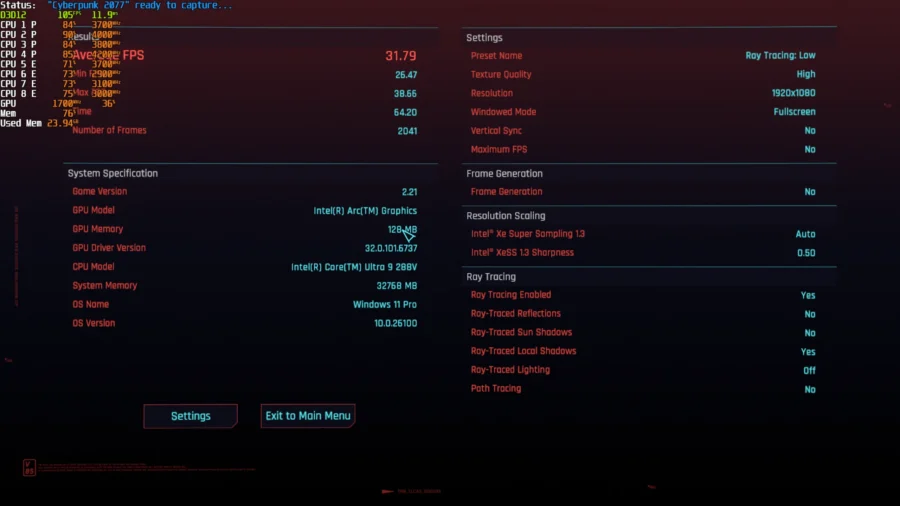
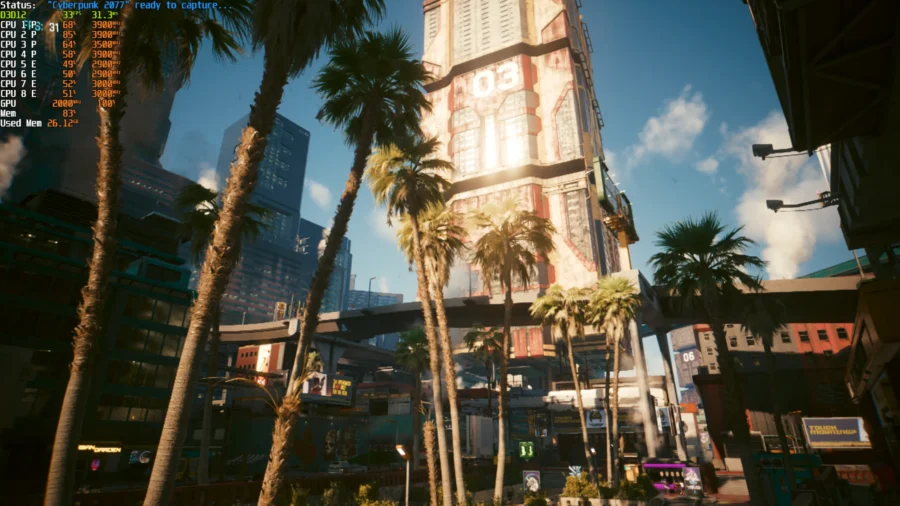
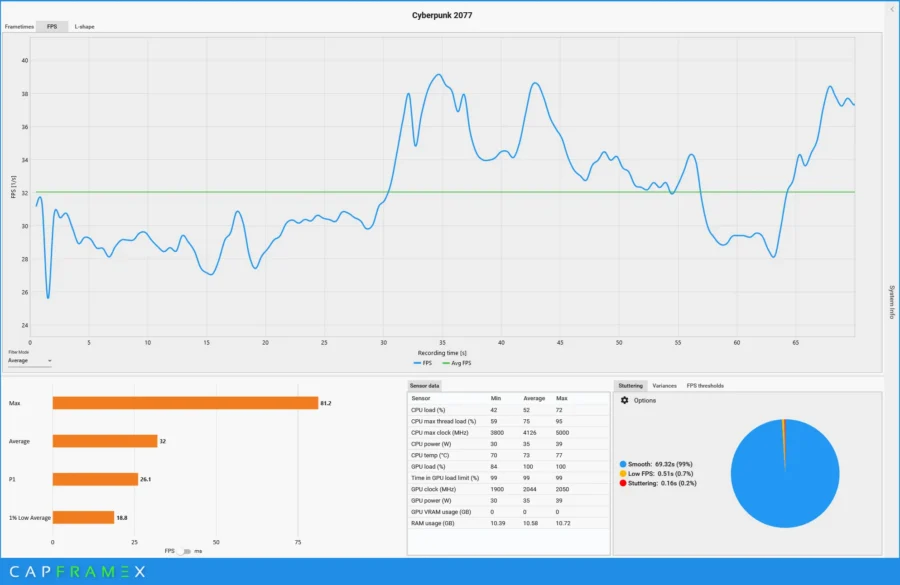
On RTX: Low preset, we do get an average of around 30FPS. While it is low, it is significantly better than the old Intel Core Ultra 9 185H’s onboard graphics which I didn’t bother to post due to how low and unplayable the game was.
Also, with turning on scaling like XESS or FSR, it still loads in some form of screen artifact from time to time. But in my playthrough, it only appeared a few seconds after loading my save. Another noticeable
Gaming Tests – Counter Strike 2
I’m pegging the NUC 14 Pro AI as not just a mini-PC for productive use, but as well as something that can be used for competitive gaming. Given how well it performed in Cyberpunk, I would assume performance in Counter Strike 2 would be better compared to the Plus variant.
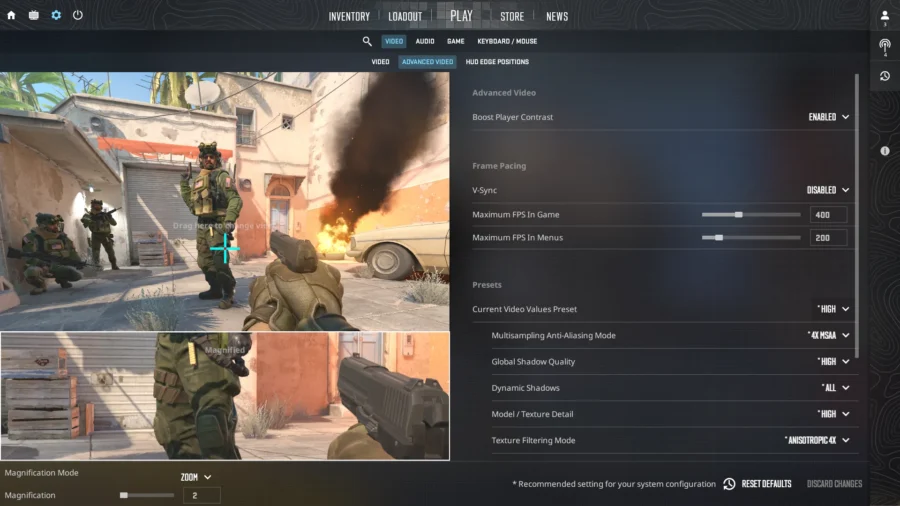
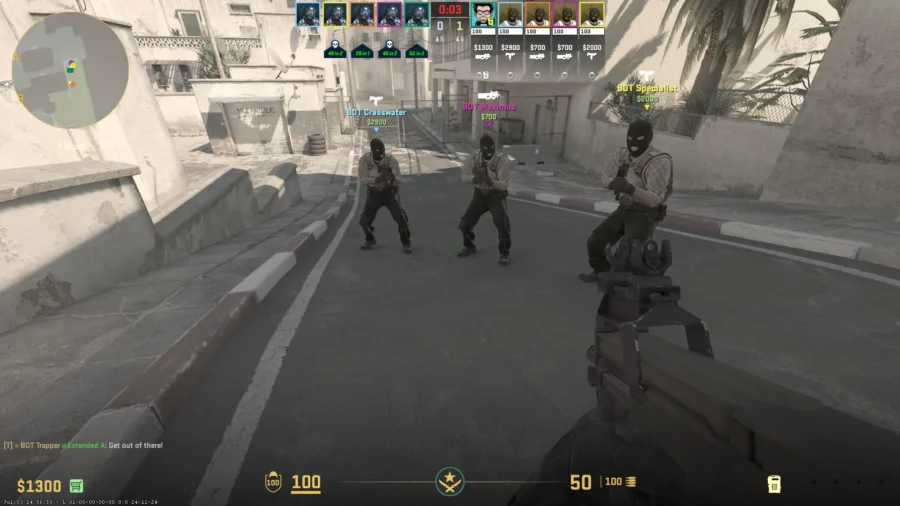
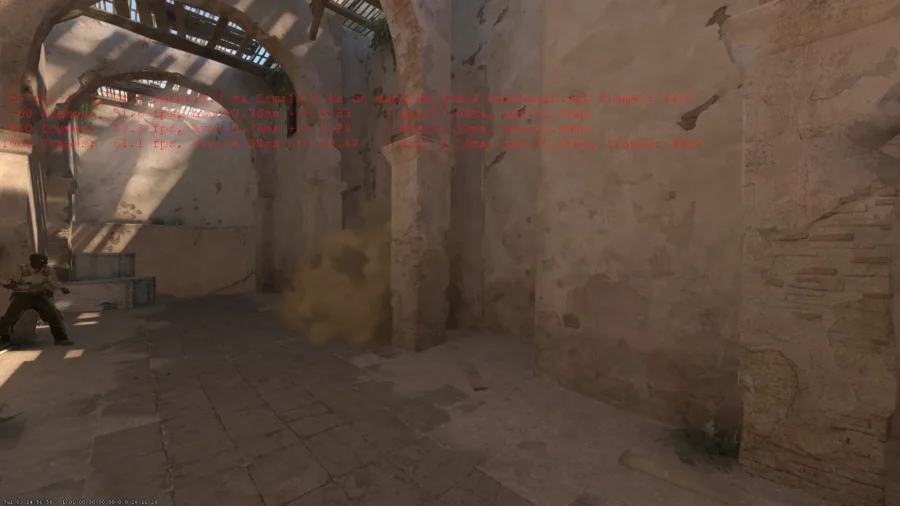
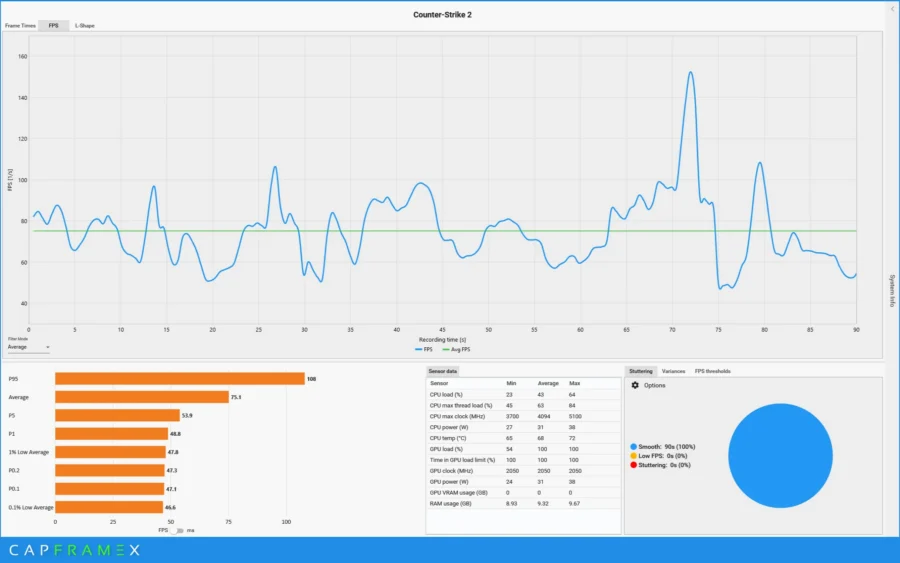
The NUC 14 Pro AI does a good job in getting a high 75FPS average in CapFrameX as the medium for recording . While Counter Strike 2 is geared more as a CPU intensive game, the modern updates to its engine enabled to let the GPU help in getting High FPS.
Summary and Verdict
The NUC 14 Pro AI is a much more utilitarian Mini-PC from ASUS’ NUC 14 model line where it eschews the sleek aluminum shell, high powered mobile CPU upgradable RAM and dual HDMI ports to focus on low power consumption but still having enough power to drive through productivity and gaming.
This particular NUC is made for the more budget conscious user looking to have a compact, portable (easy to bring around between different homes or places of work). Thanks to the second-generation Intel Core Ultra 9 288V CPU it balances between having enough CPU power (8 cores), a stronger ARC GPU (140V with better graphics performance from its predecessor) and faster NPU for processing AI tasks. And at a maximum of 35W of power (when running on boost) it is very power efficient, therefore making it run cool, with nary a noise coming from the onboard cooling fan.
One concern is the upgradeability of the system. For this particular model, we are limited to upgrading the SSD and WiFi card. Yes, we can change the WiFi card to a lower model (WiFi 6E down) or once WiFi 8 is out. RAM is soldered on as I’ve found out after opening the unit’s bottom cover.
Taking a slight step back, let’s focus on the AI aspect. It certainly is an AI PC which can help out on working with certain AI tasks, especially those that run on Intel’s OpenVINO framework. As seen with the Image Diffusion tests, the NPU now beats the previous generations’ NPU by several times.
On the other hand, the branding of the CoPilot button is a mixed one. As the CoPilot button doesn’t work on my account setup nor does CoPilot use the onboard NPU to process AI tasks (hint: CoPilot relies on an internet connection to send user prompts, and the backend is handled by enterprise grade hardware). But if you are into developing AI or use apps with OpenVINO and other frameworks that use Intel’s NPU this makes for a good case.
Creative Work and Gaming has seen improvements, as the newer ARC 140V seems to properly use the onboard RAM the NUC 14 Pro AI has and using 16GB of it all at once making render operation faster in both the PC Mark 10 render tests and 3DMark benchmark tests as well. Actual games saw higher gains and can even run Cyberpunk 2077 on RTX Low (30FPS without any stuttering is quite playable).
As for the price, I haven’t been informed yet of the final kit composition if it’s slated for a local release, but looking online from ASUS’ online US store, it is priced at $1429 (from their partner store) for the same configuration tested. It is higher than the NUC 14 Pro Plus (from the same partner store) that was reviewed, as that model sports an older CPU and slower memory using DDR5 5600 MT/s SODIMM; and probably had some price adjustments since its release.
So, if looking for a system that can perform for AI tasks or general work and maybe some gaming, all in a small package, the ASUS NUC 14 Pro AI has something to offer.