


PLDT Home unveiled their Always On Modem to subscribers late last year as a way to alleviate issues for most (like me) subscribers who suddenly lose internet service due to loss of signal (LOS); cable cuts, disconnected connectors to their boxes or other infrastructure related issues while working from home. While fiber optic internet service offers blazing fast speeds for our homes as of late, its rather sensitive nature and our (Philippine) communication infrastructure is a mix of old with new and exposed to the elements (above ground wiring) will mean a lot of factors for getting lines cut.

In this review, I’ll discuss what the new PLDT Home Always On modem is design and spec-wise, what it does, its pros, and its cons. And take a look on how it costs monthly and how fast the backup internet is.
Table of Contents
How to Get One?
This modem by the way is acquired through normal means of applying for it. It took me three tries to book/get one, the first through an ad link from their Facebook Page which links to their signup page, the second through calling PLDT via phone, and the last which worked, was through the marketing email I got to my personal email account. Part of the application process is to check if you live in a city that the service has rolled out, and have sufficient signal coverage from Smart, as the 4G LTE data will come from their towers. My house is near a cell tower that serves all telcos hence a good signal.
After having the last LOS issue fixed (do note, Fiber Optic connection should be working as it needs to sync the Smart sim card with PLDT to pair it with our account), a staff from PLDT came and installed the new modem (the old modem will be rendered unusable as it was de-listed from PLDT’s side as a valid modem).
How Much Does it Cost per Month?
It will cost roughly Php 300 per month (for 36 months/ 3 years) on top of your monthly subscription plus VAT. In my case I’m using Fibr Unli 2699, plus 300 would be 2999 plus VAT it would be around 3000+. It’s the same as the Fibr Unli Plus Plan they had with Mesh routers which I availed in 2021. Of course, final bill will always depend on what subscription plan you have.
PLDT Home Always On Modem Design and Specifications
The Always On modem is manufactured by Green Packet Berhad, a tech company from Malaysia that has been a provider for PLDT WiFi modems, specifically for PLDT’s prepaid wireless internet devices. The particular model of the modem router is Green Packet D2F. It doesn’t have any available product page, here’s a rough breakdown of what I can glean from the device and from my use.
Always On Modem External Design and IO
Externally, the D2F modem is designed to stand-up vertically keeping a very small footprint. Not only that, it helps tremendously with passive cooling compared to older modems that are oriented horizontally on the surface. The ports are all at the bottom rear section along with the power and power connector port. A WPS and reset button is found on top. Having those at the top might be overlooked and can be accidentally triggered (especially with the reset switch that can hard reset the entire modem/router).
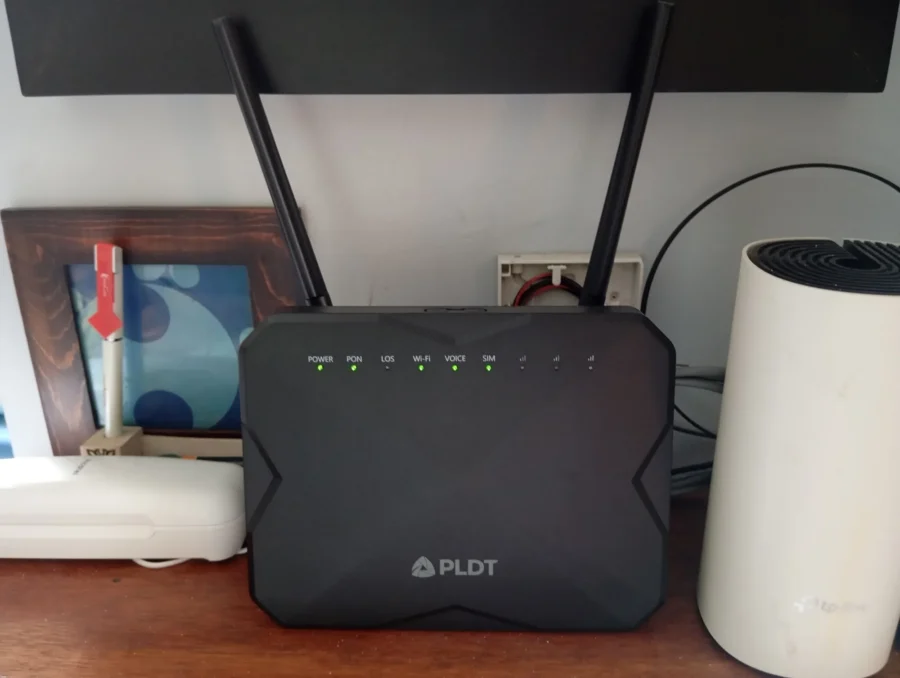
There is a total of four LAN ports, all running at 1Gbps, and one phone jack (RJ11) for connecting your phone if you have phone service. The wireless router part of the modem runs WiFi 6, which is an upgrade from the old Fibr modem that was initially provided which ran WiFi 5. With that it includes two antennas for broadcasting. It’s no high-end WiFi router with the likes I have reviewed in the site before, but it does its job.

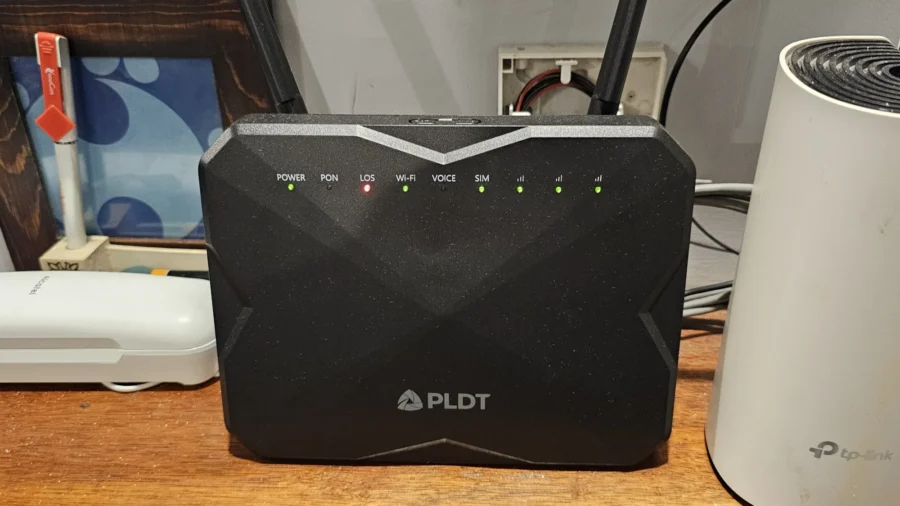
There are LED lights on the top section of the modem, the LEDs are (from left to right): Power, PON, LOS, Wi-Fi, Voice, SIM, 4G LTE 1, 4G LTE 2, and 4G LTE 3. Note that there’s no LAN LED and it is assumed that as long as the PON/Wi-Fi light is stable and LOS is off there is Internet service. The SIM and 4G LTE lights will only turn on when backup is active and the LOS light is turned on/flashing Red. Furthermore, the three 4G LTE lights represent signal strength.
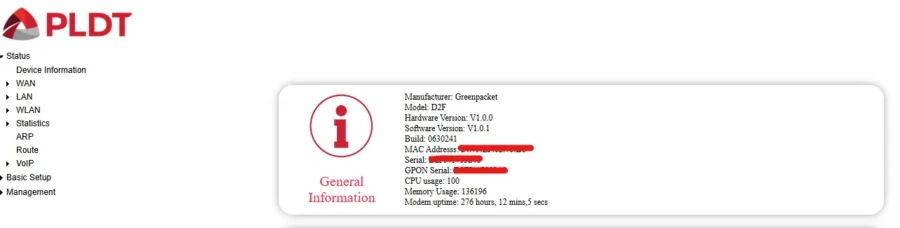
It has an unspecified CPU with no information on how fast it runs, only a usage report is provided in the admin interface. The same goes for memory as it is only the reported consumed memory is reported. But I would assume it is using a 256MB RAM. On the package, the power requirements and its power adapter rates it at 24W, low power and efficient.
PLDT Home Always On D2F Modem Package
The PLDT Home Always On Modem kit comes with the modem router itself, a CAT6 1Gbps cable for connecting to a router (preferably Mesh) for larger homes, a 24W adapter, two antennas for the modem, a Smart LTE sim card which is used for the 4G LTE backup. And a couple of system sticker sheets used for troubleshooting (recording of some network IDs/notes for troubleshooting by technicians).
PLDT Home Modem Admin Interface
The Admin / Configuration page for the modem is simple enough for basic user management, but as soon as the user logs on and uses the default password, we should start changing the admin password at least for added security. (the default password of the admin account is universally known and the same for all PLDT devices :D) Anyone with ill intent who manages to break into the network (WiFi at least) will have the possibility of locking us out of the

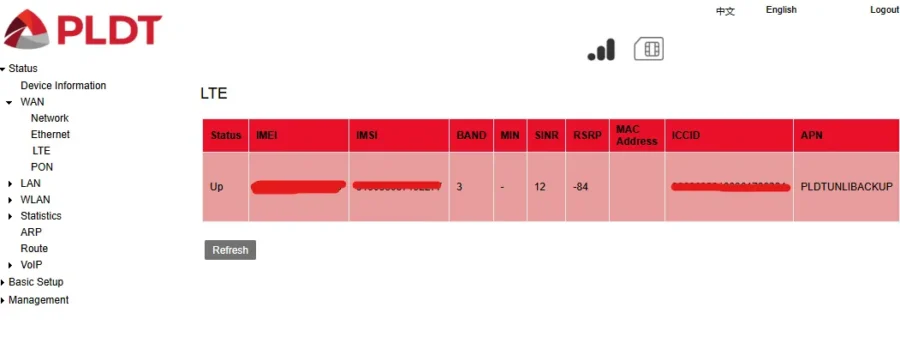
The homepage shows all of the immediate information of the D2H modem/router. The WAN section shows the current state of which internet source is in use. In this case I have the 4G LTE connection active.
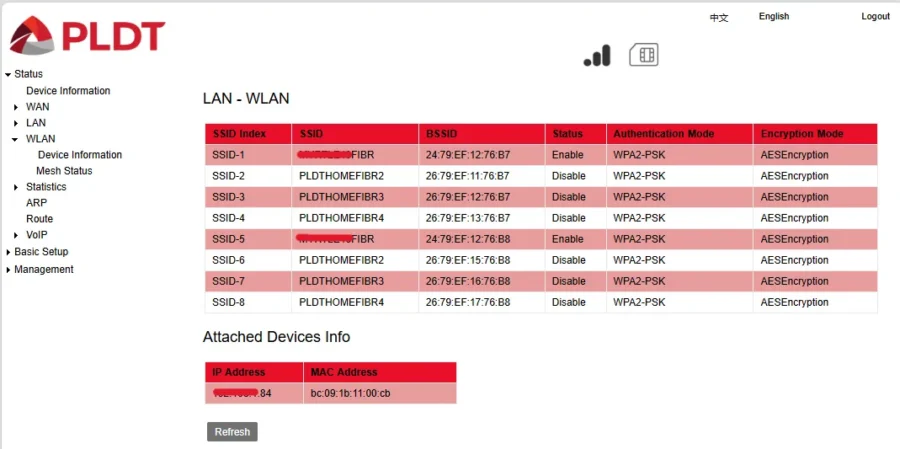
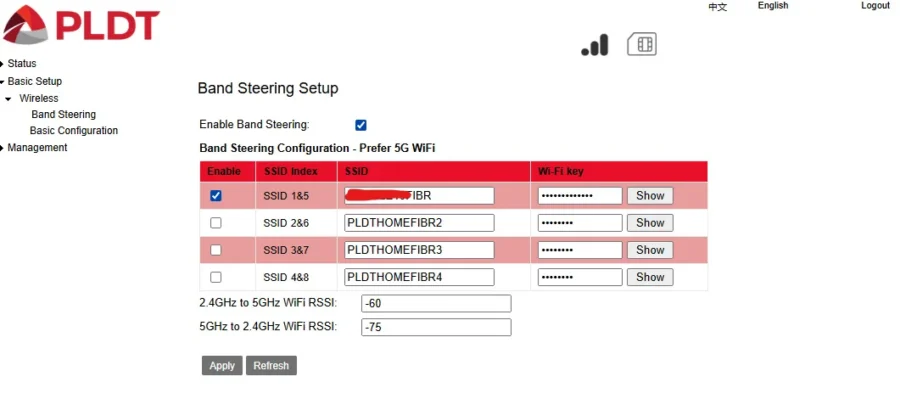
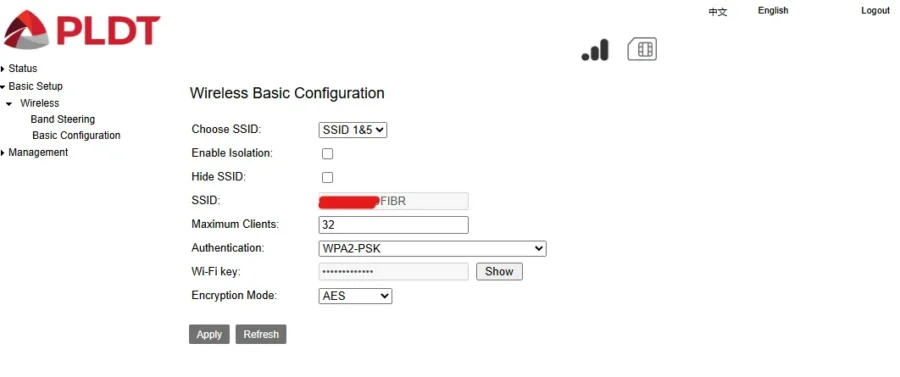
WiFi 6 configuration of the Always On motherboard is simple. It uses SSID 1&5 for 2.4 and 5GHz signals making up the network. We can also see a field for letting us configure the number of maximum users to the network. The default is 32, given how low powered the modem is, I would believe this is the most optimal maximum setting for users connected to this modem’s WiFi. I would recommend getting a separate router to it if you want more users connected.
Performance Test
For testing the modem/router, it will be simple. Testing for WiFi 6 Speed and coverage between two floors and rooms. The main coverage of the test is how well the 4G backup works plus how fast it is able to automatically log a ticket and if the repair does (if ever) happens.
Does the Backup Work?
The backup works, after a month of stable Fibr connection I recently had an outage where one by one my neighbors lost internet connection. There was a brief downtime as the D2H modem switched on its 4G LTE connection. The number of 4G LTE lights represent how strong the connection is with the cell tower, and I am getting full three bars. It works similar to higher end routers utilizing failover functions wherein when one service fails, the backup kicks in. Did I mention that the 4G LTE backup has unlimited data?
It does automatically log a ticket as advertised, by checking the PLDT status site I was able to see it logged. The speed of how the ticket can be resolved may vary. If it’s a normal fiber cut from the house to the nearest service box, it should be done within 48 hours. However, it looks like for my case it is another area-wide outage (as I have mentioned at the start, a lot of my neighbors lost internet service).
In comes the quirk, it seems that the Always On modem attempts to connect to the Fibr network if it notices it having data even for a very brief moment, therefore disconnecting the 4G LTE connection. I have observed it happening at different intervals. Then once it realizes that the Fiber Optic connection’s still down, it will reconnect again, which can mess up your progress at times.

Now if ever even Smart’s 4G LTE goes down, which it did last month (before getting this unit) then that’s certainly a problem with PLDT and Smart’s infrastructure, not on the modem.
Internet Performance (Mesh Network for Now)
I was able to get Mesh Network performance when the regular Fiber connection was working through my Mesh Network. Unfortunately, I wasn’t able to do a check on the network speed directly through the modem’s WiFi Network.
Here are the results of using the backup and primary using the mesh router connection. In general, the Mesh Network on using the Fiber Optic connection runs similarly with the speed I was getting from the old modem. On the backup LTE connection, it sits at around 27-25Mbps. Using direct connection to the modem’s WiFi 6 connection, I can get around 45-50Mbps+ on a good day.
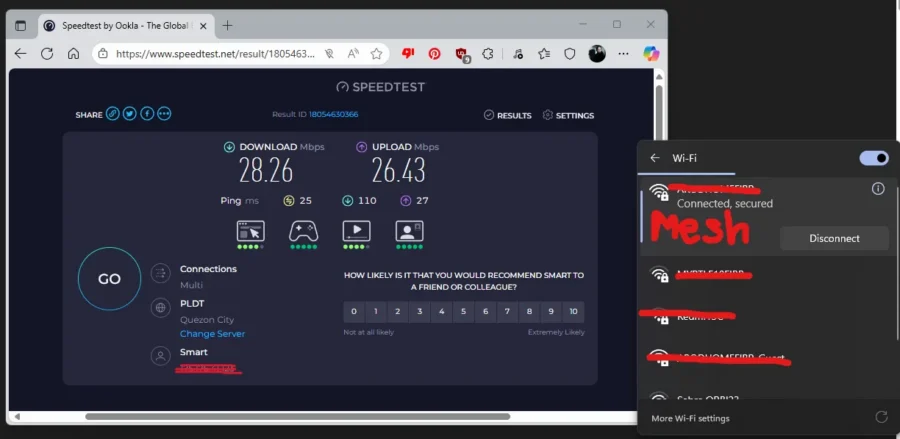
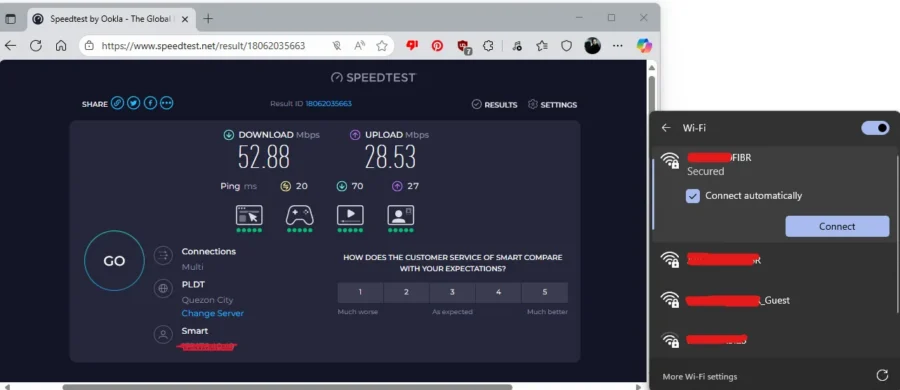


The WiFi 6 speed and penetration I found better than the WiFi 5 Mesh. Though it is a bit slower compared to what I usually get from my Smart Data off of my cellphone hotspot, but it does the job of having a connection to work with without sacrificing a phone to be a hotspot.
I’ll update this space once connection’s back with a comparison between the Mesh router’s WiFi 5 and the modem’s WiFi 6 networks.
Summary and Verdict
PLDT Home Always On is a great add-on / replacement modem for your PLDT Fibr service as it automates ticket logging and provides a decent enough back-up in a pinch especially for those working from home.
The price of entry is relatively affordable enough to forgo roughly two tall orders of your favorite blended coffee, and the modern design (standing, and with smaller table footprint and better ventilation) helps in prolonging its lifespan. Having WiFi 6 is a plus too, having better penetration between rooms. The 4G LTE backup doesn’t have a data cap, and therefore, has the same unlimited data as the regular fiber optic connection.
Unfortunately, there are some quirks with the PLDT Always On modem like the tolerance of the modem with detecting fiber optic connectivity, as it would randomly disconnect the backup and can affect anyone’s progress while using it. Tweaking it to ensure the main connection not time out for more than a minute I guess would correct it? just a suggestion. Another constant quirk I find with PLDT modems is the low security when accessing the interface. Anyone who has access to the network can directly access the admin and take control of it. So, during installation better listen with the installer if they mention assistance on setting up the admin password.
This wraps up the review on the PLDT Home Always On Modem, it’s a good product in case when your primary internet fails all of a sudden.