
I like reviewing PCs and laptops for the enterprise market simply because I am aware of their needs compared to the usual consumer. In recent years I’ve reviewed ASUS Business’ Desktop PCs which were suited for large corporations in various industries. I have also reviewed laptops also designed for Small and Medium Enterprises, and this time we received a review unit that caters to the Small, Medium Entrepreneurs (SMEs.) It’s an ASUS ExpertBook P5 which we initially saw on COMPUTEX last year.
As an SME myself, this is a perfect laptop for me to review. Will I recommend it? Read on.
Table of Contents
ASUS ExpertBook P5 Specs
| Processor: | Intel Core Ultra 7 Processor 258V 32GB 2.2 GHz (12MB Cache, up to 4.8 GHz, 8 cores, 8 Threads); Intel AI Boost NPU up to 47 TOPS |
|---|---|
| GPU: | Intel Arc 140V GPU |
| Display: | 14.0-inch, WQXGA (2560 x 1600) 16:10, Wide view, Anti-glare display, LED Backlit, 400nits, sRGB: 100%, Screen-to-body ratio:90 % |
| RAM | 32GB LPDDR5X Memory on Package, Memory Max Up to:32GB |
| Storage | 1TB M.2 2280 NVMe PCIe 4.0 SSD |
| Camera | 1080p FHD camera with IR function to support Windows Hello With privacy shutter |
| Ports | 2x USB 3.2 Gen 2 Type-A 2x Thunderbolt 4, compliant with USB4, supports display / power delivery 1x HDMI 2.1 1x USB 2.0 Type-A |
| Wireless Network | Wi-Fi 6E(802.11ax) (Triple band) 2*2 + Bluetooth 5.4 Wireless Card |
| Battery | 63WHrs, 3S1P, 3-cell Li-ion Long life rechargeable lithium polymer battery. |
The Looks and Feel

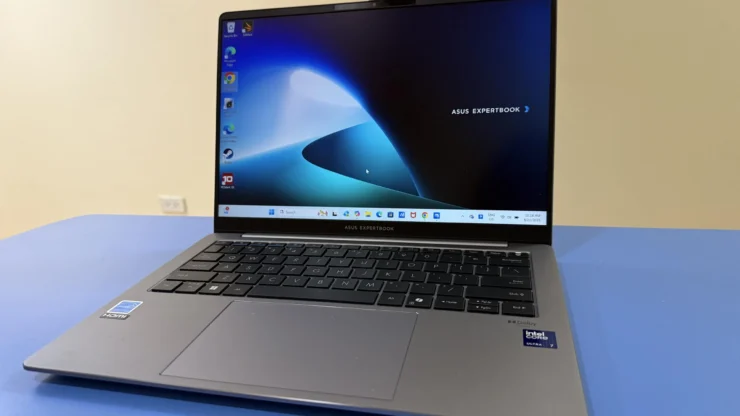
Built quality of the ASUS Expertbook P5 felt like holding an ASUS Zenbook, but unlike the latter’s designs the P5 is kinda restrained. It’s a way to differentiate itself from the company’s consumer laptops to an SME’s laptop.

Dimensions of the Expertbook P5 are 31.20cm x 22.32cm x 1.28cm (when opened) 1.64cm (when closed.) It weighs at 1.27kg, carrying the laptop doesn’t feel like a chore, especially when moving around the office with it.
Behind the P5 is the ExpertCool thermal structure which ensures consistent, optimal cooling..

Ports on the left side are a USB Type-C Thunderbolt 4, HDMI 2.1, USB Type-A, another USB Type-C Thunderbolt 4 and a 3.5mm combo audio jack.

On the outer side is another USB Type-A port and a Kensington lock. I suppose the reason they didn’t include a memory card reader for SD or MicroSD is because SMEs wouldn’t do any sort of photo and video editing on the laptop. I still think they should’ve included one since other SMEs are like jack-of-all trades.

Opening the sturdy lid uncovers a 14-nch display and a keyboard. It is well-spaced and key travel was adequate enough. Typing on the P5’s keys were pretty responsive and, honestly, I enjoyed typing articles on it. While the trackpad is quite large to my taste, it wasn’t a hindrance for me whenever I type on the keyboard. Keypads are backlit and its brightness can be adjusted.
Here’s the interesting part of this SME laptop. The ExpertBook P5’s brand-new aluminum body design meets the US MIL-STD 810H military standard. It simply means it’s military tough! In a demo by ASUS Commercial Marketers during their launch last month, the ExpertBook P5 was dropped, closed the lid with a pen on the keyboard, poured with water several times. Despite of these abuses absorbed by the laptop, it was still able to run perfectly. Screen was intact, keyboard was still functioning – the whole laptop still works perfectly as if nothing happened!
The Display and Sound

The display of the ASUS ExpertBook P5 is a 14-inch WQXGA (2560 x 1600) IPS Panel with an aspect ratio of 16:10. It has a refresh rate of 120Hz, which is unusual for a business laptop. Colors on the IPS Panel were quite okay but I prefer OLEDs for sharper colors. The anti-glare display was effective outdoors or any place that has bright lighting.
Another unusual addition to the ExpertBook P5 are the Dolby Atmos-tuned speakers. I’m not saying business laptops shouldn’t have these kinds of speakers, but normally these laptops are used more for work than entertainment. But come to think of it, if you need to present a multimedia file for a client then you should have a pair of nice built-in speakers.
The Performance

Our ASUS ExpertBook P5 review unit comes with an Intel Core Ultra 7 Processor paired with Intel ARC GPU. Its storage is 1TB and memory is at 32GB. For enterprise users who need more storage without using an external drive, there is an additional storage slot available.
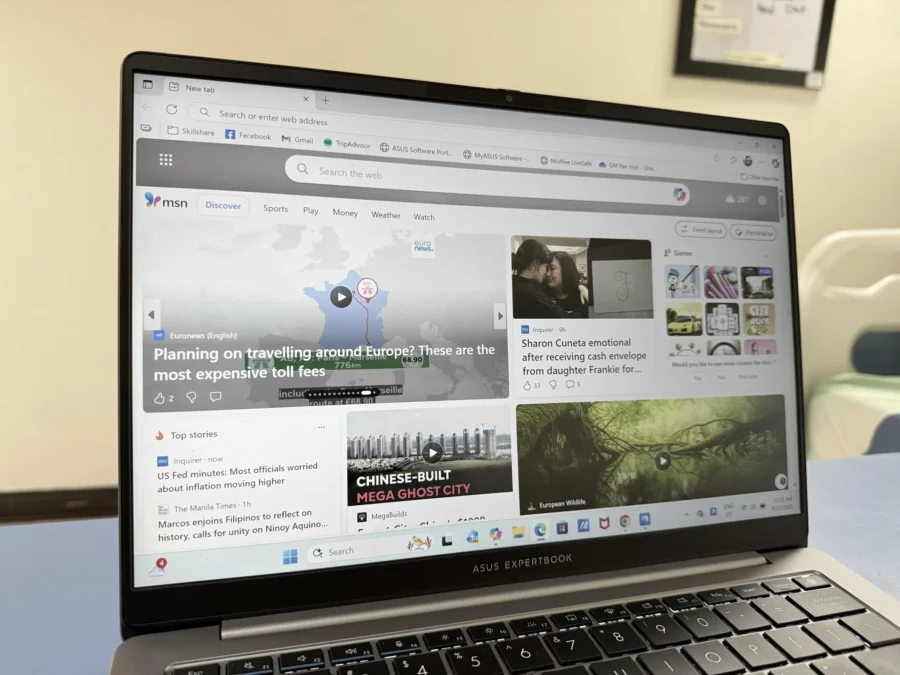
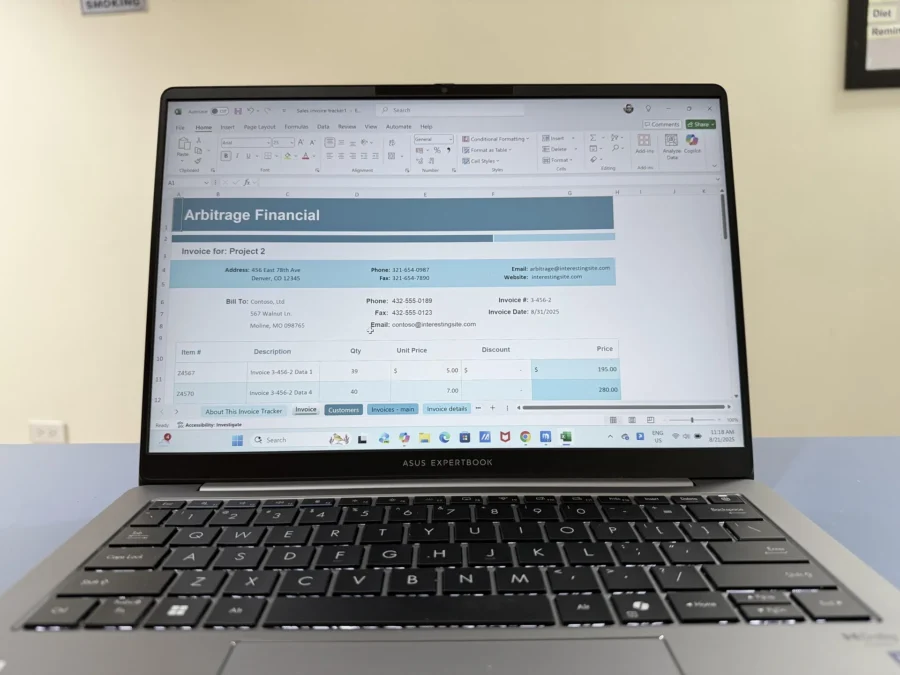
Based on our usage, the ExpertBook P5 was very capable of daily tasks in the office. I usually open Microsoft Word and Excel and the rest were multiple tabs on Google Chrome and Microsoft Edge. I open from 7 to as much as 20 tabs on Chrome on a daily basis and it doesn’t cause any issues with the laptop. It isn’t the best for Photo and Video editing, the Intel Core Ultra 7 is still capable to work on these tasks as well.
AI in a Business Laptop


The ASUS ExpertBook P5 has built-in AI features that users can benefit for their business. It can be accessed by clicking on the ExpertPanel icon on the system tray. Of course, Microsoft’s Copilot+ is already pre-installed and ready for use.
Microsoft Copilot+
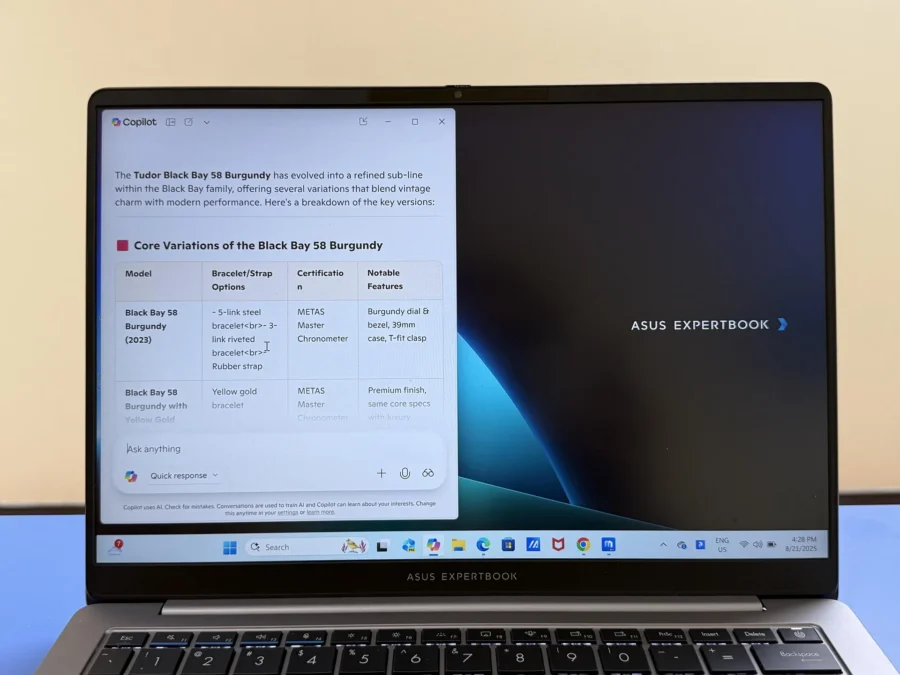
If you haven’t used it before, simply press the CoPilot+ key on the keyboard and ask any questions under the sun like how to manage silly employees or how can the ASUS ExpertBook P5 help a business owner manage his business properly.
AI Meeting Meeting Minutes
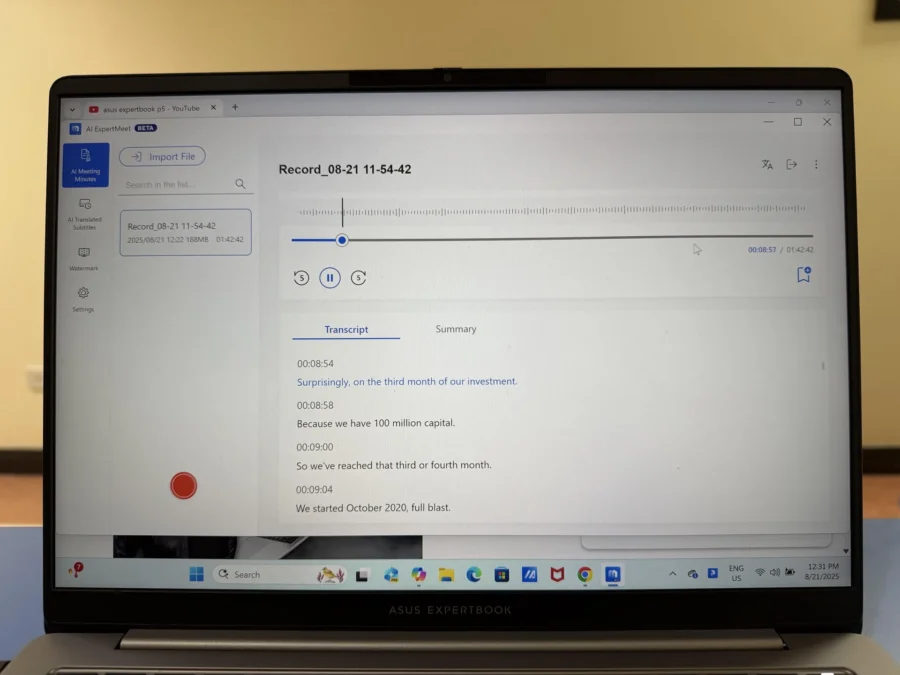
How long do we usually wait for the Minutes of the Meeting to be available for review? For someone in charge of the minutes, he would have to transcribe the recorded meeting word for word before sharing it to everyone who attended.
With the AI Meeting Minutes, the ASUS ExpertBook P5 will transcribe it for you. It can also provide the summary of the meeting. All of this can be done in a few minutes, no need to wait for at least an hour or more.
Multi-Presenter Conference Call
Multi-Presenter Conference Call mode with AI Noise Cancelling filters ambient noise while identifying multiple voices from varying directions and distances. It normalizes voices by adjusting all voices to the same volume level.
AI Translated Subtitles
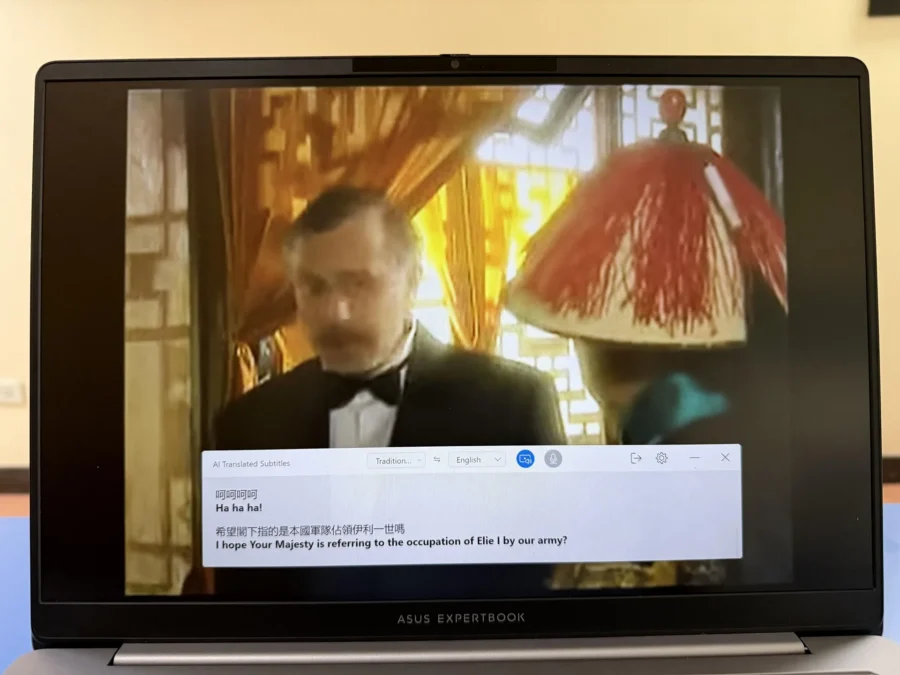
There are some meetings that may involve participants who does not speak the same language as you, and that could cause some unnecessary confusion. Again, the ExpertBook P5 got this situation covered.
It has an AI Translated Subtitles that translates languages in real time. Unlike other AI translation services I’ve tried with other devices, the ExpertBook P5’s AI Translated Subtitles feature is seamless and provides accurate translations most of the time.
This feature can be used both live or recorded audio or video. We used it for watching a video on YouTube and it also worked.
Screen Watermark
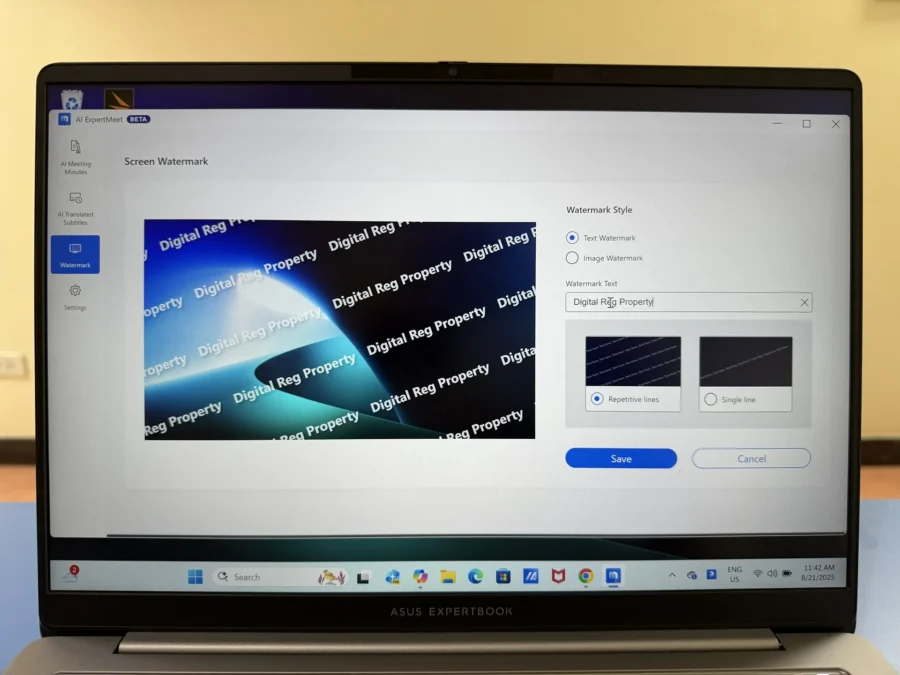
For those who want their video content to be only seen by authorized viewers, ASUS included a Screen Watermark feature for protection. How does it help in protecting your video content? In the age of remote work where some security measures are bypassed by screen captures or photos of monitors, the Screen Watermark addresses the risks of unauthorized sharing to unauthorized people. This can also be traced by unauthorized people who shared the video based on the time they accessed it.
Webcam Watermark
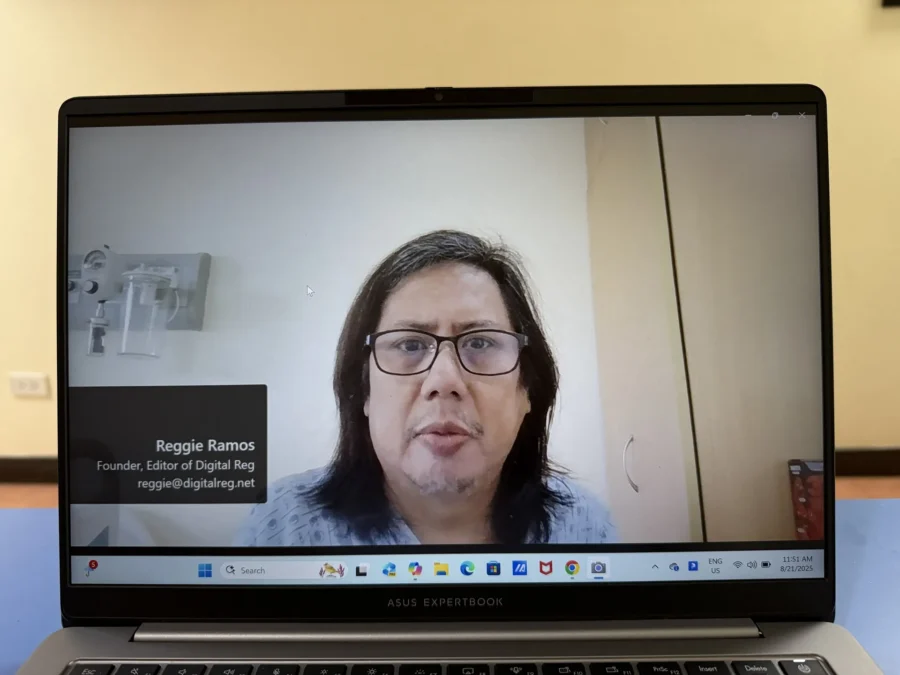
Webcam Watermark is a neat feature that users can utilize during online meetings. It adds flexibility to add your business card with customized information Together with the Screen Watermark, you will be able to protect the video content you present.
The Security of the ASUS ExpertBook P5

This is what differentiates the ASUS ExpertBook P5 from the usual consumer laptops in the market. It’s true that consumer laptops have some security features, but the ExpertBook P5 being an Enterprise laptop that carries a lot of important confidential information should have additional layers of security. ASUS commits to providing five years of updates for BIOS and drivers, ensuring the device remains protected against newly discovered vulnerabilities and exploits.
ASUS ExpertGuardian
ASUS ExpertGuardian secures the ExpertBook P5 by combining firmware-level protection, Windows Secured-core PC technologies, and long-term update support to defend against evolving threats. The commercial-grade NIST SP 800-155-Compliant BIOS protects the ExpertBook P5 against firmware-level attacks — one of the most dangerous and hard-to-detect forms of intrusion.
Webcam Shield

Whether or not your laptop can be hacked by someone else, it’s better to be safe than sorry. Simply slide the webcam cover over the lens to ensure your privacy when the camera is not in use.
Fingerprint Login
Like the Webcam Shield, the fingerprint scanner is also present in most consumer laptops. The advantage of the ExpertBook P5’s Fingerprint sign-in is the FIDO2 authentication, which ensures greater security and privacy, user-friendly experiences, and improved scalability. FIDO2 also reduces workloads and costs associated with access management.
Adaptive Lock
Sometimes, we leave our laptop open whenever we leave our cubicle. This is susceptible for anyone in your office to access it and your confidential files. With the ExpertBook P5’s ASUS Adaptive Lock, it automatically locks to protect your laptop and your data. Once you’ve come back in front of your laptop, its camera will detect your presence with its infrared camera to recognize your face before it logs you in.
TPM 2.0

Trusted Platform Module 2.0 or TPM 2.0 is a security microchip found on a computer’s motherboard or in its processor that provides hardware-based security features. While other competitors’ laptops use software-based TPM, the ASUS ExpertBook P5 uses both the software TPM plus a more secured hardware-based TPM (selected models only.)
The hardware TPM is for companies requiring enhanced security – a separate dedicated physical TPM chip that securely stores authentication information, such as passwords or encryption keys, to further protect important data and transactions.
The Battery Life
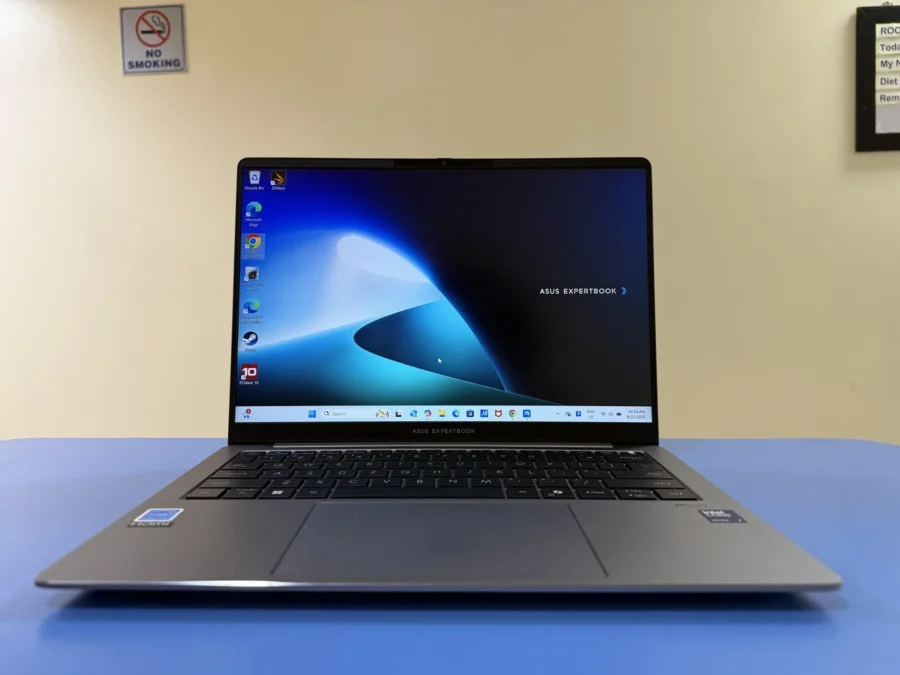
The ASUS ExpertBook P5’s battery capacity is a 63WHrs 3-cell Li-Ion battery. Based on our usage, the laptop can last an average of 10-11 hours consisting of typing documents and emails, web browsing, streaming videos and video conference calls. I was confident enough not to bring a charger whenever I go out to work outside of the office.
The 65W charger charges the ExpertBook P5 in less than 2 hours. It can also be charged with a powerbank though it may be slower depending on its power delivery rating.
Why Choose the ASUS ExpertBook P5 over a Consumer Laptop?

This is my take as someone who has both worked and serviced large-scale corporations. These companies always take security seriously because they know they hold sensitive information involving their own business and all of their clients. If these information falls into the wrong hands, their business could be jeopardized.
Most of the security features I mentioned in this review are not present in consumer laptops, meaning it has a high risk for data breach. Even SMEs are not spared from this. What data could be stolen from them? Financial information. Trade secrets. Client information. The list goes on.
We take security for granted and once we experience a security breach or as simple as a laptop stolen, that’s the only time we take action. The likes of the ASUS ExpertBook P5 might be a bit more expensive than a typical consumer laptop, but with its layers of security features it will definitely give you a peace of mind.
DR’s Conclusion
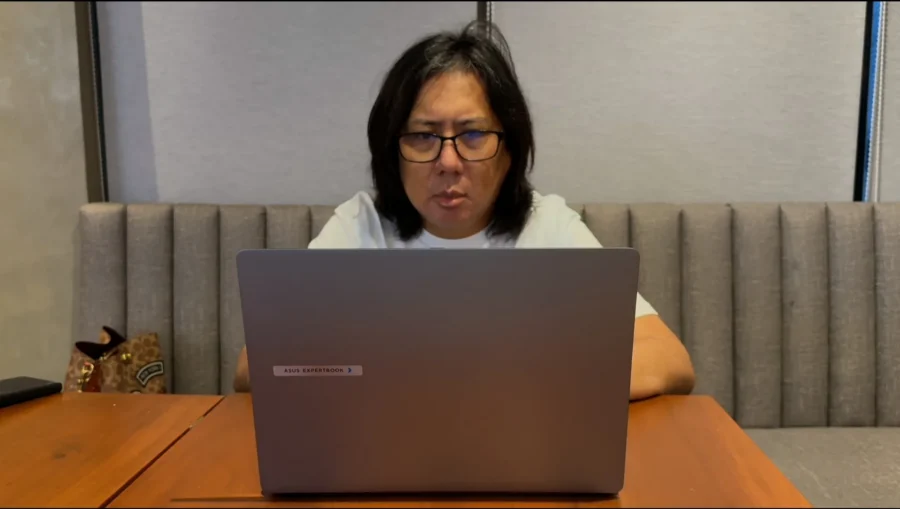
The durability, performance and the best security I’ve ever seen in a laptop are present in the ASUS ExpertBook P5. It is recommended for SMEs who knows they need a laptop that can perform, but also has the utmost security they can rely on when someone tries to steal information from them. I’ve seen how durable it is so users may not have to worry about the ExpertBook P5’s built quality.
The ASUS ExpertBook P5 is also covered by their 3-years International Warranty and Onsite Service. The price you pay for is beyond the laptop, it’s the service that ASUS Business can provide you to keep your own business going.
For more information about the ASUS ExpertBook P5 P5405, visit https://www.asus.com/ph/laptops/for-work/expertbook/expertbook-p5-p5405/