
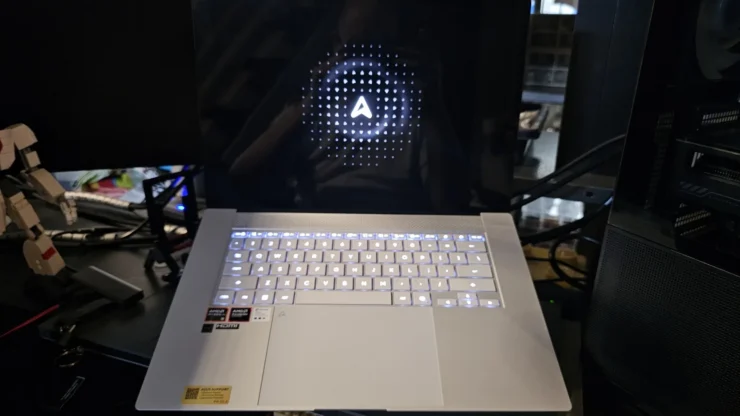
The ASUS Zenbook S16 (UM5606GA) is their latest model for the Zenbook like this 2026 to come out sporting the latest in AMD’s roster of Ryzen AI CPUs that is geared for AI use for people who are on the go. What makes it more beneficial for anyone who works by travelling a lot is the fact that this laptop is only 1.1cm thick and is dubbed to outclass many laptops out there in terms of weight, battery savings and a degree of power (it is not a gaming laptop).
One major claim is its battery can last up to 21 hours of usage. It’s a big claim especially if one is forced to work w/o ample charging points around. So, in this review, I’ll be taking the Zenbook S16 out of the usual office and bring, rather by the time of this review’s publication, already brought it to Taiwan for COMPUTEX 2026.
As a 40 something person with a developing back fatigue from carrying an ROG Zephyrus 15 from the last trip (and others in the Philippines), lugging around a heavy gaming laptop with short battery life can be draining. And since my Zephyrus 15 is more than three years old already, it’s high time for me to look for a lighter alternative. As I’ve observed with my use of the Zephyrus, I tend not to game much on it when on the go, except for Gacha games like Genshin, just to do my dailies. And those types of games normally do not consume too much resource to run.
I borrowed this unit from ASUS for both review and trial purpose, to see if the laptop’s weight would be manageable for the trip. This was used for writing coverage articles at the media room and uploading photos and some videos to my cloud hosted storage.
Table of Contents
Zenbook S16 Design, Input/Output, and Packaging
Box and Accessories
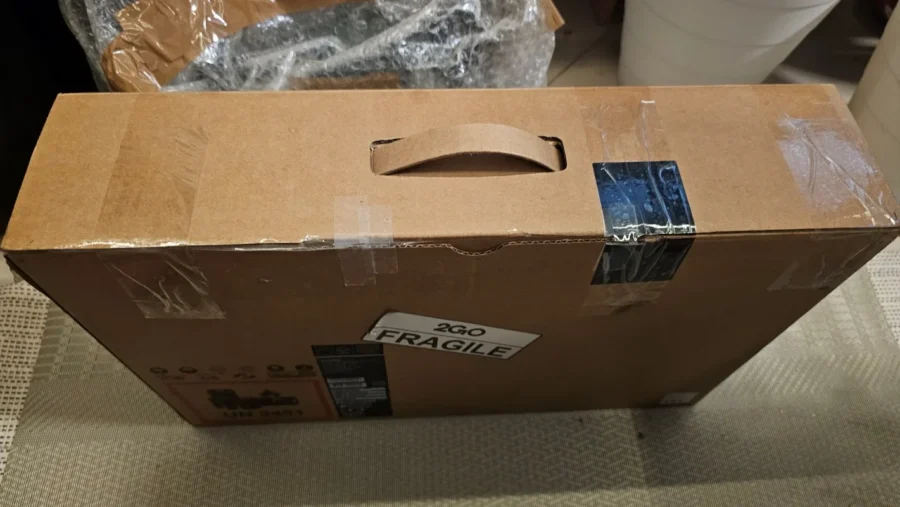
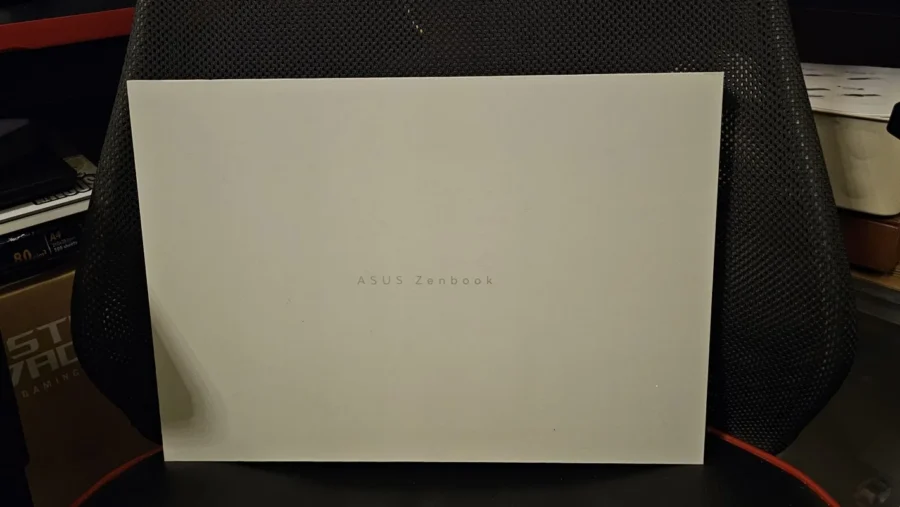
The Zenbook S16 comes in two boxes, the outer shipping box is your standard laptop brown box, while an inner well-designed box (color matched with the unit) contains the laptop, manuals and a postcard. In its commitment to keep everything recyclable and materials friendly, foam was replaced with cardboard for protection. Instead of a backpack, it came with an ASUS Exclusive sleeve, and the power brick is in another box.
The included power brick is a USB Type C interface w/ around 68W of power output. I carried my 100W GaN adapter instead as it has multiple sockets for charging phones separately.
External Design and I/O
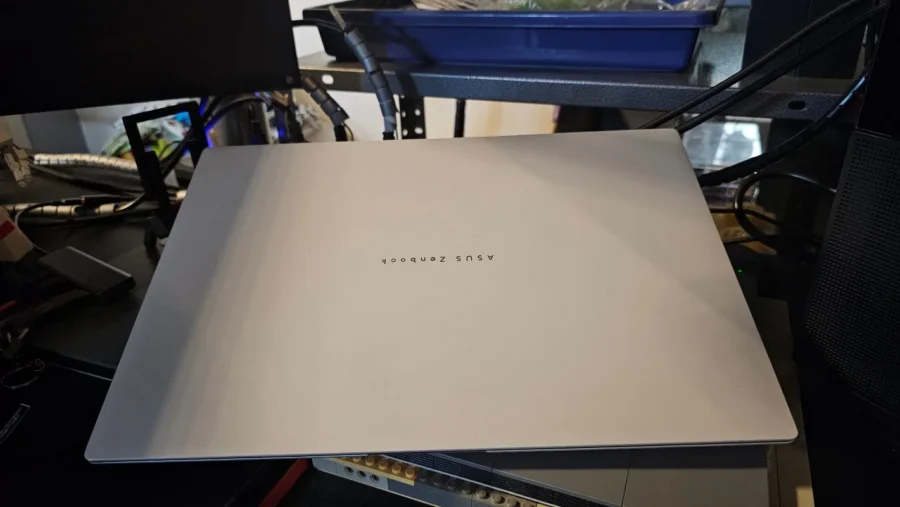
The unit itself comes in Scandinavian White and is encased in an all-aluminum shell (top cover and bottom case). Aluminum is a good compromise for strength and lightness. The aluminum shell is coated with ASUS’ Ceraluminum material giving it a texture akin to a ceramic, which gives an additional level of durability. With my travel and use, it’s tough enough to resist scuffing or any dirt from sticking, especially at airport baggage checks where I needed to pull out the laptop. The Scandanavian White color for the laptop is not purely white, which works as it reduces that ‘dirt magnet’ feel or that “old white car look” after a while where the white car turns yellow after UV exposure.
There’s a modest amount of USB4 Gen 3 Type C ports on the left side with two, as well as a 3.5mm combo audio jack and a HDMI 2.1 TMDS port. The USB4 Gen 4 Type C ports have support for display and power delivery and possibly can be plugged into an eGPU to give some small boost to graphics processing. The right side of the laptop is a USB 3.2 Gen 2 Type A port for legacy USB Type A devices, and a SD 4.0 card reader.
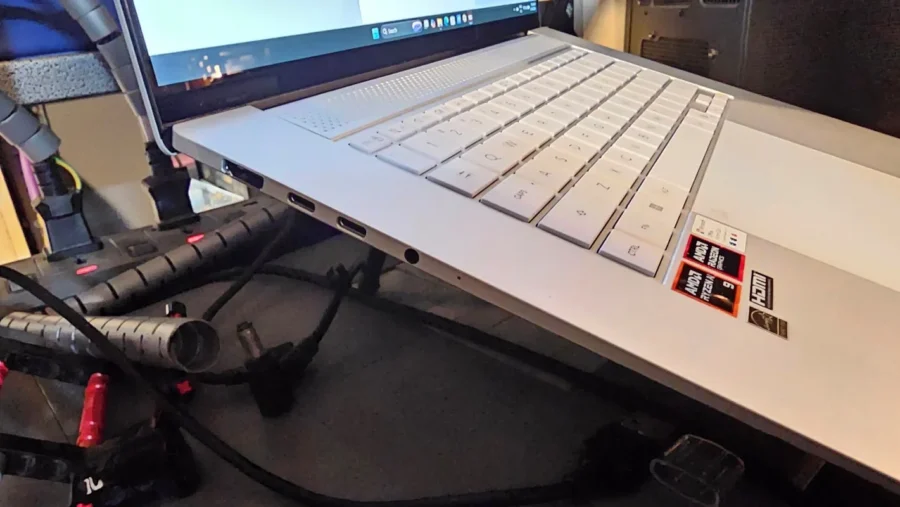
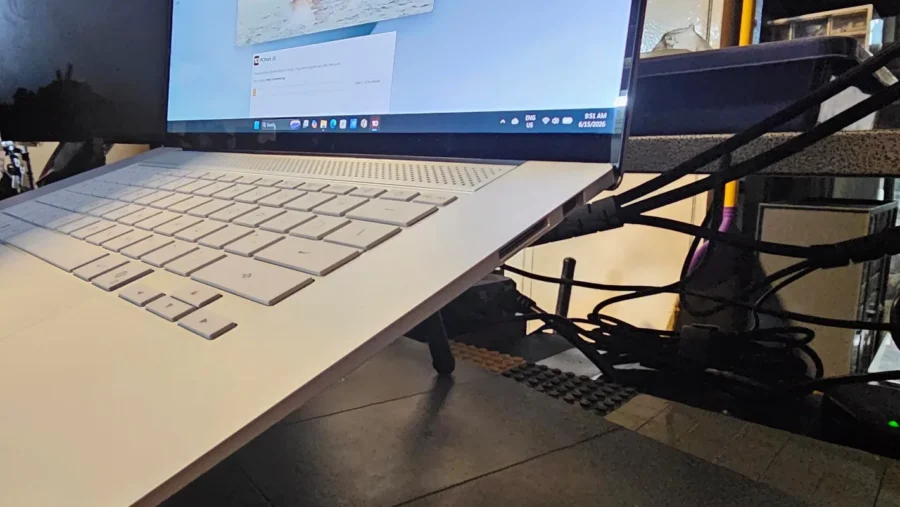
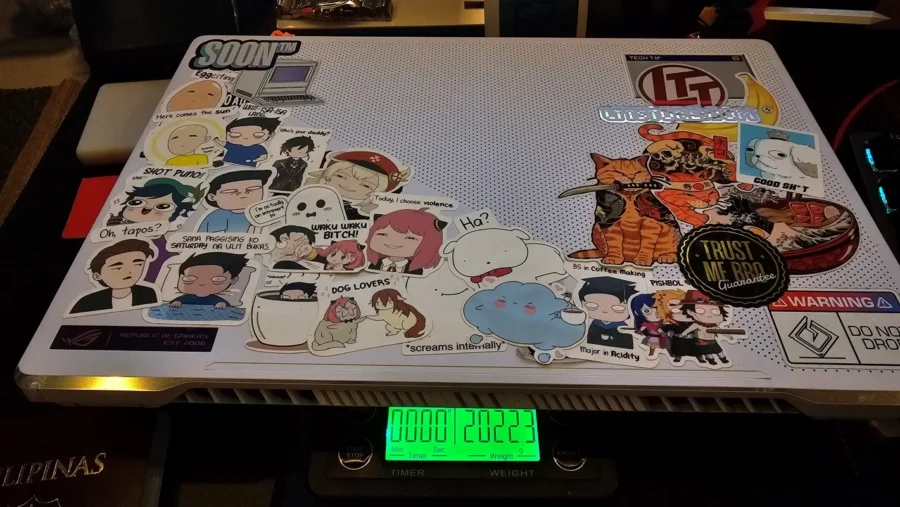
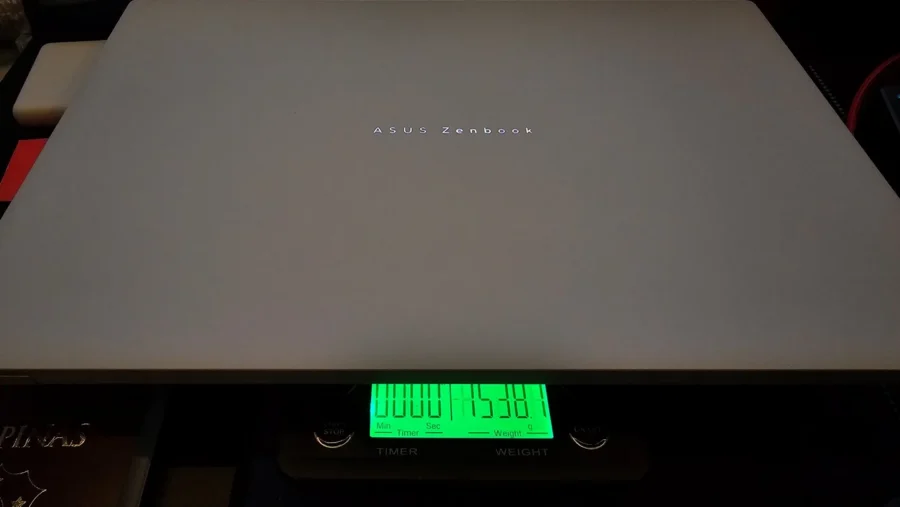
It weighs at around 1.5kg, around 500 grams or less lighter than my Zephyrus G15. Which equates for a better back when walking around TAINEX 1 and TAINEX 2 during COMPUTEX days. I carried it around with a minimum of a 10,000mAh powerbank (previously carried a 20,000mAh), travel mouse, and a 100w power brick (I did not carry the laptop’s own) as it also provided extra ports for charging my phones at the same time. My back felt better moving around and I did feel less fatigued walking.
Keyboard and Touchpad
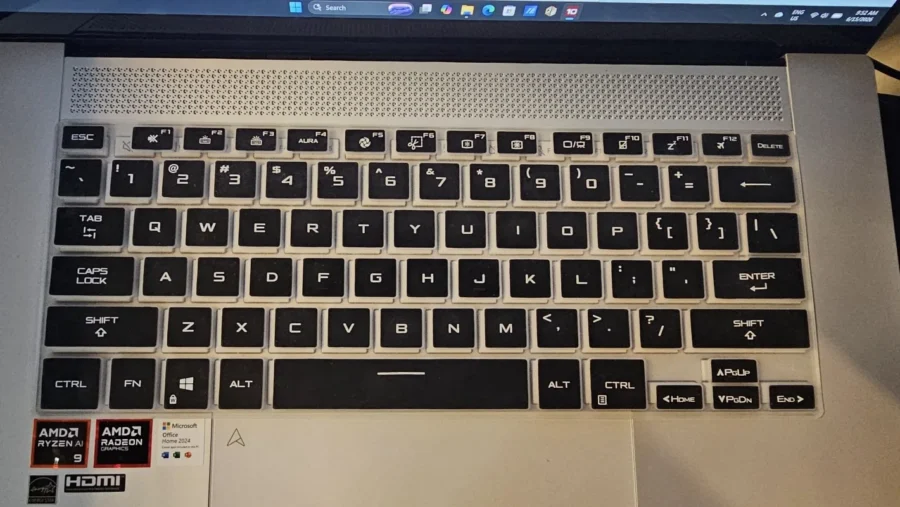
Opening the lid reveals its keyboard and trackpad. ASUS used a precision touchpad on the Zenbook S16 which includes some gestures for adjusting volume, screen brightness and others. These can be tweaked in Windows later on.
Keyboard is a backlit chicklet type similar to what my Zephyrus 15 has. Typing on it provides good response and has good dampening when pressing and depressing, removing that clicky feel compared to other laptop’s keyboards. I compared the Zenbook S16’s key spacing versus the Zephyrus 15’s key spacing. Using a silicone keyboard protector (to avoid staining or premature wearing) to compare, I laid it on the Zenbook 16 and there’s a slight deviation of 1-2mm between the Zenbook 16 and Zephyrus 15. The Zenbook 16 has a slightly narrower width than the Zephyrus 15. It’s still good spacing for typing comfortably without miss pressing keys.
16″ of Lumina OLED Goodness
The top section near the monitor is a specially designed grille. It is CNC precision cut creating a nice pattern of dips and holes. This helps in dissipating heat from the cooler passively since given the thinness of the laptop. A 16″ Lumina OLED screen with 3K (2880×1800) resolution and 120Hz max refresh is equipped. It also has touch screen enabled, so it allows for quicker clicking on links or buttons should you find moving the pointer tedious with the touchpad.
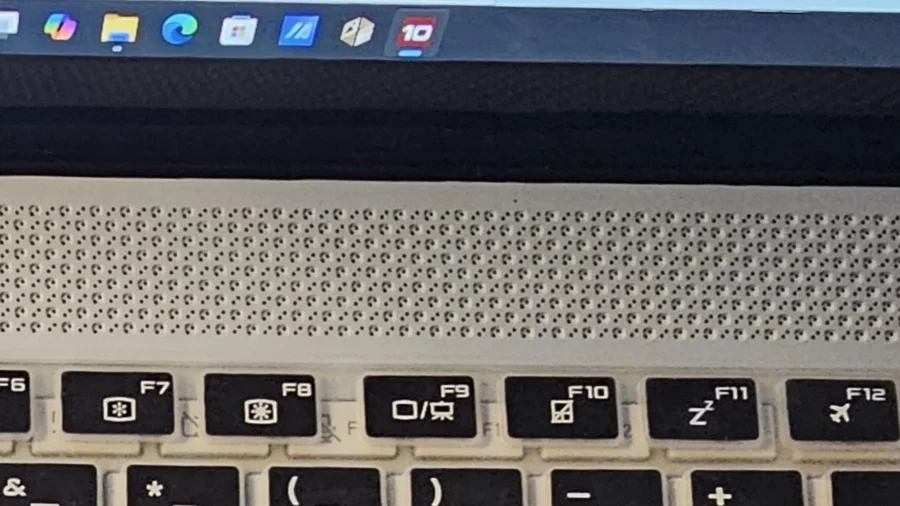
Going back to the OLED panel, it has 500nits of brightness to 1000nits of peak HDR brightness and color spec it has 100% DCI-P3 color gamut. This makes for a good image, video editing machine on the go for its color accuracy and quality. The display has a shiny surface, but with some anti-glare properties.
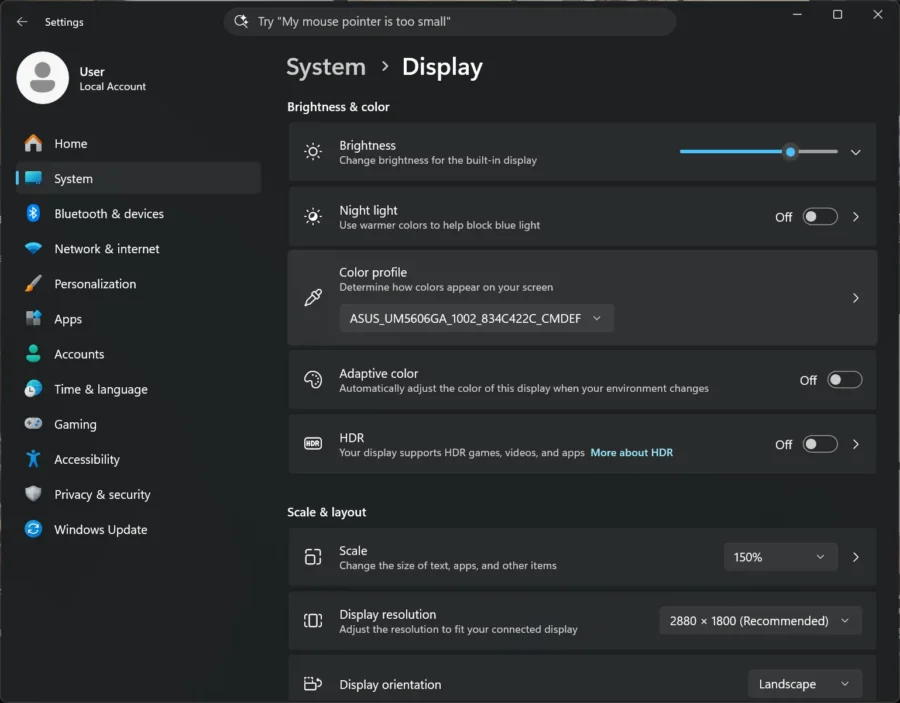
During actual use, I’ve tried playing different videos to see how color is reproduced and how blacks are kept. Reproduction was nice but I found the default screen profile (Vivid mode) to have a less saturated baseline. I switched it to an sRGB color profile in myASUS to boost it somewhat. Blacks are deep without the bleeding LED/LCD light found in IPS monitor. Though as an IPS user, I have set my ASUS monitors to use the Scenery profile which tend to give a slightly more saturated/vivid color output to compensate.


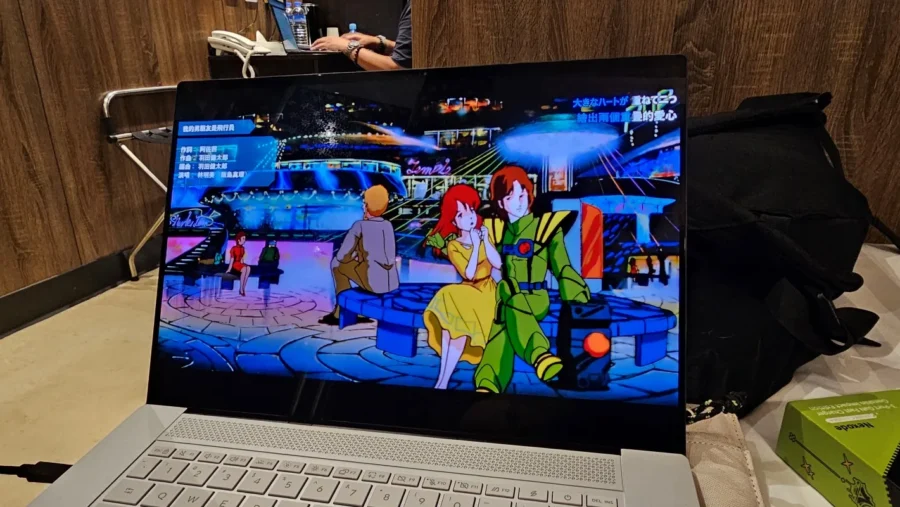
During the trip to Taiwan, I re-watched the YouTube videos and my copy of Macross:DYRL movie with fresh eyes, away from my home/office monitors. Without the scenery profile bias from my desktop monitors, the color output of the OLED monitor is better, especially with classic cel shaded animation from the movie.
For screen refresh, it sports a 120Hz refresh rate, which to me is good, we’re not chasing fast refresh since this is not a total gaming laptop. Also to save more on battery, it’s suggested to reduce the refresh rate, though I did forget to reduce this during the battery test. But if you’re not going for the full 21hr battery lifespan, I would recommend keeping the refresh at this rate to keep your eyes good. I find it straining to look at a 60Hz monitor these days.
Audio is a banger
I mentioned that the speakers of the Zenbook S16 are found on the sides of the laptop’s chassis. These are your typical downward firing stereo speakers but have a Cirrus Logic CS42L43 codec and ASUS tuning to give a nice crisp sound when I ran the music video playlist for the battery test. There’s a certain depth or layer where different sound sources at different distances sound properly.
Onboard Camera
The onboard camera has IR capability as part of the Windows Hello Login. It has a FHD resolution for video calls/conferences. This has no privacy shutter.
Performance Review
Now for the performance review, I’m going over more on the internals of the Zenbook S16. As this review is slightly on a tighter time frame as I was also on assignment at COMPUTEX, I would not be able to pull in more tests like trying out to benchmark the AI capabilities of the Ryzen AI 9 465 Processor.
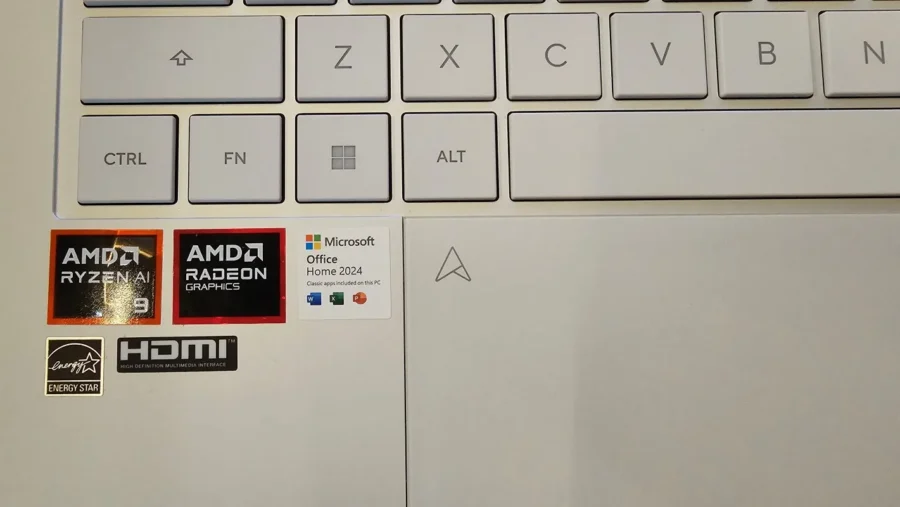
To shed some more info on this processor, this is not an upper spec Ryzen AI mobile CPU like the Ryzen AI Max+ 395. The Ryzen AI 9 465 is an energy efficient model that mixes Zen5 and Zen5c cores to come up with a level of performance and power efficiency. But, at the same time, have similar performance output on AI tasks (NPU bound at 50 TOPS).
Other things to note, as a thin and light laptop, it forgoes the use of SODIMM memory, with 32GB of LPDDR5X memory. Looking at the system summary from HWINFO, the speed of the RAM installed is at a rate of DDR5 8300MHz, same as the NUC14 Pro AI I reviewed last year. And given it is soldered, it has a shorter path to the CPU giving it an advantage of lower delays in handling data. And as history served, gaming is possible, with the only factor to check if it really can handle with the AMD Radeon 880M.

For storage the Zenbook S16 uses a 1TB Sandisk SN5100S (I think it is a variation of the old WD Blue M.2 SSD after Sandisk’s split with Western Digital)
I was advised not to play games on it. But just for the heck of it, I had to at least to check how improved the newer AMD Radeon 880M iGPU handled things. I have tweaked the utilized VRAM by allocating memory from the 32GB RAM for use with 12GB. For that I used the new Forza Horizon 6 to benchmark test. For the rest of usage tests, I’ve ran some benchmarking tools to get a sense of how this processor fare against my Zephyrus G15’s AMD Ryzen 7 6800H and its GeForce RTX 3060 6GB.
Also, battery test to see how long it lasted on my setup. (Hint: This has the longest battery laptop I have held ever since I owned one since 2002).
CPU Testing: Cinebench
I’ve moved up to use Cinebench R24 (or just Cinebench, available in the Microsoft Store App) as apparently the latest version now has the GPU test working fine/enabled.
Here are the results for the Zenbook S16:
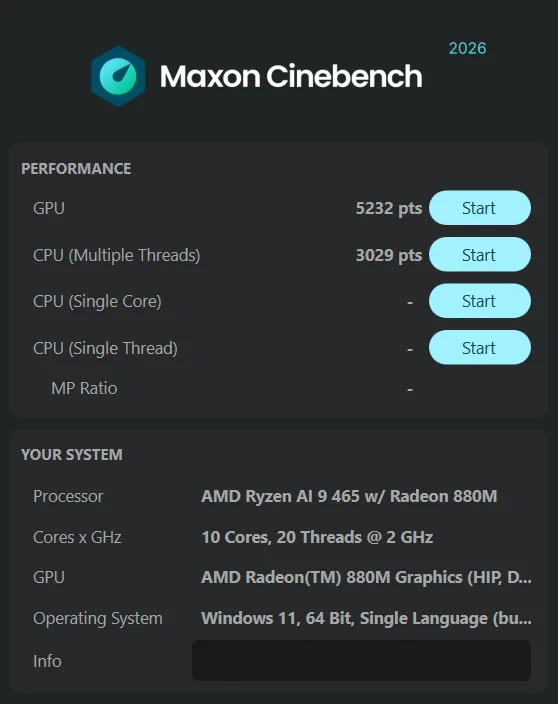
| GPU Test | 5232 |
| CPU Multi Test | 3029 |
This is the result from the Zephyrus G15:
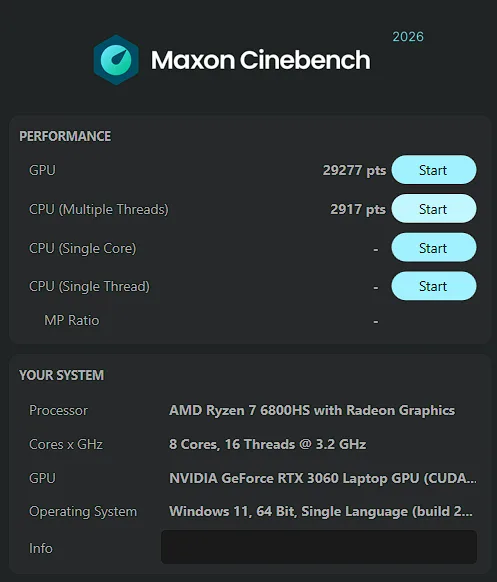
| GPU Test | 29277 |
| CPU Multi Test | 2917 |
GPU test was obviously have sided for the dedicated GPU of the Zephyrus G15. Though I find that the gap between the Ryzen 7 6800H and the Ryzen 9 AI 465 a bit slim. This is due to the Ryzen 9 AI 465, while being a 10-core CPU run at a slower 2.0GHz clock speed with shorter bursts at 5.0GHz as opposed to the Ryzen 7 6800H with an aggressive fan profile for cooling.
PC Mark 10 Testing
For PC Mark 10, I ran the benchmark test for both the Zenbook S16 and the Zephyrus G15. I use PC Mark to do synthetic testing on multiple disciplines of productive work. Here are their results:
Here is the result for the Zenbook S16:
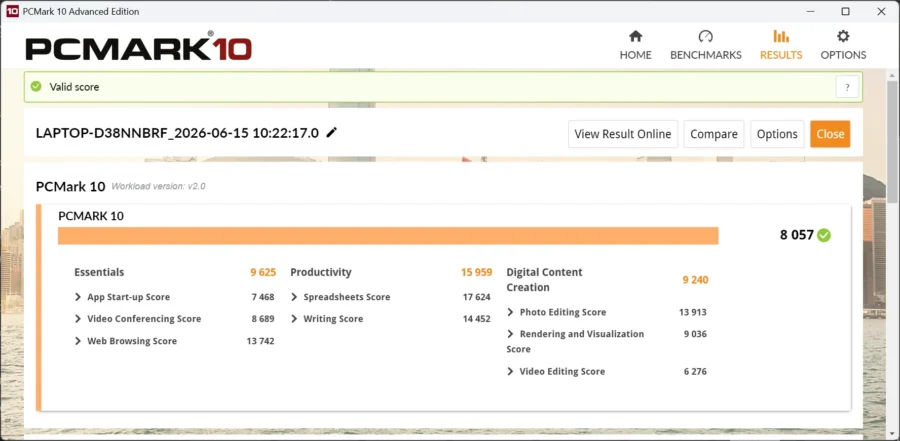
| PC Mark 10 Overall | 8057 |
| Essentials | 9625 |
| Productivity | 15959 |
| Digital Content Creation | 9240 |
Now, here are the results from the Zephyrus G15:
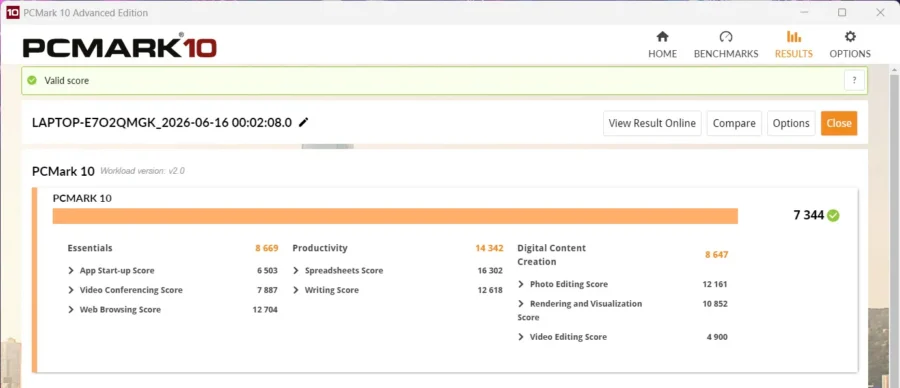
| PC Mark 10 Overall | 7344 |
| Essentials | 8669 |
| Productivity | 14342 |
| Digital Content Creation | 8647 |
While the Zephyrus G15 has a discrete GPU, the only score it did well was on the Digital Content Creation’s Rendering and Visualization sub-score, which Blender utilizes. All others have utilized more on the CPU which gives emphasis as the Zenbook S16 as a portable work machine.
3DMark Testing
Now we’ve seen how the Zenbook S16 performs for work related tasks, let’s see how it handles graphics.
Here’s the result of the Zenbook S16’s Radeon 880M:
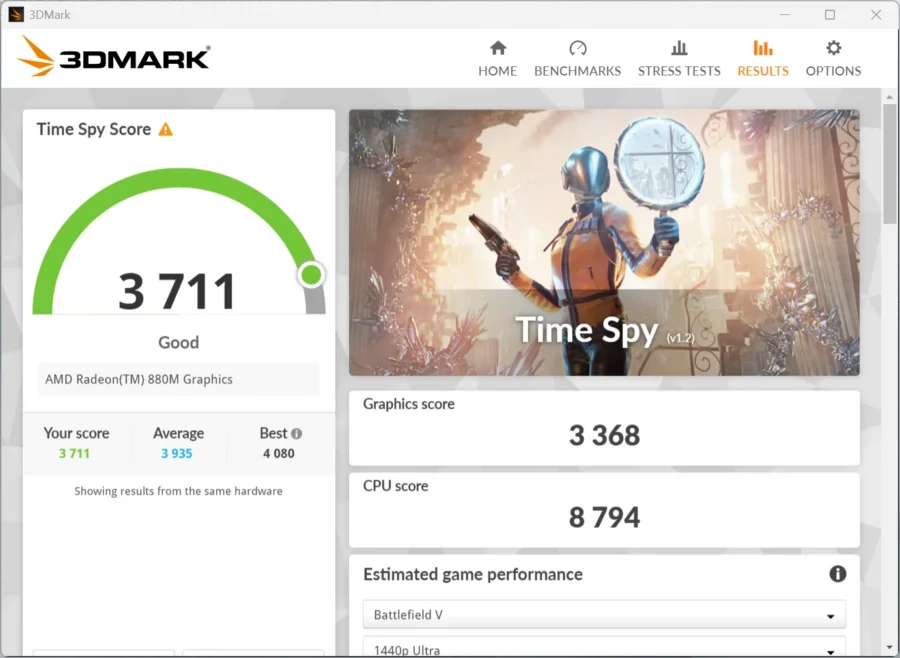
| TimeSpy | 3711 |
And here’s the result on the Zephyrus G15 with its RTX 3060:
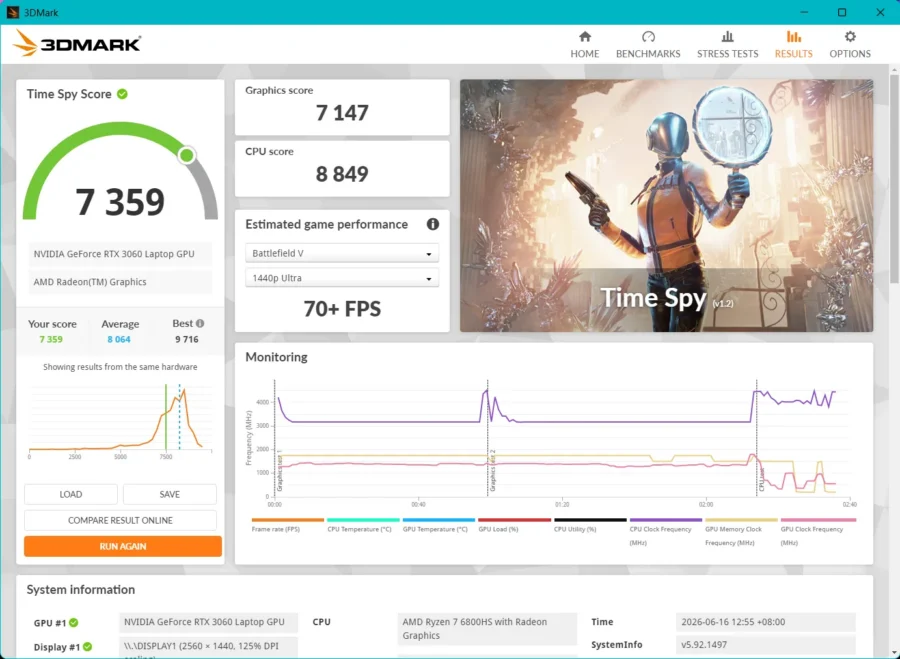
| TimeSpy | 7359 |
What we get here is that for games and apps that tend to utilize the GPU more, a laptop with a discrete GPU will do better than the AMD Radeon 880m still. But for minor 3D or video rendering on the go, the Radeon 880m can still hold. It’s also strange that TimeSpy did not recognize the Radeon 880m.
Forza Horizon 6 Testing
Now for testing the new Forza Horizon title. There were several updates I ran for it to work. I had to update the XBOX App in Windows 11 as it uses a newer service to handle accounts. Next, you can ignore the warning of the graphics drivers being old, it should be fine. You can check with MyASUS later to see if the laptop’s drivers were updated.
Now, I tested Forza on different resolutions. With native, it’s a slideshow on High setting. I’ve played around resolution and a bit of the preset between High and Medium. I find that setting it at 1080p better for image sharpness and on medium as a happy compromise. I also tried going lower at 1600×1000 on High preset, but it did impact FPS somewhat, giving 37FPS average. I went further down to 1280×800 on High preset, while it did better with 41FPS average, it looked muddled at the resolution. At 40FPS on actual playing the game doesn’t feel too sluggish, but there are some points that stutters do take effect.


It’s a different result however with a gaming laptop of course. I’ve matched the resolution at 1600×900 (closest, as they have different screen ratios) and used High+RT preset to run the benchmark. It had a higher average FPS of 53 (it is running RT on Low). Removing the Ray Tracing setting to High Preset, we get 67FPS average
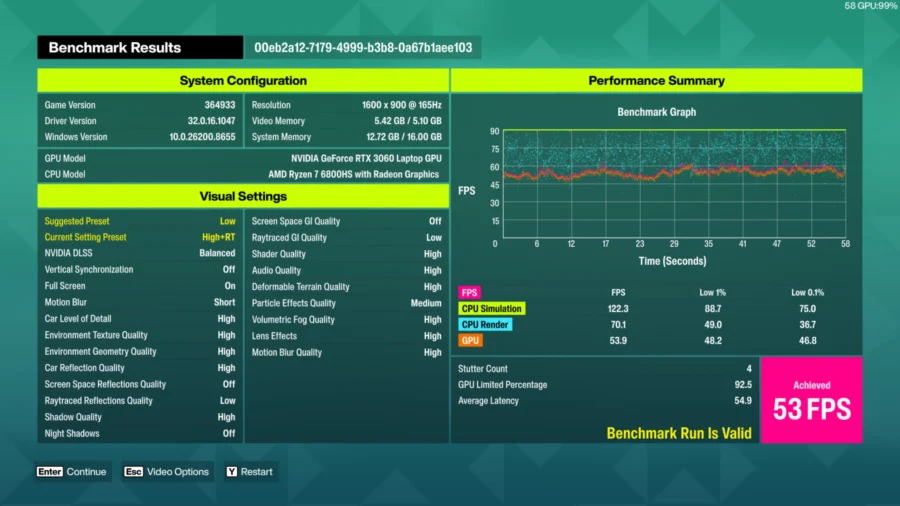
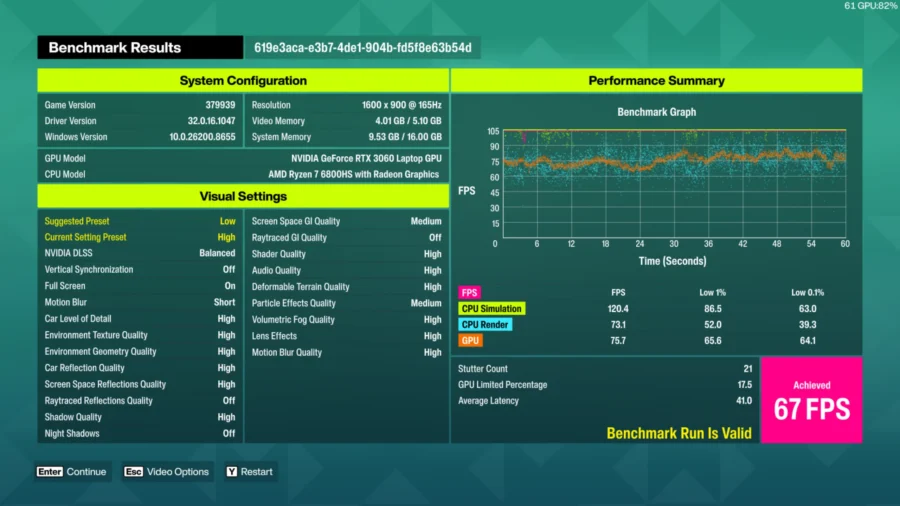
The kicker here however is with the suggested presets, the Zenbook S16 suggests using High preset while the Zephyrus Gaming laptop suggests using Low. I find it weird, and it’s probably I ignored the warning.
WiFi Testing/Experience
Now for the WiFi experience, the Zenbook S16 has WiFi 7 support, so all the good stuff is in there and is backwards compatible to older WiFi versions. I still use WiFi 5 network at home and this is what I’ve got when transferring my installed copy of Forza Horizon 6 on Steam from my main PC to the Zenbook.

As for internet access, it’s relatively fast, especially when using a WiFi6 phone as hotspot while in Taiwan. Never got a disconnect and I took advantage to the fast 5G network of my hotspot via WiFi6.
Battery Lifespan Test
For battery tests, I performed a long run twice, one had me run a YouTube playlist (music videos to keep the screen moving, avoiding the OLED preservation from turning off the screen) + running a steam download/install of Forza Horizon 6. This used the standard power mode of balanced, kept the screen refresh at 120hz and brightness at 100. Approximate time of battery to reach 1% was about 06:23:00 which is frankly good, better than what I’ve experienced using laptops all these years. It packs an 83WHrs 4S1P, 4-cell Li-ion battery, quite a big battery to cram into that 1.1cm thick frame.
Now after doing some more research of how others save more on power. I re-ran the test with only a YouTube playlist again, no downloads or installs. Still using the standard power mode of balanced, kept the 120hz screen refresh but reduced my screen brightness to 50%. The result got me even more hours at 09:51:00, which essentially covered an entire workday. If this translates to say, just doing typing work on a MS Word this should give a longer battery life.
There are a lot of other factors that can affect battery life. During my COMPUTEX trip, I almost had no need to charge the Zenbook S16 during my 2-3 hour stay at the media room during my free time typing content or browsing. It even charged my phone used as my internet hotspot for a bit. Battery charge hardly reached 50%, and this is excellent.
MyASUS application for Management
Since the Zenbook S16 is a mainstream consumer laptop, ROG Armoury Crate isn’t installed. Instead, MyASUS is the primary app for managing the laptop’s internal systems. It handles system diagnostics, fan profile, setting the Function Key lock, battery management, AI-Noise Canceling for audio (in/out), ASUS OLED Care and SLPENDID (color management), iGPU management and live updates (no longer needing to download manually from ASUS).


Other Included Software
Included in the Zenbook S16 is a personal license of Microsoft Office Home 2024 + 1 year Microsoft 365 Basic account. When I accessed Office, I used my personal Microsoft 365 account to further unlock (and access) other applications like OneDrive. And a limited one-month license for Adobe Creative Cloud Apps with redemption duration up until August 31, 2026.
Included software all come from ASUS: ASUS Recovery, StoryCube, ScreenXpert, GlideX. I’ve tried StoryCube on my PC and it works as an AI powered management app for sorting/managing your media files from whatever’s connected to the laptop. GlideX is a cross device / screen-sharing and control app, that lets us access another PC or tablet or phone and extend for the PC. And ScreenXPert is for managing apps if you have a multi-screen setup.
Summary and Conclusion
To put it simply, the ASUS Zenbook S16 is an ultra-portable worker that checks a lot of what I’m looking for: lightweight, power efficient, and can-do light gaming on the go. Its thin profile makes it a space saver in my backpack and its lightness allowed me to comfortably carry it around all day.
Being an energy efficient machine, it also meant that it does not generate excess amount of heat, therefore it does not run its cooling fans at full speed. This would help in prolonging the laptop’s life span from components wearing out due to heat. Also, when left turned off and unplugged for a long time, it retains its charge as well, unlike laptops that I’ve used for school, work and gaming which had power getting leeched until you’re surprised to find the charge is gone once turned on (happens a lot on my Zephyrus G15 as of late)
The Zenbook S16, even for its 1.1cm thickness doesn’t flex thanks to a solid aluminum body. The keyboard’s easy to type on and the trackpad is generously big. The Ceraluminum finish prevents scratching or scuffing from happening.
My only nitpick would probably be with the limited USB ports, that’s just about it really.
For price and availability of the ASUS Zenbook S16, you can try inquiring here for a list of partner retail stores. Now as for the price, with the state of memory prices right now, pricing of the unit is fluid (so the price posted on the laptop’s page may have already increased). Also, from what was shared, the Zenbook S16 only comes with one variant in the Philippines.